Playback starts YouTube’s embedded player (privacy-enhanced mode).
How to Create Transparent Logos in Photoshop | Logo Design Tutorial
ChannelPhotoshop Tutorials | Photo effectsDescription from the creator
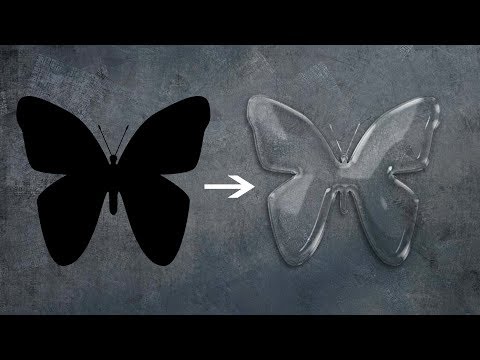
In this photoshop tutorial we will learn how to transform your regular logos into transparent glass like logos. Super simple process, all we will use is blending options, also known as layer styles. Mainly we will focus on bevel and emboss. At the end of tutorial i will also show you how to quickly apply same effect to some other logo in just few seconds, so you don't have to entire process again and again.
Tip: i recommend that you don't use any logos that have very thin lines in them or else you will have to adjust setting according to that, also sometimes it might not work at all.
So i hope you learn something from this logo design tutorial, if you have any questions, ask me in comments below. Thank you :)
-----------------------------------------------------------------------------------
Subscribe to Tutorials junction: bit.ly/1Q8u7Op
Instagram: instagram.com/tutorialjunction
Facebook: facebook.com/tutorialsjunction
-----------------------------------------------------------------------------------
Recommendations for designers and content creators ►
✌️Try photoshop for free: prf.hn/l/Y3gaYWg
🖊️Graphic tablet for beginners: amzn.to/3OzT4qI
🎙️Microphone I use: amzn.to/3rNHC0Z
💻Laptop I am using right now: amzn.to/3rMJJSF
🐭Mouse I recommend: amzn.to/37FiBOL
🎧Headphones I use: amzn.to/3KavMEG
🖼️quality premium stock images: 1.envato.market/BX9X3y
-----------------------------------------------------------------------------------
Download images
bit.ly/2GgGcFH
Tip: i recommend that you don't use any logos that have very thin lines in them or else you will have to adjust setting according to that, also sometimes it might not work at all.
So i hope you learn something from this logo design tutorial, if you have any questions, ask me in comments below. Thank you :)
-----------------------------------------------------------------------------------
Subscribe to Tutorials junction: bit.ly/1Q8u7Op
Instagram: instagram.com/tutorialjunction
Facebook: facebook.com/tutorialsjunction
-----------------------------------------------------------------------------------
Recommendations for designers and content creators ►
✌️Try photoshop for free: prf.hn/l/Y3gaYWg
🖊️Graphic tablet for beginners: amzn.to/3OzT4qI
🎙️Microphone I use: amzn.to/3rNHC0Z
💻Laptop I am using right now: amzn.to/3rMJJSF
🐭Mouse I recommend: amzn.to/37FiBOL
🎧Headphones I use: amzn.to/3KavMEG
🖼️quality premium stock images: 1.envato.market/BX9X3y
-----------------------------------------------------------------------------------
Download images
bit.ly/2GgGcFH
About this tutorial
Photoshop Tutorials | Photo effects published this 13:11 video tutorial on November 9, 2018. It has been watched 330,789 times on YouTube.
- Category
- Education
- Duration
- 13:11
- Published
- November 9, 2018
- Views
- 330,789
- Likes
- 9,452
Tags
Share
This tutorial in other languages
- FRComment créer des logos transparents dans Photoshop | Création de logo Tutorial
- ESCómo crear Logos transparentes en Photoshop | Logo Design Tutorial
- PTComo criar Logos transparentes em Photoshop | Logo Design Tutorial
- ITCome creare loghi trasparenti in Photoshop | Logo Design Tutorial
- DEWie man Transparent Logos in Photoshop erstellen | Logo-Design Tutorial
- NLHoe te Transparent Logos in Photoshop aanmaken | Logo Design Tutorial
- RUКак создать прозрачные логотипы в Photoshop | Дизайн логотипа Учебник
- PLJak utworzyć przezroczyste logo w Photoshopie | Logo Design Tutorial
- JAPhotoshopで透明なロゴを作成する方法|ロゴデザインのチュートリアル
- ARكيفية إنشاء شعارات شفافة في فوتوشوب | تصميم شعار دروس
- HIकैसे Photoshop में पारदर्शी लोगो बनाने के लिए | लोगो डिजाइन ट्यूटोरियल
- IDCara Membuat Logos Transparan di Photoshop | Desain Logo Tutorial