Playback starts YouTube’s embedded player (privacy-enhanced mode).
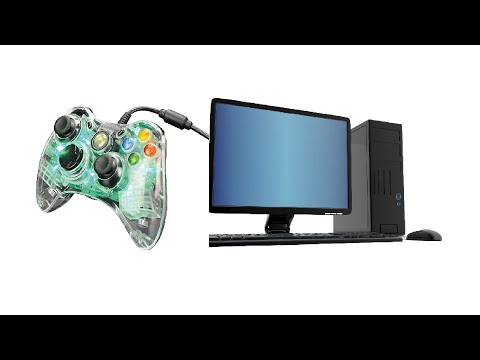
How to Connect Xbox 360 WIRED Controller to PC
ChannelExilaryyDescription from the creator
Thanks for the views, drop a comment and I'll try and help if I can.
If you came here for think, Google the Microsoft website as instructed in the video. The link is updated every time they update the driver.
- FOR WINDOWS 10 USERS-
Set up a wired controller on Windows 10
Follow these steps to install your Xbox 360 wired controller on Windows 10:
-Plug the Xbox 360 controller into any USB 2.0 or 3.0 port on the computer.
-Windows 10 will AUTOMATICALLY install drivers for your controller, so you won't have to download or install software other than Windows 10 updates. Once you see the pop-up notification that the drivers have been installed, you can use your controller.
-Open a game or the Xbox app and test your controller by pressing a button, pulling a trigger, or moving a stick on the controller.
Notes
If your Xbox 360 wired controller is not detected by your PC, try plugging it into a different USB port, and then test it again.
If your controller still does not work, check that Windows 10 is fully updated. Install any updates and then try again.
Refer to your game documentation for information about how to configure the Xbox 360 controller for a specific game.
(Source: Microsoft Website)
-
-
-
GOOGLE: "Xbox 360 Controller Driver"
Additional Help from Xbox Support:
support.xbox.com/en-US/xbox-on-windows/accessor…
-
-
-
Windows 8.1 or Windows 8 users!
Now that you've paused the video and you are reading this, I want you to know that the process for the installation is the same so don't worry!
Once you install Right-click the Setup program and select "Properties"
Then, On the Compatibility tab, select the Run this program in compatibility mode for checkbox, and then select Windows 7 from the drop down list.
Select Apply, and then select OK.
Double-click the Setup program to run it. The Xbox 360 Accessories Setup program installs the necessary files on the computer. You might be prompted to restart the computer when finished.
Let me know if you have any questions in the comments below!
Additional Help from Xbox Support:
support.xbox.com/en-US/xbox-on-windows/accessor…
-
-
-
The controller I used in this video is a PDP AfterGlow Xbox 360 Controller.
Product:
amzn.to/37L7nmq
amzn.to/37L7nmq
amzn.to/37L7nmq
This is an easy tutorial to explain how you can successfully install your Wired Xbox 360 Controller to your PC.
At one point I did mess up the recording so please, if there are any questions, feel free to ask.
Additional Help from Xbox Support:
support.xbox.com/en-US/xbox-on-windows/accessor…
-
-
-
Exilaryy
Connect Xbox 360 WIRED Controller to PC
How to Connect Xbox 360 WIRED Controller to PC
How to Connect Xbox 360 WIRED Controller to PC
If you came here for think, Google the Microsoft website as instructed in the video. The link is updated every time they update the driver.
- FOR WINDOWS 10 USERS-
Set up a wired controller on Windows 10
Follow these steps to install your Xbox 360 wired controller on Windows 10:
-Plug the Xbox 360 controller into any USB 2.0 or 3.0 port on the computer.
-Windows 10 will AUTOMATICALLY install drivers for your controller, so you won't have to download or install software other than Windows 10 updates. Once you see the pop-up notification that the drivers have been installed, you can use your controller.
-Open a game or the Xbox app and test your controller by pressing a button, pulling a trigger, or moving a stick on the controller.
Notes
If your Xbox 360 wired controller is not detected by your PC, try plugging it into a different USB port, and then test it again.
If your controller still does not work, check that Windows 10 is fully updated. Install any updates and then try again.
Refer to your game documentation for information about how to configure the Xbox 360 controller for a specific game.
(Source: Microsoft Website)
-
-
-
GOOGLE: "Xbox 360 Controller Driver"
Additional Help from Xbox Support:
support.xbox.com/en-US/xbox-on-windows/accessor…
-
-
-
Windows 8.1 or Windows 8 users!
Now that you've paused the video and you are reading this, I want you to know that the process for the installation is the same so don't worry!
Once you install Right-click the Setup program and select "Properties"
Then, On the Compatibility tab, select the Run this program in compatibility mode for checkbox, and then select Windows 7 from the drop down list.
Select Apply, and then select OK.
Double-click the Setup program to run it. The Xbox 360 Accessories Setup program installs the necessary files on the computer. You might be prompted to restart the computer when finished.
Let me know if you have any questions in the comments below!
Additional Help from Xbox Support:
support.xbox.com/en-US/xbox-on-windows/accessor…
-
-
-
The controller I used in this video is a PDP AfterGlow Xbox 360 Controller.
Product:
amzn.to/37L7nmq
amzn.to/37L7nmq
amzn.to/37L7nmq
This is an easy tutorial to explain how you can successfully install your Wired Xbox 360 Controller to your PC.
At one point I did mess up the recording so please, if there are any questions, feel free to ask.
Additional Help from Xbox Support:
support.xbox.com/en-US/xbox-on-windows/accessor…
-
-
-
Exilaryy
Connect Xbox 360 WIRED Controller to PC
How to Connect Xbox 360 WIRED Controller to PC
How to Connect Xbox 360 WIRED Controller to PC
About this tutorial
Exilaryy published this 2:44 video tutorial on November 2, 2016. It has been watched 493,627 times on YouTube.
- Channel
- Exilaryy
- Category
- Entertainment
- Duration
- 2:44
- Published
- November 2, 2016
- Views
- 493,627
- Likes
- 3,877
Share
This tutorial in other languages
- FRComment connecter la Xbox 360 Controller pour PC WIRED
- ES¿Cómo conectar Xbox 360 Wired Controller para PC
- PTComo conectar Xbox 360 Wired Controller para PC
- ITCome collegare Xbox 360 Controller per PC WIRED
- DEWie zu Connect Xbox 360 Wired Controller an den PC
- NLHoe te Connect Xbox 360 bedrade controller naar PC
- RUКак подключить Xbox 360 Проводной контроллер для ПК
- PLJak podłączyć Xbox 360 kontroler przewodowy do komputera
- JAどのように接続するXbox 360のコントローラーWIREDにPCへ
- ARكيفية ربط أجهزة إكس بوكس 360 وحدة تحكم ايرد لPC
- HIकैसे कनेक्ट 360 वायर्ड नियंत्रक को पीसी के लिए
- IDCara Connect Xbox 360 WIRED Controller untuk PC