Playback starts YouTube’s embedded player (privacy-enhanced mode).
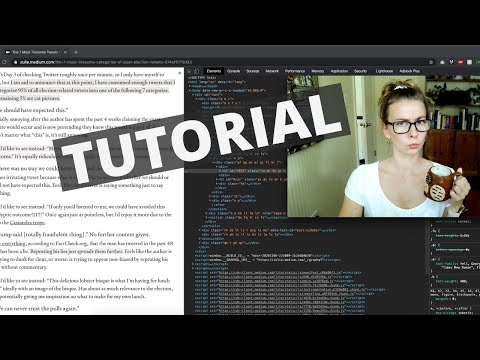
Tutorial: How to tell what topics your Medium story was curated into!
ChannelZulie RaneDescription from the creator
UPDATE: Medium appears to have removed this. If you know of any other workarounds, PLEASE let me know in the comments!
What topics has your Medium story been curated into? How can you find out? It takes a few clicks of your mouse and about 30 seconds! Let's dive into some source code.
If you prefer the written version, check it out here: medium.com/zulie-writes/how-to-tell-what-topics…
Medium did away with their old method of showing you what topics your story was curated into, but they can't hide it completely! In this screen-share tutorial, I show you step-by-step how to see what topics your Medium story was curated into by looking at the source code on the website.
If you're using Safari, you'll need to enable that ability in the preferences. This is how: macintoshhowto.com/advanced/how-to-view-page-so… (H/t to Ben James for pointing this out!)
Why did Medium get rid of their old curation tags? Who knows. At least we have this method that can help you figure out what your story's audience is, which can be really useful for understanding what your readers want from you.
Music by: Le Gang
soundcloud.com/thisislegang
What topics has your Medium story been curated into? How can you find out? It takes a few clicks of your mouse and about 30 seconds! Let's dive into some source code.
If you prefer the written version, check it out here: medium.com/zulie-writes/how-to-tell-what-topics…
Medium did away with their old method of showing you what topics your story was curated into, but they can't hide it completely! In this screen-share tutorial, I show you step-by-step how to see what topics your Medium story was curated into by looking at the source code on the website.
If you're using Safari, you'll need to enable that ability in the preferences. This is how: macintoshhowto.com/advanced/how-to-view-page-so… (H/t to Ben James for pointing this out!)
Why did Medium get rid of their old curation tags? Who knows. At least we have this method that can help you figure out what your story's audience is, which can be really useful for understanding what your readers want from you.
Music by: Le Gang
soundcloud.com/thisislegang
About this tutorial
Zulie Rane published this 5:18 video tutorial on November 9, 2020. It has been watched 1,909 times on YouTube.
- Channel
- Zulie Rane
- Category
- Entertainment
- Duration
- 5:18
- Published
- November 9, 2020
- Views
- 1,909
- Likes
- 86
Tags
Share
This tutorial in other languages
- FRTutoriel: Comment dire quels sujets votre histoire a été organisée en moyenne!
- ESTutorial: Cómo saber qué temas de su historia medio fue curada en!
- PTTutorial: Como saber quais os tópicos a sua história Médio foi curada em!
- ITTutorial: Come dire quali argomenti la tua storia Media è stata curata in!
- DETutorial: Wie kann man sagen, welche Themen Ihr Medium Geschichte in wurde kuratiert!
- NLTutorial: Hoe om te vertellen welke onderwerpen je Medium verhaal werd samengesteld in!
- RUУчебник: Как узнать, какие темы вашего среднего рассказа были куратор в!
- PLTutorial: Jak stwierdzić, jakie tematy swoich Średni historia była kuratorem w!
- JAチュートリアル:あなたの中の物語のトピックでは、にキュレーションされたものを見分ける方法!
- ARالبرنامج التعليمي: كيفية معرفة ما هي المواضيع قصة متوسطة بك تمت إقامته في!
- HIट्यूटोरियल: बताने के लिए कैसे क्या विषयों आपके माध्यम कहानी में क्यूरेट किया गया था!
- IDTutorial: Bagaimana untuk mengetahui apa topik cerita Medium Anda telah dikurasi menjadi!