Playback starts YouTube’s embedded player (privacy-enhanced mode).
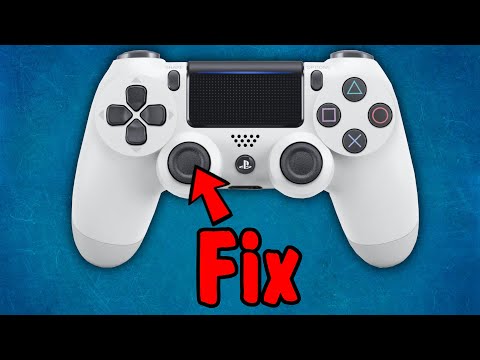
How to Repair a PS4 Analog Stick That is Drifting, Sticking, Jittery/Cleaning DualShock 4 Controller
ChannelGamingTheSystemsIn brief
Fix a drifting, sticking, or jittery PS4 DualShock 4 analog stick without soldering. This straightforward repair involves disassembling the controller, cleaning the internal components with alcohol and a Q-tip, and reassembling it—ideal for gamers dealing with erratic movement in first-person shooters or other fast-paced games.
Questions & answers
What if the controller won’t charge after reassembly?
Check the ribbon cable at the battery end—ensure it’s fully inserted and contacts face away from the battery if needed.
How do I remove a stuck screw?
Apply a drop of water to loosen it, then tap gently while cleaning debris around the screw.
Can I use a different screwdriver size?
A Phillips #00 works best, but other small sizes may fit if the screws aren’t too tight.
Description from the creator
Watch my BETTER video about fixing the dualshock youtu.be/Lt0uHmGMKx0
..............................................................................................
Patreon:
patreon.com/KevinsThreeChannels
"Buy Me a Cup of Coffee":
buymeacoffee.com/HowToX
Product Links:
Button Replacement Kit: amzn.to/401p5xe
Analog Replacement Set: amzn.to/401pkbC
Precision Screwdriver Kit: amzn.to/3TtYrur
Micro USB Charging Cord: amzn.to/3LBsu1x
Charging Station: amzn.to/3ySg8ue
TESmart 16×1 HDMI Switch 4K@60hz: amzn.to/3Cqng3j
Kinivo 5x1 HDMI Switch 4K@60Hz: amzn.to/3GhtVhn
AVSTAR HDMI Switch 4x1 4K@120Hz 8K@60Hz: amzn.to/3IrNkyN
llano HDMI Switch 4x1 4K@120Hz: amzn.to/3GceEhO
Cable ties: amzn.to/3GGdFI2
Highwings HDMI Cord 4K@120Hz 8K@60Hz: amzn.to/3IADuum
All Amazon links above are affiliate links. I get a small amount of money if you end up using them to make purchase (it does not have to be for the item I link to, as long as you click my link then move to another item, it works)
..............................................................................................
*FAQ (updated 2/11/23)*
Q: I did it, but it no longer charges, or the light no longer works, or won't come on. What should I do?
A: The ribbon cable shown at 1:27 is what feeds the charging and light. Make sure it's securely in. Also, for certain variations of controllers, the contacts need to face AWAY from the battery, so go in an flip it around.
Q: Why can't I close the little door?
A: There are three pegs and two latch thingies on the plastic door that snap into the metal. One of your pegs may be bent. You can try to unbend it, or clip it off with something like a nail clipper.
Q: I’m apprehensive about doing this. What should I do?
A: Watch my BETTER video about fixing it: youtu.be/Lt0uHmGMKx0 . It has some lower stress ways to potentially fix the issue.
Q: Did you say "though soldering is required"?
A: I said "no soldering is required"
Q: My two halves does not "gently" come apart.
A: It can be tight. I wanted to make sure people didn't put full force and snap the ribbon cable that connects the two halves.
Q: Why would I want to waste my time doing this? Just buy a new one!
A: If you are going to toss it anyway, may just want to give it a try. Besides, you may learn something new.
Q: A screw won’t come out. What should I do?
A: Drop one drop of water into it, and while it soaks, get rid of any gunk around it. Also tap on it.
Q: What size screwdriver did you use?
A: “Phillips #00”. It works with other sizes too.
..............................................................................................
Additional keywords:
CUH-ZCT1U, L3, thumbstick, alcohol, disassembly, discs, contacts, debris, dirt, traces, take apart, problem, issue, running, run, sprint, sprinting, slow, slowing, jitter, faulty,
..............................................................................................
#ps4 #controller #dualshock4
About this tutorial
GamingTheSystems published this 7:29 video tutorial on January 29, 2020. It has been watched 4,991,849 times on YouTube.
- Channel
- GamingTheSystems
- Category
- Gaming
- Duration
- 7:29
- Published
- January 29, 2020
- Views
- 4,991,849
- Likes
- 65,467
Tags
Share
This tutorial in other languages
- FRComment réparer un stick analogique PS4 C'est Dérive, Tirer, Jittery / Nettoyage DualShock 4 Controller
- ESCómo reparar un palillo de PS4 analógica que está a la deriva, Sacar, nervioso / Limpieza 4 DualShock controlador
- PTComo reparar um Analog Stick PS4 que está à deriva, Furar, Jittery / limpeza DualShock 4 Controlador
- ITCome riparare una PS4 stick analogico che è alla deriva, Mettere, Jittery / Pulizia DualShock 4 controller
- DEWie ein PS4 Analog-Stick zu reparieren, die Driften ist, Zunge, Jittery / Reinigung Dualshock-Controller 4
- NLHoe maak je een PS4 analoge stick die is Drifting, Plakken, Jittery / Reiniging DualShock 4 Controller Repair
- RUКак восстановить PS4 Analog Stick, что дрейфует, клеит, нервный / Очистка DualShock 4 контроллера
- PLJak naprawić PS4 Analog Stick dryfuje, przyklejania, roztrzęsiony / czyszczenie kontrolera DualShock 4
- JAどのようにPS4アナログ、漂流でこだわっスティック、ジッタ/クリーニングデュアルショック4コントローラを修復します
- ARكيفية إصلاح PS4 عصا النظير وهذا هو الانجراف، والتمسك، القلقة / تنظيف نيتها إصدار قبضة تحكم 4
- HIकैसे मरम्मत करने के लिए एक PS4 एनालॉग छड़ी बहती है, चिपका, चिड़चिड़ा / सफाई DualShock 4 नियंत्रक
- IDCara Memperbaiki PS4 Stick Analog Artinya Drifting di Menempel, gelisah / Pembersihan DualShock 4 Pengendali