Playback starts YouTube’s embedded player (privacy-enhanced mode).
How to Access Secret "Service Menu" for All Samsung TVs
ChannelWorldofTechIn brief
Unlock hidden settings like hospitality or hotel mode on any Samsung TV—smart or non-smart—using model-specific button combinations. This quick guide covers eight tried codes, from simple mute-and-number sequences to multi-button presses. Perfect for troubleshooting or customizing advanced features.
Description from the creator
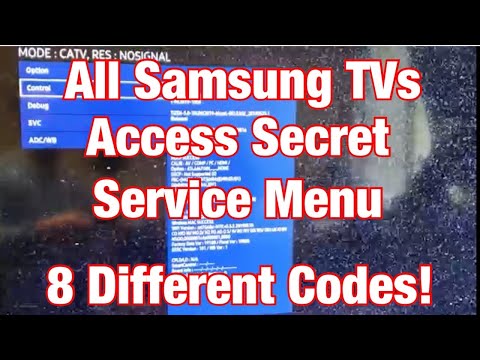
In this tutorial i show you how to access the secret service menu on all Samsung TVs (Smart TVs and Non Smart TVs). Many of you here are looking for the hospitality mode, hotel mode, or peak mode.
There are many service menu codes depending on your Samsung TV model. You can try each code below until it works.
1) Keep TV on then press: Mute + 1 + 1 + 9 + Enter (Its the button in the middle of the Left/Right/Down/Up arrows and may be labeled as OK or Select as well.
2) Power Off TV then press: Info + Settings + Mute + Power
3) Power Off TV then press: Mute + 1 + 1 + 9 + Power
4) Power Off TV then press: Mute + 1 + 8 + 2 + Power
5) Power Off TV then press: Sleep + P.STD + Mute + Power
6) Power Off TV then press: P.STD + Menu + Sleep + Power
7) Power Off TV then press: Display/Info + P.STD + Mute + Power
8) Power Off TV then press: Display/Info + Menu + Mute + Power
Plz comment which code worked for TV. Also any codes I left out plz let others know as well. Thanks and good luck!
This is the TV in this video. Samsung UN43RU7100FXZA Flat 43-Inch 4K UHD 7 Series Ultra HD Smart TV with HDR and Alexa Compatibility (2019 Model): amzn.to/2PceRqO
Amazon Daily Deals: amzn.to/2QVcoRC
-----My Gear for Youtube videos-----
Main Camera 99% (smartphone): amzn.to/2utQFGH
Tripod: amzn.to/2xxpKcw
Cell Phone Tripod Adapter: amzn.to/2iM4Kw5
Selfie Stick/Tripod: amzn.to/2iK2Agu
Microphone: amzn.to/2xTAw13
Lights: amzn.to/2xVa5Ic
Electric Desk: amzn.to/2LLyzqU
Dual Device Tripod Setup w/ Hand Grip : amzn.to/2sOXuC2
Cheap Video Editor: bit.ly/2HdAMb7
Business inquires: [email protected]
Twitter- twitter.com/WorldofTech11
Disclaimer: The above links are affiliate links meaning if you buy products using those links i will receive a small commission.
There are many service menu codes depending on your Samsung TV model. You can try each code below until it works.
1) Keep TV on then press: Mute + 1 + 1 + 9 + Enter (Its the button in the middle of the Left/Right/Down/Up arrows and may be labeled as OK or Select as well.
2) Power Off TV then press: Info + Settings + Mute + Power
3) Power Off TV then press: Mute + 1 + 1 + 9 + Power
4) Power Off TV then press: Mute + 1 + 8 + 2 + Power
5) Power Off TV then press: Sleep + P.STD + Mute + Power
6) Power Off TV then press: P.STD + Menu + Sleep + Power
7) Power Off TV then press: Display/Info + P.STD + Mute + Power
8) Power Off TV then press: Display/Info + Menu + Mute + Power
Plz comment which code worked for TV. Also any codes I left out plz let others know as well. Thanks and good luck!
This is the TV in this video. Samsung UN43RU7100FXZA Flat 43-Inch 4K UHD 7 Series Ultra HD Smart TV with HDR and Alexa Compatibility (2019 Model): amzn.to/2PceRqO
Amazon Daily Deals: amzn.to/2QVcoRC
-----My Gear for Youtube videos-----
Main Camera 99% (smartphone): amzn.to/2utQFGH
Tripod: amzn.to/2xxpKcw
Cell Phone Tripod Adapter: amzn.to/2iM4Kw5
Selfie Stick/Tripod: amzn.to/2iK2Agu
Microphone: amzn.to/2xTAw13
Lights: amzn.to/2xVa5Ic
Electric Desk: amzn.to/2LLyzqU
Dual Device Tripod Setup w/ Hand Grip : amzn.to/2sOXuC2
Cheap Video Editor: bit.ly/2HdAMb7
Business inquires: [email protected]
Twitter- twitter.com/WorldofTech11
Disclaimer: The above links are affiliate links meaning if you buy products using those links i will receive a small commission.
About this tutorial
WorldofTech published this 2:52 video tutorial on December 25, 2019. It has been watched 2,803,237 times on YouTube.
- Channel
- WorldofTech
- Category
- Howto & Style
- Duration
- 2:52
- Published
- December 25, 2019
- Views
- 2,803,237
- Likes
- 13,833
Share
This tutorial in other languages
- FRComment accéder à Secret « Menu de service » pour tous les téléviseurs Samsung
- ES¿Cómo acceder a Secret "Menú de servicio" para todos los televisores Samsung
- PTComo acesso secreta "Menu Serviço" para Todos Samsung TVs
- ITCome accedere Secret "Menu di servizio" per tutti i televisori Samsung
- DEWie für den Zugriff auf geheime „Service-Menü“ für alle Samsung-Fernseher
- NLHoe kan Access Secret "Service Menu" voor alle Samsung-tv's
- RUКак получить доступ к секретным «Service Menu» для всех телевизоров Samsung
- PLJak uzyskać dostęp do Tajemnicy „Service Menu” dla wszystkich telewizorów Samsung
- JAどのようにすべてのサムスンのテレビのためのアクセスシークレット「サービスメニュー」に
- ARكيفية الوصول إلى سر "قائمة خدمة" جميع تلفزيونات سامسونج لل
- HIकैसे पहुँच गुप्त को "सेवा मेनू" के लिए सभी सैमसंग टीवी
- IDCara Akses Rahasia "Service Menu" untuk Semua Samsung TV