Playback starts YouTube’s embedded player (privacy-enhanced mode).
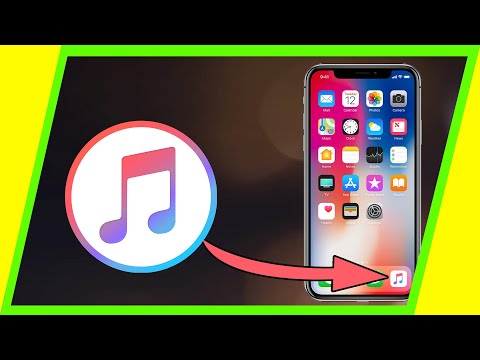
How to Add MUSIC From Computer to iPhone, iPad or iPod
ChannelHowfinityIn brief
Move your favorite tracks from your computer to an iPhone, iPad, or iPod using iTunes. This quick method works best if you already have iTunes installed and a wired connection ready. Perfect for anyone who wants to sync music without cloud services.
Description from the creator
Transferring and adding music is a two-step process.
Step 1: Take the song from the computer and drag them onto iTunes.
You'll need iTunes to transfer to your iPhone.
If you don't have iTunes, download it here.
apple.com/itunes/
Step 2: Now that the song is on iTunes, connect your phone to your computer. You'll need to change a setting to be able to manually transfer songs or videos. You'll get there by clicking the iPhone icon to top left that shows up when a physical connection is made.
Once you click that, you can simply drag and drop the songs from the iTunes library to your iPhone folder on the site.
Thank you for watching the video! Please share and subscribe.
About this tutorial
Howfinity published this 3:57 video tutorial on October 25, 2018. It has been watched 3,569,550 times on YouTube.
- Channel
- Howfinity
- Category
- Howto & Style
- Duration
- 3:57
- Published
- October 25, 2018
- Views
- 3,569,550
- Likes
- 38,940
Tags
Share
Further reading
-
How To Put Music On iPhone Or iPad (With iTunes, Without ...
ioshacker.com
So guys this is how to add Apple Music songs to iPhone or iPad. Earlier in the article you also learned about how to put music on iPhone from computer and how to put music on iPhone without iTunes. If you have any quest…
-
Use iTunes to sync your iPhone, iPad, or iPod with your computer
support.apple.com
Use iTunes to sync your iPhone, iPad, or iPod with your computer Learn how to sync music, movies, and more using iTunes on your Mac or PC. If you're using macOS Mojave or earlier or a Windows PC, use iTunes to sync cont…
-
[3 ways] Add music to iPhone/iPad with/without iTunes | 2020
copytrans.net
There are at least 3 easy ways to transfer music from the computer to your iPhone, and the best news is – it’s as easy as pie! Follow the guide to learn how to put music on iPhone. Please note, that we use an iPhone for…
This tutorial in other languages
- FRComment ajouter de la musique de l'ordinateur à l'iPhone, iPad ou iPod
- ESCómo añadir música desde el ordenador al iPhone, iPad o iPod
- PTComo adicionar música do computador para o iPhone, iPad ou iPod
- ITCome aggiungere musica da computer a iPhone, iPad o iPod
- DEWie Hinzufügen von Musik von Computern iPhone, iPad oder iPod
- NLHoe kan ik muziek toevoegen van computer naar iPhone, iPad of iPod
- RUКак добавить музыку с компьютера на iPhone, IPad или IPod
- PLJak dodać muzykę z komputera na iPhone, iPad lub iPod
- JAコンピュータからiPhone、iPadやiPodに音楽を追加する方法
- ARكيفية إضافة الموسيقى من جهاز الكمبيوتر الى اي فون، آي باد أو آي بود
- HIकैसे iPhone, iPad या आइपॉड करने के लिए कंप्यूटर से संगीत जोड़ें
- IDBagaimana Tambahkan MUSIK Dari Komputer ke iPhone, iPad atau iPod