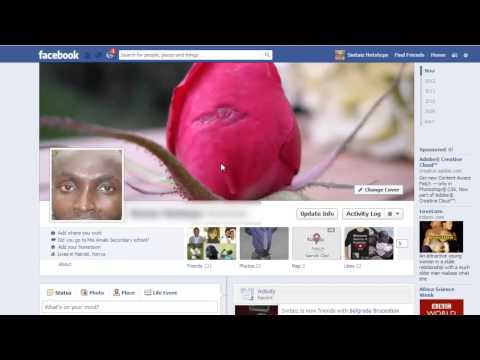
Playback starts YouTube’s embedded player (privacy-enhanced mode).
How to Add Subscribe Button on Facebook
ChannelInternet Services and Social Networks Tutorials from HowTechDescription from the creator
This video tutorial is going to show you how to add subscribe button on facebook account
Don't forget to check out our site howtech.tv/ for more free how-to videos!
youtube.com/ithowtovids - our feed
facebook.com/howtechtv - join us on facebook
plus.google.com/103440382717658277879 - our group in Google+
This video tutorial is going to show you how to add subscribe button on facebook account
Introduction
Subscribe button enables you to post updates on your personal profile page that could be of interest to a wider audience even though they might not be your "friends" on Facebook -- can see or comment on them.
Step #1 Go to account settings
Log in to your facebook account. Click on the gear icon on top right and select account settings.
Step # 2 Click on followers
Click on followers icon on the left panel.
Step #3 Turn on followers
Turn on followers. Followers will only see your public posts and will not be added as friends. You choose what posts to make public, and you can share personal updates with just friends
Step# 4 choose who to comment
Choose who can comment on 'follower comments'. You can get notifications when people who aren't your friends start following you and share, like or comment on your public posts. By clicking close, your changes will be saved automatically.
Step #5 View as
Go back to your facebook timeline. On your timeline, click on the gear icon on your right and select 'view as.' This tool lets you see what your timeline looks like to the public or a specific friend. And your subscribe button will be visible on your timeline.
Thanks for watching this video tutorial, Leave comments and ask your questions by our e-mail [email protected] was Howtech dot TV tutorial. Thank you for watching!
Don't forget to check out our site howtech.tv/ for more free how-to videos!
youtube.com/ithowtovids - our feed
facebook.com/howtechtv - join us on facebook
plus.google.com/103440382717658277879 - our group in Google+
This video tutorial is going to show you how to add subscribe button on facebook account
Introduction
Subscribe button enables you to post updates on your personal profile page that could be of interest to a wider audience even though they might not be your "friends" on Facebook -- can see or comment on them.
Step #1 Go to account settings
Log in to your facebook account. Click on the gear icon on top right and select account settings.
Step # 2 Click on followers
Click on followers icon on the left panel.
Step #3 Turn on followers
Turn on followers. Followers will only see your public posts and will not be added as friends. You choose what posts to make public, and you can share personal updates with just friends
Step# 4 choose who to comment
Choose who can comment on 'follower comments'. You can get notifications when people who aren't your friends start following you and share, like or comment on your public posts. By clicking close, your changes will be saved automatically.
Step #5 View as
Go back to your facebook timeline. On your timeline, click on the gear icon on your right and select 'view as.' This tool lets you see what your timeline looks like to the public or a specific friend. And your subscribe button will be visible on your timeline.
Thanks for watching this video tutorial, Leave comments and ask your questions by our e-mail [email protected] was Howtech dot TV tutorial. Thank you for watching!
About this tutorial
Internet Services and Social Networks Tutorials from HowTech published this 1:21 video tutorial on October 31, 2013. It has been watched 34,877 times on YouTube.
- Category
- Howto & Style
- Duration
- 1:21
- Published
- October 31, 2013
- Views
- 34,877
- Likes
- 67
Share
This tutorial in other languages
- FRComment ajouter le bouton sur Facebook Abonnez-vous
- ESCómo agregar el botón Suscribirse en Facebook
- PTComo adicionar botão Subscrever no Facebook
- ITCome aggiungere Iscriviti Button su Facebook
- DEWie Hinzufügen Knopf Abonnieren auf Facebook
- NLHoe kan ik toevoegen van Abonneren knop op Facebook
- RUКак добавить кнопку Подписаться на Facebook
- PLJak dodać przycisk Subskrybuj na Facebook
- JAFacebook上のボタンを購読追加する方法
- ARكيفية إضافة زر الاشتراك في الفيسبوك
- HIकैसे जोड़ें फेसबुक पर बटन सदस्यता लें
- IDBagaimana Tambahkan Tombol Langganan di Facebook