Playback starts YouTube’s embedded player (privacy-enhanced mode).
How to search Facebook friends by area
ChannelInternet Services and Social Networks Tutorials from HowTechDescription from the creator
This tutorial will show you how to search for friends based on their area.
Don't forget to check out our site howtech.tv/ for more free how-to videos!
youtube.com/ithowtovids - our feed
facebook.com/howtechtv - join us on facebook
plus.google.com/103440382717658277879 - our group in Google+
In this tutorial, you will learn how to search Facebook friends by area.
Step # 1 -- Accessing Your Facebook Profile
First, go to "www.facebook.com" and login to your Facebook account. Once you are logged in, click on your name, to the left of the "Home" icon in the upper right-hand corner of the screen, this will bring up your profile page.
Step # 2 -- Entering a Specific Search Criteria
Next, click on your "Friends" icon, to the right of your status update box. In the upper right-hand corner of this screen, next to the "Edit" button," click on the "+Find Friends" icon. From here, you will see a "Hometown" search box and a "Current City" search box. The "Hometown" search box will find people who have the hometown you enter in the search box listed as their own hometown, and the "Current City" search box will find people who have the current city you enter in the search box listed as their own current city.
Step # 3 - Adding Friends
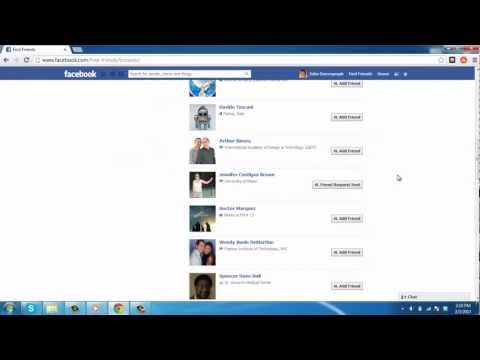
After you enter the city you would like to search, simply hit enter and the list of people with that city listed will come up. Scroll through the list and add anybody you know by clicking the "Add Friend" icon next to their name. And that's it, you now know how to search Facebook friends by area.
Don't forget to check out our site howtech.tv/ for more free how-to videos!
youtube.com/ithowtovids - our feed
facebook.com/howtechtv - join us on facebook
plus.google.com/103440382717658277879 - our group in Google+
In this tutorial, you will learn how to search Facebook friends by area.
Step # 1 -- Accessing Your Facebook Profile
First, go to "www.facebook.com" and login to your Facebook account. Once you are logged in, click on your name, to the left of the "Home" icon in the upper right-hand corner of the screen, this will bring up your profile page.
Step # 2 -- Entering a Specific Search Criteria
Next, click on your "Friends" icon, to the right of your status update box. In the upper right-hand corner of this screen, next to the "Edit" button," click on the "+Find Friends" icon. From here, you will see a "Hometown" search box and a "Current City" search box. The "Hometown" search box will find people who have the hometown you enter in the search box listed as their own hometown, and the "Current City" search box will find people who have the current city you enter in the search box listed as their own current city.
Step # 3 - Adding Friends
After you enter the city you would like to search, simply hit enter and the list of people with that city listed will come up. Scroll through the list and add anybody you know by clicking the "Add Friend" icon next to their name. And that's it, you now know how to search Facebook friends by area.
About this tutorial
Internet Services and Social Networks Tutorials from HowTech published this 1:23 video tutorial on October 28, 2013. It has been watched 492,254 times on YouTube.
- Category
- Howto & Style
- Duration
- 1:23
- Published
- October 28, 2013
- Views
- 492,254
- Likes
- 1,350
Share
This tutorial in other languages
- FRComment rechercher des amis Facebook par région
- ESCómo buscar amigos de Facebook por área
- PTComo procurar amigos do Facebook por área
- ITCome cercare amici di Facebook per area
- DEWie durch Bereich Facebook-Freunde suchen
- NLHoe maak je Facebook vrienden zoeken op regio
- RUКак искать Facebook друзей по областям
- PLJak wyszukiwać znajomych z Facebooka i okolicach
- JA地域によってFacebookの友達を検索する方法
- ARكيفية البحث الفيسبوك الأصدقاء المنطقة
- HIक्षेत्र द्वारा फेसबुक दोस्तों खोज करने के लिए कैसे
- IDBagaimana mencari teman Facebook dengan daerah