Playback starts YouTube’s embedded player (privacy-enhanced mode).
How to Calculate Sales Tax
ChannelHowcastDescription from the creator
Watch more Buying, Spending, & Shopping Tips videos: howcast.com/videos/410861-How-to-Calculate-Sale…
The price on the tag is probably not the price you will end up paying. Follow these steps to determine how much your new purchase will really cost.
Step 1: Determine the purchase amount
Determine the purchase amount of the taxable items you will buy.
Tip
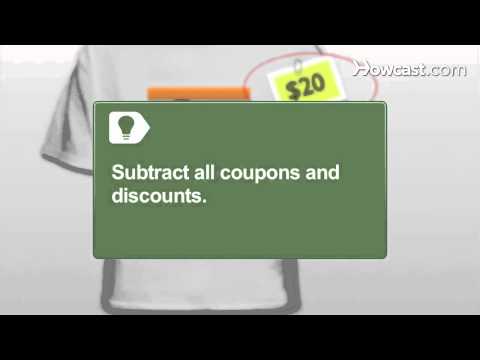
Subtract all coupons and discounts.
Step 2: Determine the sales tax percentage
Determine the sales tax rate percentage, which will vary state-to-state.
Step 3: Turn the percentage into a decimal
Turn the percentage into a decimal. Move the decimal place two spaces to the left of the number. For example 12.5 percent would equal .125 and 6 percent would equal .06.
Step 4: Multiply the two numbers
Multiply the purchase price and the sales tax decimal to calculate the sales tax amount.
Tip
Use a calculator if needed.
Step 5: Add the tax
Add the sales tax amount to the purchase price for the total amount due, and enjoy knowing what you paid before the cashier does.
Did You Know?
As of 2010, the state of California had the United States' highest sales tax rate at 8.25 percent.
The price on the tag is probably not the price you will end up paying. Follow these steps to determine how much your new purchase will really cost.
Step 1: Determine the purchase amount
Determine the purchase amount of the taxable items you will buy.
Tip
Subtract all coupons and discounts.
Step 2: Determine the sales tax percentage
Determine the sales tax rate percentage, which will vary state-to-state.
Step 3: Turn the percentage into a decimal
Turn the percentage into a decimal. Move the decimal place two spaces to the left of the number. For example 12.5 percent would equal .125 and 6 percent would equal .06.
Step 4: Multiply the two numbers
Multiply the purchase price and the sales tax decimal to calculate the sales tax amount.
Tip
Use a calculator if needed.
Step 5: Add the tax
Add the sales tax amount to the purchase price for the total amount due, and enjoy knowing what you paid before the cashier does.
Did You Know?
As of 2010, the state of California had the United States' highest sales tax rate at 8.25 percent.
About this tutorial
Howcast published this 1:15 video tutorial on November 1, 2010. It has been watched 198,189 times on YouTube.
- Channel
- Howcast
- Category
- Howto & Style
- Duration
- 1:15
- Published
- November 1, 2010
- Views
- 198,189
- Likes
- 658
Tags
Share
This tutorial in other languages
- FRComment calculer la taxe de vente
- ESCómo Calcular Impuesto sobre las Ventas
- PTComo Calcular imposto sobre vendas
- ITCome calcolare l'imposta sulle vendite
- DEWie zu berechnen Umsatzsteuer
- NLHoe te berekenen Sales Tax
- RUКак рассчитать налог с продаж
- PLJak obliczyć podatku od sprzedaży
- JAどのように計算売上税へ
- ARكيفية حساب ضريبة المبيعات
- HIकैसे की गणना करने के लिए बिक्री कर
- IDCara Pajak Penjualan Hitung