Playback starts YouTube’s embedded player (privacy-enhanced mode).
How to Change a File Extension in Windows 10 (e.g. .txt to .bat)
ChannelTheBullshitChannelDescription from the creator
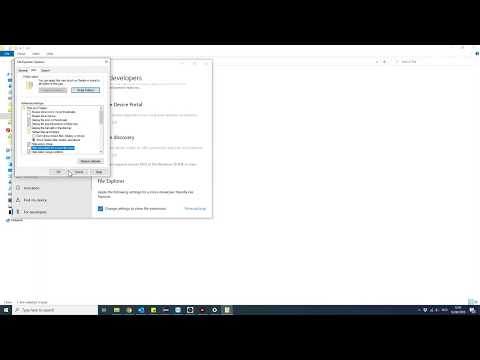
A quick tutorial on how to change the extension of a file on Windows 10 (in this example we are changing a .txt file to a .bat file). This can be useful to switch for example .png images to .jpg in case certain sites don't allow the upload of png files!
The simple steps are:
- Enable 'Show file extensions' option in the computer settings
- Click the file twice to rename it (or right click and rename)
- Change the file extension and accept the warning
Also works the same way for Windows 11!
Like & Sub if this helped you out!
The simple steps are:
- Enable 'Show file extensions' option in the computer settings
- Click the file twice to rename it (or right click and rename)
- Change the file extension and accept the warning
Also works the same way for Windows 11!
Like & Sub if this helped you out!
About this tutorial
TheBullshitChannel published this 0:52 video tutorial on July 1, 2020. It has been watched 80,125 times on YouTube.
- Channel
- TheBullshitChannel
- Category
- Howto & Style
- Duration
- 0:52
- Published
- July 1, 2020
- Views
- 80,125
- Likes
- 724
Share
This tutorial in other languages
- FRComment faire pour modifier une extension de fichier dans Windows 10 (par exemple txt à .bat)
- ESCómo cambiar una extensión de archivo en Windows 10 (por ejemplo, .txt a .bat)
- PTComo alterar uma extensão de arquivo no Windows 10 (por exemplo, .txt para .bat)
- ITCome modificare un file di estensione in Windows 10 (ad esempio .txt a .bat)
- DEWie eine Dateierweiterung in Windows 10 ändern (zum Beispiel .txt .bat)
- NLHoe een bestand extensie wijzigen in Windows 10 (bijv. .Txt aan .bat)
- RUКак изменить файл расширения в Windows 10 (например, .txt в .bat)
- PLJak zmienić rozszerzenie pliku w systemie Windows 10 (na przykład .txt na .bat)
- JA方法を変更する(.BATに例えば.txt)ファイルのWindows 10で拡張
- ARكيفية تغيير امتداد الملفات في Windows 10 (مثل، txt إلى الخفافيش)
- HIकैसे Windows 10 में एक फ़ाइल एक्सटेंशन बदलने के लिए (जैसे .txt .bat करने के लिए)
- IDCara Mengubah Ekstensi File pada Windows 10 (misalnya .txt ke BAT)