Playback starts YouTube’s embedded player (privacy-enhanced mode).
How to change the background in Windows 8 and 8.1’s Start screen
ChannelDigital TrendsDescription from the creator
With this guide, we’ll show you how easy it is to change the background on the Start screen. Most of you may not like poking around in there, but at least you can customize it to your liking so that it’s more pleasing to your eyes whenever you do dive into Metro.
How to change the background in the Windows 8 and 8.1 Start screen
Head over to the Start Screen, if you aren’t there already. If you’re at the classic desktop UI, just press the Windows key on your keyboard, which should take you straight there.
From there, type in “change start.” Click on “Change the background and colors on Start,” which should be the first result that comes up.
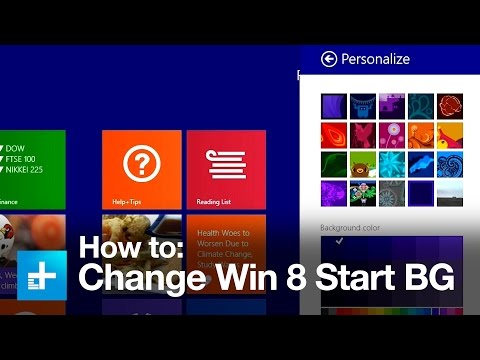
Now, a “Personalize” menu will come up in the Metro UI. Here, you can pick from a multitude of images that you can slather the Start screen with. Once you pick one, you can also tweak that image’s by messing with the “Background color” and “Accent color” settings.
digitaltrends.com/computing/how-to-change-the-b…
How to change the background in the Windows 8 and 8.1 Start screen
Head over to the Start Screen, if you aren’t there already. If you’re at the classic desktop UI, just press the Windows key on your keyboard, which should take you straight there.
From there, type in “change start.” Click on “Change the background and colors on Start,” which should be the first result that comes up.
Now, a “Personalize” menu will come up in the Metro UI. Here, you can pick from a multitude of images that you can slather the Start screen with. Once you pick one, you can also tweak that image’s by messing with the “Background color” and “Accent color” settings.
digitaltrends.com/computing/how-to-change-the-b…
About this tutorial
Digital Trends published this 0:42 video tutorial on November 10, 2014. It has been watched 6,626 times on YouTube.
- Channel
- Digital Trends
- Category
- Howto & Style
- Duration
- 0:42
- Published
- November 10, 2014
- Views
- 6,626
- Likes
- 59
Tags
Share
This tutorial in other languages
- FRComment changer l'arrière-plan dans Windows 8 et l'écran de démarrage de 8.1
- ESCómo cambiar el fondo de pantalla de Windows 8 y de inicio de 8.1
- PTComo mudar o fundo na tela Iniciar 8.1 do Windows 8 e
- ITCome cambiare lo sfondo in Windows 8 e schermata Start 8.1 di
- DEWie der Hintergrund in Windows 8 und 8.1 des Startbildschirm ändern
- NLHoe de achtergrond te veranderen in Windows 8 en het scherm Start 8.1's
- RUКак изменить цвет фона в Windows 8 и экран Start 8.1 в
- PLJak zmienić tło w Windows 8 i 8.1 na ekranie startowym
- JAWindowsの8と8.1のスタート画面に背景を変更する方法
- ARكيفية تغيير الخلفية في ويندوز 8 وشاشة بدء 8.1 في
- HIWindows 8 और 8.1 के प्रारंभ स्क्रीन में पृष्ठभूमि बदलने के लिए
- IDBagaimana mengubah latar belakang di Windows 8 dan layar Mulai 8.1 ini