Playback starts YouTube’s embedded player (privacy-enhanced mode).
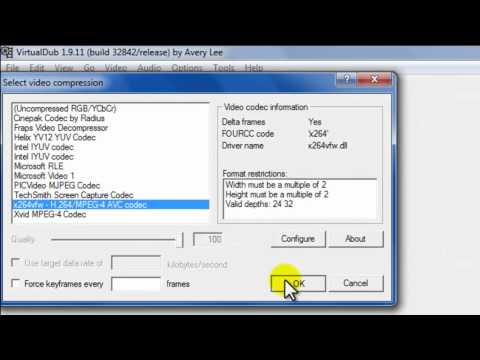
How to compress FRAPS or avi video files (using VirtualDub)
ChannelDuy HuynhDescription from the creator
Here I'll show you how to compress those large FRAPS files into something more manageable to upload to youtube!
Here are my processing settings for you to try out: mediafire.com/?326x35gmsakhc24
FAQs and solutions:
If you don't see any codecs, download and use the 32-bit version of VirtualDub instead.
Any audio errors you encounter are due to the fact that I am choosing settings that pertain to my particular video that I was working with in the tutorial. Try choosing the same codec as I did and then choose a different bitrate. Or more simply, just use Direct Stream Copy from the Audio menu. This option doesn't compress your audio so the end file may be a tad bit larger.
You want to incorporate more than one audio stream? Try using the free program Audacity to combine your audio streams. Then direct Vdub to use that new audio file.
Audio is lagging? Only thing I can think of is you need a better computer to process :p Remember, if you're watching your FRAPS video before it's compressed, the audio is going to lag. After processing then the audio will be fine.
Resizing issues? Looking pixelated? A rule of thumb is to not resize your video larger than your original dimensions. Otherwise the end result will look stretched and ugly.
Here are my processing settings for you to try out: mediafire.com/?326x35gmsakhc24
FAQs and solutions:
If you don't see any codecs, download and use the 32-bit version of VirtualDub instead.
Any audio errors you encounter are due to the fact that I am choosing settings that pertain to my particular video that I was working with in the tutorial. Try choosing the same codec as I did and then choose a different bitrate. Or more simply, just use Direct Stream Copy from the Audio menu. This option doesn't compress your audio so the end file may be a tad bit larger.
You want to incorporate more than one audio stream? Try using the free program Audacity to combine your audio streams. Then direct Vdub to use that new audio file.
Audio is lagging? Only thing I can think of is you need a better computer to process :p Remember, if you're watching your FRAPS video before it's compressed, the audio is going to lag. After processing then the audio will be fine.
Resizing issues? Looking pixelated? A rule of thumb is to not resize your video larger than your original dimensions. Otherwise the end result will look stretched and ugly.
About this tutorial
Duy Huynh published this 5:58 video tutorial on November 11, 2011. It has been watched 67,976 times on YouTube.
- Channel
- Duy Huynh
- Category
- Howto & Style
- Duration
- 5:58
- Published
- November 11, 2011
- Views
- 67,976
- Likes
- 1,467
Tags
Share
This tutorial in other languages
- FRComment FRAPS ou compresser des fichiers vidéo AVI (en utilisant VirtualDub)
- ESCómo FRAPS comprimir o archivos de vídeo AVI (usando VirtualDub)
- PTComo FRAPS comprimir ou arquivos de vídeo AVI (usando VirtualDub)
- ITCome FRAPS comprimere o file video AVI (usando VirtualDub)
- DEWie zu komprimieren FRAPS oder AVI-Video-Dateien (mit VirtualDub)
- NLHoe te comprimeren FRAPS of avi-videobestanden (met behulp van VirtualDub)
- RUКак сжать FRAPS или AVI видео файлов (с помощью VirtualDub)
- PLJak Fraps kompresować lub AVI plików wideo (za pomocą VirtualDub)
- JAFRAPSまたは(VirtualDubのを使用して)のAVIビデオファイルを圧縮する方法
- ARكيفية برنامج Fraps ضغط أو ملفات الفيديو افي (باستخدام فيرتوالدوب)
- HIकैसे संपीड़ित Fraps का या avi वीडियो फ़ाइलों (VirtualDub का उपयोग) करने के लिए
- IDCara FRAPS kompres atau file video avi (menggunakan VirtualDub)