Playback starts YouTube’s embedded player (privacy-enhanced mode).
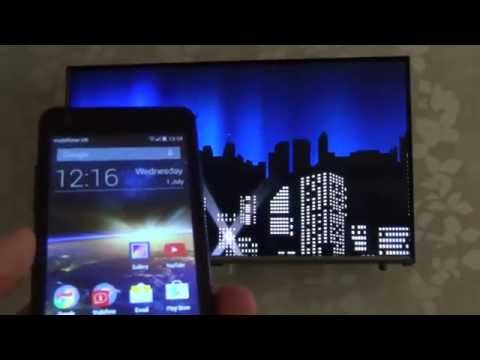
How To connect your Mobile Phone or Tablet to your TV Wirelessly using SCREEN MIRRORING
ChannelMy Mate VINCEIn brief
Wirelessly mirror your Android phone or tablet to a Samsung Smart TV for seamless streaming of photos, videos, games, or music. No cables needed—just a few simple settings to get your mobile screen displayed on the big screen.
Questions & answers
Does the TV need special apps for this?
No, the TV’s built-in screen mirroring feature handles the connection.
Description from the creator
Hi, this 'How To' video shows you how to connect your Android mobile phone or tablet to your TV using Screen Mirroring.
The TV in the video is a Samsung SMART TV UE32J5500AK and the mobile device is running Android version 4.4.4.
The TV has built in apps but they are currently very limited so using your mobile phone or tablet to wirelessly stream the app/program to the TV is brilliant, anything that you view on your mobile phone will be displayed on the television. Years ago you had to use a micro HDMI cable for this but not anymore with the Screen Mirroring feature.
So you can:
Show pictures from your mobile on the TV,
Show videos from the mobile to the TV,
Play music from the mobile to the TV with the sound coming through the TV speakers,
Show the game you are playing from the mobile to the TV.
Many thanks Vince
The TV in the video is a Samsung SMART TV UE32J5500AK and the mobile device is running Android version 4.4.4.
The TV has built in apps but they are currently very limited so using your mobile phone or tablet to wirelessly stream the app/program to the TV is brilliant, anything that you view on your mobile phone will be displayed on the television. Years ago you had to use a micro HDMI cable for this but not anymore with the Screen Mirroring feature.
So you can:
Show pictures from your mobile on the TV,
Show videos from the mobile to the TV,
Play music from the mobile to the TV with the sound coming through the TV speakers,
Show the game you are playing from the mobile to the TV.
Many thanks Vince
About this tutorial
My Mate VINCE published this 2:38 video tutorial on November 2, 2015. It has been watched 5,206,182 times on YouTube.
- Channel
- My Mate VINCE
- Category
- Howto & Style
- Duration
- 2:38
- Published
- November 2, 2015
- Views
- 5,206,182
- Likes
- 13,998
Tags
Share
This tutorial in other languages
- FRComment connecter votre téléphone mobile ou une tablette à votre téléviseur sans fil en utilisant l'écran MIROIR
- ESCómo conectar su teléfono móvil o tablet al televisor de forma inalámbrica mediante duplicación PANTALLA
- PTComo conectar seu celular ou tablet para sua TV sem fio usando a tela MIRRORING
- ITCome collegare il vostro telefono cellulare o tablet al televisore in modalità wireless utilizzando SCHERMO MIRRORING
- DEWie Sie Ihr Handy oder Tablet an Ihren Fernseher kabellos mit SCREEN Mirroring verbinden
- NLHoe kunt u uw mobiele telefoon of tablet aansluiten op uw TV draadloos met SCREEN SPIEGELEN
- RUКак подключить мобильный телефон или планшет к телевизору по беспроводному каналу с помощью SCREEN зеркального отображения
- PLJak podłączyć telefonu komórkowego lub tabletu do telewizora bezprzewodowo za pomocą ekranu mirroring
- JASCREENミラーリングを使用してテレビをワイヤレスにあなたの携帯電話またはタブレットを接続する方法
- ARكيفية ربط الهاتف المحمول الخاص بك أو اللوحي إلى جهاز التلفزيون لاسلكيا باستخدام SCREEN المتطابق
- HIस्क्रीन मिररिंग का उपयोग कर अपने टीवी को बेतार करने के लिए अपने मोबाइल फोन या टैबलेट कनेक्ट करने के लिए कैसे
- IDCara menghubungkan Mobile Phone atau Tablet untuk Anda TV secara nirkabel menggunakan SCREEN mirroring