Playback starts YouTube’s embedded player (privacy-enhanced mode).
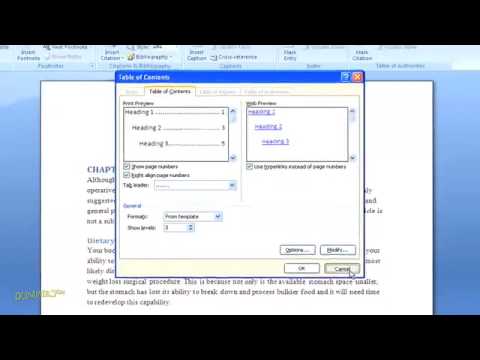
How to Create a Table of Contents in Word 2007 For Dummies
ChannelfordummiesDescription from the creator
Build and update a Word 2007 table of contents easily by marking and formatting headings and subheadings in your Word document. Your table of contents, or TOC, can enhance the looks and organization of presentations, reports, and manuscripts.
About this tutorial
fordummies published this 2:57 video tutorial on October 31, 2010. It has been watched 948,114 times on YouTube.
- Channel
- fordummies
- Category
- Howto & Style
- Duration
- 2:57
- Published
- October 31, 2010
- Views
- 948,114
- Likes
- 2,151
Tags
Share
This tutorial in other languages
- FRComment faire pour créer une table des matières dans Word 2007 pour les nuls
- ESCómo crear una tabla de contenido en Word 2007 para Dummies
- PTComo criar um índice no Word 2007 For Dummies
- ITCome creare un sommario in Word 2007 For Dummies
- DEWie ein Inhaltsverzeichnis in Word 2007 erstellen für Dummies
- NLHoe maak je een inhoudsopgave maken in Word 2007 voor Dummies
- RUКак создать оглавление в Word 2007 для чайников
- PLJak utworzyć spis treści w Word 2007 For Dummies
- JAダミーのためWord 2007の目次を作成する方法
- ARكيفية إنشاء جدول المحتويات في Word 2007 للحصول على الدمى
- HIWord 2007 में सामग्री की एक तालिका बनाने के लिए कैसे Dummies के लिए
- IDCara Membuat Daftar Isi di Word 2007 Untuk Dummies