Playback starts YouTube’s embedded player (privacy-enhanced mode).
How to Create Photo Album Templates From Scratch in Photoshop
ChannelPiXimperfectDescription from the creator
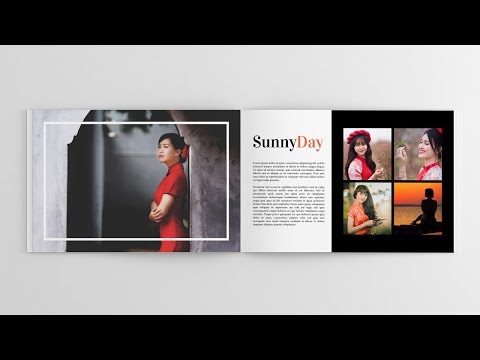
Whether it is a family session or a wedding shoot, learn how to create any photo book or wedding album template right from scratch in Photoshop. Using the fundamental concept of Clipping Masks, we will create beautiful and minimal templates, which once created, just require you to drag and drop your images and Boom! Done!
In this video, we are going to start off by understanding the dimensions that we need to dial in and the properties to keep in mind while creating the document. Then, we will learn a plethora of designing techniques to create beautiful elements and minimal but effective designs and placements. Finally, we will save the templates as PSD for later use. Then, once ready, the images can easily be dragged and dropped about the respective placeholders and using clipping masks, we will fit the images to the same.
NOTE: If you wish to support this channel, please use these links to buy anything from Amazon. You don’t have to pay extra. Amazon will pay us a small percentage of your purchase which will mean the world to me and will help keep PiXimperfect free for everyone, forever.
► DOWNLOADS:
1. Sample Images: goo.gl/BzJwLa
2. First Template: goo.gl/CW5PE5
3. Second Template: goo.gl/rmXmif
PiXimperfect is free, and will always be.
► SUPPORT the cause: patreon.com/piximperfect
► SHARE: goo.gl/IUhnUl
►LET'S CONNECT:
Facebook: facebook.com/piximperfect
Twitter: twitter.com/piximperfect
Instagram: instagram.com/piximperfect
Google+: plus.google.com/+UnmeshDinda
In this video, we are going to start off by understanding the dimensions that we need to dial in and the properties to keep in mind while creating the document. Then, we will learn a plethora of designing techniques to create beautiful elements and minimal but effective designs and placements. Finally, we will save the templates as PSD for later use. Then, once ready, the images can easily be dragged and dropped about the respective placeholders and using clipping masks, we will fit the images to the same.
NOTE: If you wish to support this channel, please use these links to buy anything from Amazon. You don’t have to pay extra. Amazon will pay us a small percentage of your purchase which will mean the world to me and will help keep PiXimperfect free for everyone, forever.
► DOWNLOADS:
1. Sample Images: goo.gl/BzJwLa
2. First Template: goo.gl/CW5PE5
3. Second Template: goo.gl/rmXmif
PiXimperfect is free, and will always be.
► SUPPORT the cause: patreon.com/piximperfect
► SHARE: goo.gl/IUhnUl
►LET'S CONNECT:
Facebook: facebook.com/piximperfect
Twitter: twitter.com/piximperfect
Instagram: instagram.com/piximperfect
Google+: plus.google.com/+UnmeshDinda
About this tutorial
PiXimperfect published this 30:34 video tutorial on November 10, 2017. It has been watched 694,123 times on YouTube.
- Channel
- PiXimperfect
- Category
- Howto & Style
- Duration
- 30:34
- Published
- November 10, 2017
- Views
- 694,123
- Likes
- 14,070
Tags
Share
This tutorial in other languages
- FRComment créer photo Album modèles From Scratch dans Photoshop
- ESCómo crear plantillas de álbum de fotos desde cero en Photoshop
- PTComo criar álbum de fotos modelos do zero no Photoshop
- ITCome creare Foto Album di modelli da zero in Photoshop
- DESo erstellen Sie Fotoalbum Vorlagen von Grund auf neu in Photoshop
- NLHoe maak je fotoalbum sjablonen From Scratch in Photoshop
- RUКак создать фотоальбом шаблоны с нуля в Photoshop
- PLJak utworzyć Photo Album szablonów od podstaw w programie Photoshop
- JAPhotoshopでスクラッチからフォトアルバムのテンプレートを作成する方法
- ARكيفية إنشاء ألبوم صور قوالب من الصفر في برنامج فوتوشوب
- HIकैसे Photoshop में स्क्रैच से फ़ोटो एल्बम खाका बनाने के लिए
- IDCara Membuat Album Foto Template Dari Awal di Photoshop