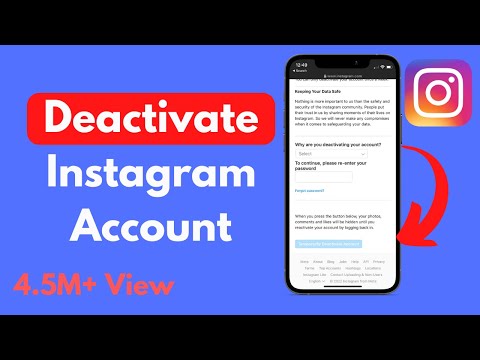
Playback starts YouTube’s embedded player (privacy-enhanced mode).
How to Deactivate Instagram Account Temporarily (2020)
ChannelProcessing BrainsIn brief
This quick guide shows how to pause your Instagram account on both iPhone and Android without losing your data. You’ll walk through the settings to temporarily deactivate, which is useful if you want a break but don’t want to delete your account permanently. The process is straightforward and takes just a few taps.
Description from the creator
Learn How to Deactivate Instagram Account iPhone and Android. In this video you will be able to disable and remove your instagram account temporarily easily.
How to Delete Instagram Account : youtu.be/nymsAePlmFg
How to Delete Instagram Posts : youtu.be/ojRVWLba7vM
How to Delete Instagram Comments on iPhone : youtu.be/LturiyKIc9A
How to Delete Instagram Account on Laptop : youtu.be/pGGy4kLTO4g
0:00 Intro
0:07 How to Deactivate Instagram Account Temporarily iPhone and Android
How to Delete Instagram Account : youtu.be/nymsAePlmFg
How to Delete Instagram Posts : youtu.be/ojRVWLba7vM
How to Delete Instagram Comments on iPhone : youtu.be/LturiyKIc9A
How to Delete Instagram Account on Laptop : youtu.be/pGGy4kLTO4g
0:00 Intro
0:07 How to Deactivate Instagram Account Temporarily iPhone and Android
About this tutorial
Processing Brains published this 2:07 video tutorial on February 13, 2020. It has been watched 4,665,804 times on YouTube.
- Channel
- Processing Brains
- Category
- Howto & Style
- Duration
- 2:07
- Published
- February 13, 2020
- Views
- 4,665,804
- Likes
- 59,294
Tags
Share
This tutorial in other languages
- FRComment compte temporairement Deactivate Instagram (2020)
- ESCómo desactivar la cuenta de Instagram temporalmente (2020)
- PTComo desativar a conta Instagram Temporariamente (2020)
- ITCome Disattivare Instagram account temporaneamente (2020)
- DEWie zu deaktivieren Instagram Konto vorübergehend (2020)
- NLHoe te deactiveren Instagram account tijdelijk (2020)
- RUКак Деактивировать Instagram счета Временно (2020)
- PLJak dezaktywować konto Instagram tymczasowo (2020)
- JAどのように一時的に無効Instagramのアカウントへ(2020)
- ARكيفية إلغاء تنشيط حساب إينستاجرام مؤقتا (2020)
- HIकैसे निष्क्रिय Instagram खाता अस्थायी रूप से (2020)
- IDCara Akun Nonaktifkan Instagram sementara (2020)