Playback starts YouTube’s embedded player (privacy-enhanced mode).
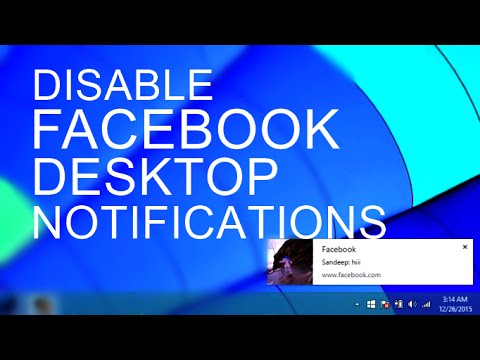
How to Disable Facebook Desktop Notifications on Chrome & Firefox
ChannelSandeep SinghDescription from the creator
Turn off Facebook push notification on your PC, Facebook started sending the desktop notification for all the messages and notification.
If you are logged in but aren' using Facebook you will still get these notifications on Google Chrome.
Disable Websites Notifications on all browsers -
youtube.com/watch?v=aPH1uU1nMw0
Steps to Disable Desktop Notification on Chrome
1. Go to Chrome Menu and Click on Settings.
2. Scroll down, find and click on "Show Advanced Settings"
3. Click on "Content Settings"
4. Now scroll down and find notifications and click on Manage Exceptions.
5. Find facebook.com:443 and block it or delete it completely.
Now you won't get desktop notifications by Facebook on Chrome.
Disable Facebook Notifications on Firefox-
To block Facebook desktop notifications on Firefox follow these steps-
1. Open Firefox and go to Menu then click on Options.
2. Click on content and under notifications click on Choose.
3. Find and delete Facebook there and hit Save Settings.
That's All!
If you are logged in but aren' using Facebook you will still get these notifications on Google Chrome.
Disable Websites Notifications on all browsers -
youtube.com/watch?v=aPH1uU1nMw0
Steps to Disable Desktop Notification on Chrome
1. Go to Chrome Menu and Click on Settings.
2. Scroll down, find and click on "Show Advanced Settings"
3. Click on "Content Settings"
4. Now scroll down and find notifications and click on Manage Exceptions.
5. Find facebook.com:443 and block it or delete it completely.
Now you won't get desktop notifications by Facebook on Chrome.
Disable Facebook Notifications on Firefox-
To block Facebook desktop notifications on Firefox follow these steps-
1. Open Firefox and go to Menu then click on Options.
2. Click on content and under notifications click on Choose.
3. Find and delete Facebook there and hit Save Settings.
That's All!
About this tutorial
Sandeep Singh published this 2:33 video tutorial on November 1, 2016. It has been watched 69,728 times on YouTube.
- Channel
- Sandeep Singh
- Category
- Howto & Style
- Duration
- 2:33
- Published
- November 1, 2016
- Views
- 69,728
- Likes
- 500
Tags
Share
This tutorial in other languages
- FRComment faire pour désactiver Facebook Desktop Notifications sur Chrome et Firefox
- ESCómo deshabilitar las notificaciones de escritorio de Facebook en Chrome y Firefox
- PTComo desativar Facebook Desktop Notifications no Chrome e Firefox
- ITCome disattivare Facebook Desktop Notifications su Chrome e Firefox
- DEWie zu deaktivieren Facebook Desktop-Benachrichtigungen auf Chrome & Firefox
- NLHoe kan uitschakelen Facebook Desktop Meldingen op Chrome en Firefox
- RUКак отключить Facebook Desktop Notifications на Chrome и Firefox
- PLJak wyłączyć Facebook Desktop Powiadomienia na Chrome i Firefox
- JAどのようにクローム&Firefoxの上で無効にFacebookのデスクトップ通知へ
- ARكيفية تعطيل الفيسبوك تنبيهات سطح المكتب على كروم وفايرفوكس
- HIकैसे क्रोम और Firefox पर फेसबुक डेस्कटॉप सूचनाएं अक्षम करने के लिए
- IDCara Nonaktifkan Facebook Desktop Pemberitahuan di Chrome & Firefox