Playback starts YouTube’s embedded player (privacy-enhanced mode).
How to Find Foreclosure Listings
ChannelHowcastDescription from the creator
Watch more How to Buy a Home videos: howcast.com/videos/417398-How-to-Find-Foreclosu…
There are many listings of home foreclosures available, but you can avoid paying high prices for lists if you know where to look.
Step 1: Contact a county tax department
Contact a county or city's tax department for free lists of foreclosure auctions in the area. Lists include dates, times, and locations of the auctions.
Tip
Buyer beware -- foreclosure auction properties are bought with cash up front, and are typically bought sight unseen without title insurance.
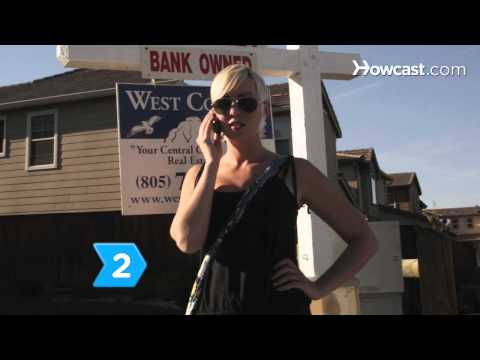
Step 2: Contact bank REO departments
Contact bank REO, or real estate owned, departments for bank-owned property information. The Mortgage News Daily website, at mortgagenewsdaily.com, offers links to major bank REO departments.
Step 3: Go to the REO Network website
Go to the REO Network website, at reonetwork.com. Search their database for brokers, agents, or vendors in your area who work with bank-owned foreclosures.
Step 4: Search the HomeSales.gov database
Search the HomeSales.gov database for government-owned foreclosures. Housing and Urban Development, or HUD, and the Veterans Administration websites also offer foreclosure listings. With a little research you can find residential or commercial property on the cheap from a wide variety of sources.
Did You Know?
Former baseball superstar Jose Canseco lost his $2.5 million home to foreclosure in 2008.
There are many listings of home foreclosures available, but you can avoid paying high prices for lists if you know where to look.
Step 1: Contact a county tax department
Contact a county or city's tax department for free lists of foreclosure auctions in the area. Lists include dates, times, and locations of the auctions.
Tip
Buyer beware -- foreclosure auction properties are bought with cash up front, and are typically bought sight unseen without title insurance.
Step 2: Contact bank REO departments
Contact bank REO, or real estate owned, departments for bank-owned property information. The Mortgage News Daily website, at mortgagenewsdaily.com, offers links to major bank REO departments.
Step 3: Go to the REO Network website
Go to the REO Network website, at reonetwork.com. Search their database for brokers, agents, or vendors in your area who work with bank-owned foreclosures.
Step 4: Search the HomeSales.gov database
Search the HomeSales.gov database for government-owned foreclosures. Housing and Urban Development, or HUD, and the Veterans Administration websites also offer foreclosure listings. With a little research you can find residential or commercial property on the cheap from a wide variety of sources.
Did You Know?
Former baseball superstar Jose Canseco lost his $2.5 million home to foreclosure in 2008.
About this tutorial
Howcast published this 1:31 video tutorial on November 14, 2011. It has been watched 11,612 times on YouTube.
- Channel
- Howcast
- Category
- Howto & Style
- Duration
- 1:31
- Published
- November 14, 2011
- Views
- 11,612
- Likes
- 137
Tags
Share
This tutorial in other languages
- FRComment trouver Foreclosure Listings
- ES¿Cómo encontrar listas de exclusión
- PTComo encontrar encerramento listagens
- ITCome trovare elenchi di preclusione
- DESo finden Abschottung Angebote
- NLHoe vindt u afscherming aanbiedingen
- RUКак найти выкуп листинги
- PLJak znaleźć Wykluczenie aukcji
- JA差し押さえの掲載を検索する方法
- ARكيفية البحث عن التعويق القوائم
- HIकैसे फोरक्लोजर लिस्टिंग का पता लगाएं करने के लिए
- IDCara Cari Foreclosure Daftar