Playback starts YouTube’s embedded player (privacy-enhanced mode).
How to Find IP Address by E Mail
ChannelInternet Services and Social Networks Tutorials from HowTechDescription from the creator
This video tutorial is going to show you how to find I.P address by e-mail on yahoo and gmail
Don't forget to check out our site howtech.tv/ for more free how-to videos!
youtube.com/ithowtovids - our feed
facebook.com/howtechtv - join us on facebook
plus.google.com/103440382717658277879 - our group in Google+
Step#1 open the e-mail on your inbox
To find the IP address on Gmail, open the e-mail that you will like to find the IP address.
Step#2 click on more icon on your top right
Click on more icon on the top right of your e-mail. Scroll down and select show original. The original message will be displayed in a new tab.
Step#3 look for a sentence with received from details
Look for a sentence starting with 'received from.' Look for the IP address beside enclosed in brackets(). If you find more than one 'received from' select the last one.
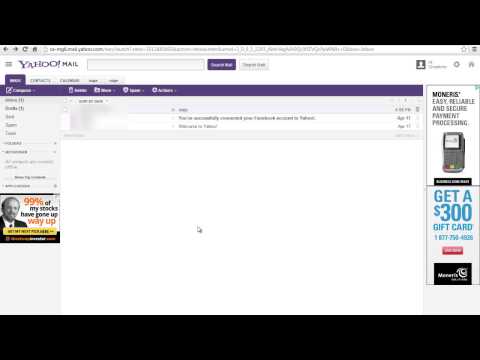
Step#4 go to your yahoo inbox
To find IP address on yahoo, go to your yahoo inbox.
Step#5 right click on the e-mail subject
Right click on your e-mail subject, scroll down and select select 'view full header'
Step#6 locate 'received from' IP
On the new window, look for a statement that says 'received from' and locate the IP address beside it. And you will have successfully located IP address by e-mail.
Thanks for watching this video tutorial, Leave comments and ask your questions by our e-mail [email protected] was Howtech dot TV tutorial. Thank you for watching!
Don't forget to check out our site howtech.tv/ for more free how-to videos!
youtube.com/ithowtovids - our feed
facebook.com/howtechtv - join us on facebook
plus.google.com/103440382717658277879 - our group in Google+
Step#1 open the e-mail on your inbox
To find the IP address on Gmail, open the e-mail that you will like to find the IP address.
Step#2 click on more icon on your top right
Click on more icon on the top right of your e-mail. Scroll down and select show original. The original message will be displayed in a new tab.
Step#3 look for a sentence with received from details
Look for a sentence starting with 'received from.' Look for the IP address beside enclosed in brackets(). If you find more than one 'received from' select the last one.
Step#4 go to your yahoo inbox
To find IP address on yahoo, go to your yahoo inbox.
Step#5 right click on the e-mail subject
Right click on your e-mail subject, scroll down and select select 'view full header'
Step#6 locate 'received from' IP
On the new window, look for a statement that says 'received from' and locate the IP address beside it. And you will have successfully located IP address by e-mail.
Thanks for watching this video tutorial, Leave comments and ask your questions by our e-mail [email protected] was Howtech dot TV tutorial. Thank you for watching!
About this tutorial
Internet Services and Social Networks Tutorials from HowTech published this 1:14 video tutorial on November 3, 2013. It has been watched 91,695 times on YouTube.
- Category
- Howto & Style
- Duration
- 1:14
- Published
- November 3, 2013
- Views
- 91,695
- Likes
- 352
Share
This tutorial in other languages
- FRComment trouver l'adresse IP par courrier électronique
- ES¿Cómo encontrar la dirección IP del correo de E
- PTComo encontrar o endereço IP por e-mail
- ITCome trovare l'indirizzo IP via e-mail
- DESo finden IP-Adresse per E-Mail
- NLHoe vindt u het IP-adres van de e- Post
- RUКак найти IP-адрес по электронной почте
- PLJak znaleźć adres IP przez e mail
- JAEメールでIPアドレスを検索する方法
- ARكيفية البحث عن عنوان IP عن طريق البريد الإلكتروني
- HIकैसे ई मेल द्वारा आईपी पता जानने के
- IDCara Cari Alamat IP oleh E Mail