Playback starts YouTube’s embedded player (privacy-enhanced mode).
How to Install Plugins in Mozilla Firefox
Channela2zhow EducationDescription from the creator
1. Open the "Firefox" browser.
2. Search in Google "Add-ons for Firefox".
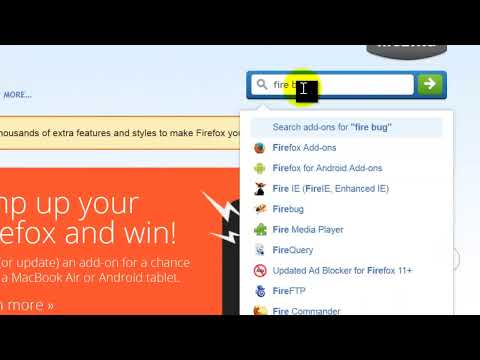
3. Open the Page.
4. Search for the plugin you want to install.
5. For demo purpose i will install "Fire Bug" plugin.
6. Click "Add to Firefox "button.
7. Now Firefox will automatically install the plugin after download.
8. Restart the fire fox to apply the changes.
9. Fire Bug Plugin is now installed in Firefox.
Thank you for watching.
Learn How to Make Money Online, Join Us @ jobs4mind.com
2. Search in Google "Add-ons for Firefox".
3. Open the Page.
4. Search for the plugin you want to install.
5. For demo purpose i will install "Fire Bug" plugin.
6. Click "Add to Firefox "button.
7. Now Firefox will automatically install the plugin after download.
8. Restart the fire fox to apply the changes.
9. Fire Bug Plugin is now installed in Firefox.
Thank you for watching.
Learn How to Make Money Online, Join Us @ jobs4mind.com
About this tutorial
a2zhow Education published this 1:55 video tutorial on October 31, 2013. It has been watched 72,207 times on YouTube.
- Channel
- a2zhow Education
- Category
- Howto & Style
- Duration
- 1:55
- Published
- October 31, 2013
- Views
- 72,207
- Likes
- 61
Tags
Share
This tutorial in other languages
- FRComment faire pour installer des plugins dans Mozilla Firefox
- ESCómo instalar plugins en Mozilla Firefox
- PTComo instalar Plugins no Mozilla Firefox
- ITCome installare plugin in Mozilla Firefox
- DEWie Installieren von Plugins in Mozilla Firefox
- NLHoe te installeren Plugins in Mozilla Firefox
- RUКак установить плагин в Mozilla Firefox
- PLJak zainstalować wtyczki w Firefoksie
- JAMozillaのFirefoxでプラグインをインストールする方法
- ARكيفية تثبيت الإضافات في موزيلا فايرفوكس
- HIमोज़िला फ़ायरफ़ॉक्स में प्लगइन्स स्थापित करने के लिए कैसे
- IDCara Install Plugin di Mozilla Firefox