Playback starts YouTube’s embedded player (privacy-enhanced mode).
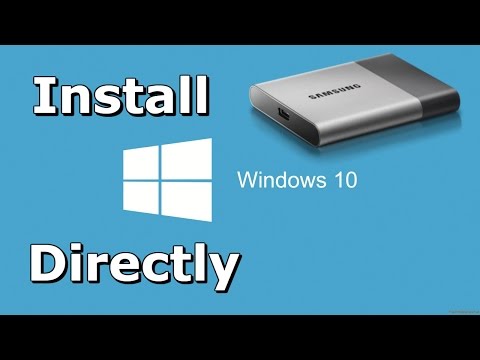
How to Install Windows 10 Directly onto USB External Hard Drive
ChannelMicrowaveSamDescription from the creator
Windows 10 setup does not support configuration of or installation to disks through a USB or IEEE 1394 port, so the easiest way to install Windows 10 onto a USB External Hard Drive is through a program called WinToUSB.
Steps:
1) Plug in your USB External Hard Drive and format NTFS
2) Download Windows 10 ISO Media Creation tool and WinToUSB
3) Use Windows setup to download Windows.iso
4) Install WinToUSB and deploy Windows.iso onto your USB External Hard Drive
5) Restart your computer and press F2 to get into BIOS
6) In BIOS, go to the Boot tab and see if you have a Legacy Support and Legacy First option. Put these two on. Skip otherwise.
7) Restarting your computer, press F12 to get into Boot Manager. Select your USB External Hard Drive.
8) Finish setting up Windows 10 on your USB External Hard Drive.
I am using a Samsung T3 Portable SSD - 500GB - USB 3.1 External SSD:
amazon.com/gp/product/B01AVF6UQQ/ref=as_li_tl?i…
Windows 10 ISO download link:
microsoft.com/en-us/software-download/windows10
WinToUSB:
easyuefi.com/wintousb
Outro song (Mega Man 3 NES): youtube.com/watch?v=2Gf94dLthmc
►
Steps:
1) Plug in your USB External Hard Drive and format NTFS
2) Download Windows 10 ISO Media Creation tool and WinToUSB
3) Use Windows setup to download Windows.iso
4) Install WinToUSB and deploy Windows.iso onto your USB External Hard Drive
5) Restart your computer and press F2 to get into BIOS
6) In BIOS, go to the Boot tab and see if you have a Legacy Support and Legacy First option. Put these two on. Skip otherwise.
7) Restarting your computer, press F12 to get into Boot Manager. Select your USB External Hard Drive.
8) Finish setting up Windows 10 on your USB External Hard Drive.
I am using a Samsung T3 Portable SSD - 500GB - USB 3.1 External SSD:
amazon.com/gp/product/B01AVF6UQQ/ref=as_li_tl?i…
Windows 10 ISO download link:
microsoft.com/en-us/software-download/windows10
WinToUSB:
easyuefi.com/wintousb
Outro song (Mega Man 3 NES): youtube.com/watch?v=2Gf94dLthmc
►
About this tutorial
MicrowaveSam published this 10:20 video tutorial on November 9, 2017. It has been watched 1,306,854 times on YouTube.
- Channel
- MicrowaveSam
- Category
- Howto & Style
- Duration
- 10:20
- Published
- November 9, 2017
- Views
- 1,306,854
- Likes
- 12,104
Tags
Share
This tutorial in other languages
- FRComment installer Windows 10 directement sur disque dur externe USB
- ESCómo instalar Windows 10 directamente en el disco duro externo USB
- PTComo instalar o Windows 10 diretamente no disco rígido externo USB
- ITCome installare Windows 10 direttamente sul disco rigido esterno USB
- DEWie Installieren von Windows 10 direkt auf externe USB-Festplatte
- NLHoe te installeren Windows 10 direct op USB externe harde schijf
- RUКак установить Windows 10 непосредственно на USB внешний жесткий диск
- PLJak zainstalować Windows 10 bezpośrednio na zewnętrzny dysk twardy USB
- JA直接USB外付けハードドライブにWindows 10をインストールする方法
- ARكيفية تثبيت ويندوز 10 مباشرة على USB محرك الأقراص الصلبة الخارجية
- HIWindows 10 स्थापित करने के लिए कैसे सीधे यूएसबी बाहरी हार्ड ड्राइव पर
- IDCara Instal Windows 10 Langsung ke USB Hard Drive Eksternal