Playback starts YouTube’s embedded player (privacy-enhanced mode).
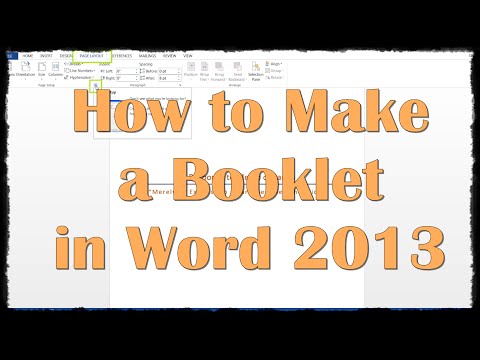
How to Make a Booklet in Word 2013
ChannelExcel, Word and PowerPoint Tutorials from HowtechDescription from the creator
Don’t let booklet formatting hinder your creative processes or your work. In this HowTech written tutorial, we’re going to show you how to create and format a booklet in Word 2013.
Going through the following steps is recommended before typing out the booklet, because margins will be changed and you will run into minor formatting issues if you write it out first. Go to Page Layout on the ribbon, and click the arrow in the bottom right of the Page Setup section
Change the Gutter value to about .3” (depending on how much gutter you want, you can also take out a spare piece of paper and measure it out to see how much gutter you want). The papers will print out in landscape format, and then you will fold them in half. So the gutter is generally where the staples or glue is placed
Change Multiple Pages from Normal to Book Fold, the Orientation should automatically change to Landscape
To demonstrate, these two “pages” or sections here will actually print out on one single page. After that it is just a matter of folding it all in half and placing the staples, stitching, or glue in the gutter to hold it all together
This is a HowTech tutorial, visit our website and see our videos for more!
Going through the following steps is recommended before typing out the booklet, because margins will be changed and you will run into minor formatting issues if you write it out first. Go to Page Layout on the ribbon, and click the arrow in the bottom right of the Page Setup section
Change the Gutter value to about .3” (depending on how much gutter you want, you can also take out a spare piece of paper and measure it out to see how much gutter you want). The papers will print out in landscape format, and then you will fold them in half. So the gutter is generally where the staples or glue is placed
Change Multiple Pages from Normal to Book Fold, the Orientation should automatically change to Landscape
To demonstrate, these two “pages” or sections here will actually print out on one single page. After that it is just a matter of folding it all in half and placing the staples, stitching, or glue in the gutter to hold it all together
This is a HowTech tutorial, visit our website and see our videos for more!
About this tutorial
Excel, Word and PowerPoint Tutorials from Howtech published this 1:33 video tutorial on November 5, 2015. It has been watched 64,017 times on YouTube.
- Category
- Howto & Style
- Duration
- 1:33
- Published
- November 5, 2015
- Views
- 64,017
- Likes
- 227
Tags
Share
This tutorial in other languages
- FRComment faire un livret dans Word 2013
- ESCómo hacer un folleto en Word 2013
- PTComo fazer um livreto no Word 2013
- ITCome fare un libretto in Word 2013
- DEWie ein Booklet in Word 2013 Stellen
- NLHoe maak je een boekje maken in Word 2013
- RUКак сделать буклет в Слове 2013
- PLJak zrobić broszurę w programie Word 2013
- JAWordの2013年に小冊子を作成する方法
- ARكيف اصنع كتيب في Word 2013
- HIकैसे वर्ड 2013 में एक बुकलेट बनाने के लिए
- IDCara Membuat Booklet di Word 2013