Playback starts YouTube’s embedded player (privacy-enhanced mode).
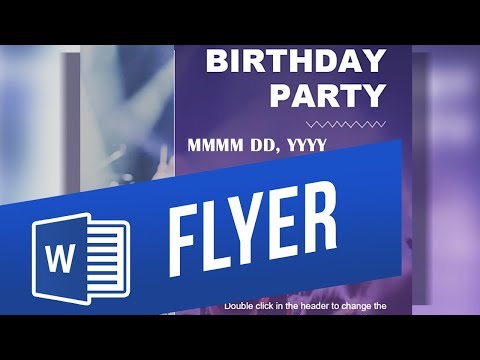
How to Make a Flyer using Microsoft Word? Design an Event Flyer from Scratch
ChannelExcel, Word and PowerPoint Tutorials from HowtechDescription from the creator
Use a theme as a basis for your flyer. There are many themes geared towards the flyer-style.
The easiest and quickest way to make your own is to use one of the themes as a basis.
➡️ Simply search for “flyer” in the New document creation menu. To get there, click File in the top-left and choose New.
➡️ Usually the background image in themes is part of the Header. Double-click the header or right-click and select Edit Header. Then press Ctrl+A to select everything in the header and press Delete on the keyboard.
➡️ Now you can use your own background. Click the Design tab and then Page Color. Here you can either choose your own color or click Fill Effects for more options such as images.
❓💬 What event do you have coming up? Please let us know in comments.
#HowTech #MicrosoftWord
--------------------------------------------------------------------------------------------------------------
✅ All our announcements are available here t.me/howtechtv
✅ Commercial questions [email protected]
✅ Instagram instagram.com/howtechprojects
✅ Twitter twitter.com/howtechprojects
The easiest and quickest way to make your own is to use one of the themes as a basis.
➡️ Simply search for “flyer” in the New document creation menu. To get there, click File in the top-left and choose New.
➡️ Usually the background image in themes is part of the Header. Double-click the header or right-click and select Edit Header. Then press Ctrl+A to select everything in the header and press Delete on the keyboard.
➡️ Now you can use your own background. Click the Design tab and then Page Color. Here you can either choose your own color or click Fill Effects for more options such as images.
❓💬 What event do you have coming up? Please let us know in comments.
#HowTech #MicrosoftWord
--------------------------------------------------------------------------------------------------------------
✅ All our announcements are available here t.me/howtechtv
✅ Commercial questions [email protected]
✅ Instagram instagram.com/howtechprojects
✅ Twitter twitter.com/howtechprojects
About this tutorial
Excel, Word and PowerPoint Tutorials from Howtech published this 2:17 video tutorial on November 2, 2019. It has been watched 135,551 times on YouTube.
- Category
- Howto & Style
- Duration
- 2:17
- Published
- November 2, 2019
- Views
- 135,551
- Likes
- 1,301
Tags
Share
This tutorial in other languages
- FRComment faire une brochure en utilisant Microsoft Word? Concevoir une brochure de l'événement à partir de zéro
- ESCómo hacer un folleto con Microsoft Word? Diseñar un folleto de eventos desde cero
- PTComo Fazer um Flyer usando o Microsoft Word? Projetar um insecto do evento a partir do zero
- ITCome fare un Flyer utilizzando Microsoft Word? Progettare un evento da zero Flyer
- DEWie man einen Flyer mit Microsoft Word machen? Entwerfen Sie ein Ereignis-Flyer von Grund auf neu
- NLHoe maak je een Flyer met behulp van Microsoft Word te maken? Ontwerp een Vlieger van de Gebeurtenis van Scratch
- RUКак сделать Flyer с помощью Microsoft Word? Разработайте Flyer событие с нуля
- PLJak zrobić Flyer za pomocą programu Microsoft Word? Zaprojektuj wydruku zdarzeń od podstaw
- JAMicrosoft Wordを使用してチラシを作る方法?スクラッチからイベントフライヤーをデザイン
- ARكيفية جعل الطيارة باستخدام Microsoft Word؟ تصميم الطيارة حدث من الصفر
- HIकैसे एक फ्लायर माइक्रोसॉफ्ट वर्ड का उपयोग कर बनाने के लिए? स्क्रैच से एक घटना फ्लायर डिजाइन
- IDCara Membuat Flyer menggunakan Microsoft Word? Desain Acara Flyer dari Gores