Playback starts YouTube’s embedded player (privacy-enhanced mode).
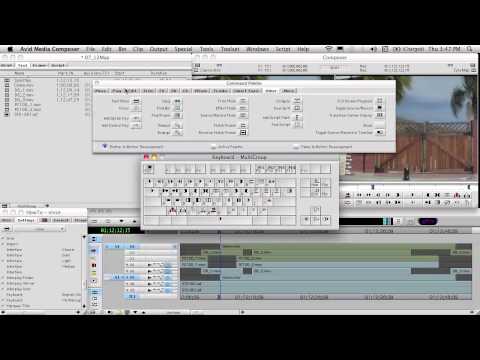
How to MultiGroup in AVID Media Composer for Reality TeleVision
ChannelVinceRoccaDescription from the creator
Details how to sync and group a Multi Camera shoot in AVID Media Composer for Assistant Editors on Reality TV programs. Covers AVID MultiGroup, Groups, Custom Views, Patching Tracks, Auto Sequence, and Syncing up video clips.
If you need footage to group clips in avid with:
1) Set an analog clock to 12:00 and video tape it using any camera (even a cell). Shoot a minute or two.
2) Reset the Clock and move the camera, shoot again.
3) Repeat for as many angles as you want.
Now you have footage for an AVID multigroup that seems like it was shot simultaneously for editing AVID multicam.
Additionally, you can search out applications that allow you to alter the timecode of a clip. Then alter the TC of the above clips for a greater challenge.
Don't ask me what apps change TC, a good AE knows how to find this stuff.
Congratulations, you've now learned grouping in AVID Media Composer.
If you need footage to group clips in avid with:
1) Set an analog clock to 12:00 and video tape it using any camera (even a cell). Shoot a minute or two.
2) Reset the Clock and move the camera, shoot again.
3) Repeat for as many angles as you want.
Now you have footage for an AVID multigroup that seems like it was shot simultaneously for editing AVID multicam.
Additionally, you can search out applications that allow you to alter the timecode of a clip. Then alter the TC of the above clips for a greater challenge.
Don't ask me what apps change TC, a good AE knows how to find this stuff.
Congratulations, you've now learned grouping in AVID Media Composer.
About this tutorial
VinceRocca published this 16:20 video tutorial on November 13, 2012. It has been watched 65,683 times on YouTube.
- Channel
- VinceRocca
- Category
- Howto & Style
- Duration
- 16:20
- Published
- November 13, 2012
- Views
- 65,683
- Likes
- 376
Tags
Share
This tutorial in other languages
- FRComment Multigroup dans Avid Media Composer pour téléréalité
- ESCómo multigrupo en Avid Media Composer para televisión de la realidad
- PTComo Multigroup em AVID Media Composer para televisão da realidade
- ITCome Multigroup in Avid Media Composer per la Realtà TeleVision
- DEWie man Multigruppen in AVID Media Composer für Reality-TV
- NLHoe te Multigroup in AVID Media Composer voor reality-tv
- RUКак Многогрупповой в AVID Media Composer для реалити-шоу
- PLJak MultiGroup w Composer AVID Media Player dla typu reality
- JAどのようにマルチグループへの現実のテレビのためのAVIDメディアの作曲で
- ARكيفية MultiGroup في ملحن AVID سائل الاعلام للتلفزيون الواقع
- HIकैसे MultiGroup को रियलिटी टेलीविजन के लिए AVID मीडिया संगीतकार में
- IDCara Multigroup di AVID Media Composer untuk televisi realitas