Playback starts YouTube’s embedded player (privacy-enhanced mode).
How To Prepare Your Images For Large Prints | Q&A Ep.54
ChannelSpyros HeniadisDescription from the creator
Mr103MJ was wondering about preparing an image to print at 20 inches by 30 inches (51cm x 76cm) with this question:
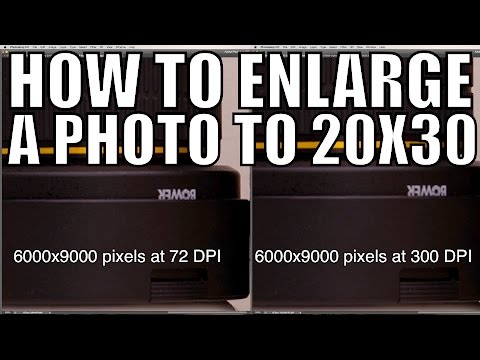
How many megapixels should I make my picture if I want to print it as big as 20x30, and do I leave it set to “as shot” on the crop setting in Lightroom?
Now as I mention in the video, I’ve successfully made 20x30 inch prints with 8 megapixel photos, however the image file I actually printed wasn’t 8 megapixels, it was 54 megapixels!
One of the most important things to get right when preparing your images for printing is the resolution, how many dots of in are printed per inch (dpi).
This will make or break the quality of your print, and in the video I talk about the importance of dpi, as well as the other steps necessary in preparing your images for large prints.
🔔 Subscribe for more free photography tutorials: youtube.com/user/selfhelpphotographer?sub_confi…
✅ Recommended playlists:
Learn How Your Camera Meter Works And How To Use It:
youtube.com/watch?v=PN9SRkkAyoA&list=PLota5…
Learn All About ISO, Aperture & Shutter Speed:
youtube.com/watch?v=FXfuQqjcVy4&list=PLota5…
How To Get Started Shooting With Flash:
youtube.com/watch?v=PtkjURNjV5s&list=PLota5…
❤️ If you find my content helpful, become a patron: patreon.com/heniadis
Disclosure: Some of the links I use are affiliate links, meaning, at no additional cost to you, I will earn a commission if you click through and make a purchase.
Want to save time and learn a LOT more? Check out my video courses:
The Guide to Shooting in Manual Mode: shp.photo/manual
Understanding Flash Photography: shp.photo/flash
Mastering Lightroom: shp.photo/lightroom
Find me on the socials:
Facebook: facebook.com/selfhelpphotographer
Instagram: instagram.com/heniadis
Portfolio: spyrosheniadis.com
How many megapixels should I make my picture if I want to print it as big as 20x30, and do I leave it set to “as shot” on the crop setting in Lightroom?
Now as I mention in the video, I’ve successfully made 20x30 inch prints with 8 megapixel photos, however the image file I actually printed wasn’t 8 megapixels, it was 54 megapixels!
One of the most important things to get right when preparing your images for printing is the resolution, how many dots of in are printed per inch (dpi).
This will make or break the quality of your print, and in the video I talk about the importance of dpi, as well as the other steps necessary in preparing your images for large prints.
🔔 Subscribe for more free photography tutorials: youtube.com/user/selfhelpphotographer?sub_confi…
✅ Recommended playlists:
Learn How Your Camera Meter Works And How To Use It:
youtube.com/watch?v=PN9SRkkAyoA&list=PLota5…
Learn All About ISO, Aperture & Shutter Speed:
youtube.com/watch?v=FXfuQqjcVy4&list=PLota5…
How To Get Started Shooting With Flash:
youtube.com/watch?v=PtkjURNjV5s&list=PLota5…
❤️ If you find my content helpful, become a patron: patreon.com/heniadis
Disclosure: Some of the links I use are affiliate links, meaning, at no additional cost to you, I will earn a commission if you click through and make a purchase.
Want to save time and learn a LOT more? Check out my video courses:
The Guide to Shooting in Manual Mode: shp.photo/manual
Understanding Flash Photography: shp.photo/flash
Mastering Lightroom: shp.photo/lightroom
Find me on the socials:
Facebook: facebook.com/selfhelpphotographer
Instagram: instagram.com/heniadis
Portfolio: spyrosheniadis.com
About this tutorial
Spyros Heniadis published this 6:37 video tutorial on October 25, 2015. It has been watched 66,003 times on YouTube.
- Channel
- Spyros Heniadis
- Category
- Howto & Style
- Duration
- 6:37
- Published
- October 25, 2015
- Views
- 66,003
- Likes
- 1,239
Tags
Share
Further reading
-
Google
google.com
Search the world's information, including webpages, images, videos and more. Google has many special features to help you find exactly what you're looking for.
-
Q Pilot
drucken.uni-halle.de
Der Benutzerservice benötigt JavaScript, um angezeigt werden zu können. The user self service requires JavaScript to be executed.
-
Microsoft Update Catalog
catalog.update.microsoft.com
In Internet Explorer, click Tools, and then click Internet Options. On the Security tab, click the Trusted Sites icon. Click Sites and then add these website addresses one at a time to the list: You can only add one add…
This tutorial in other languages
- FRComment préparer vos images pour les grands tirages | Q & A Ep.54
- ESCómo preparar sus imágenes para grandes láminas | Q & A Ep.54
- PTComo preparar suas imagens para impressões de grandes | Q & A Ep.54
- ITCome preparare le immagini per stampe di grandi dimensioni | Q & A Ep.54
- DESo erreichen Sie Ihre Bilder für große Drucke vorbereiten | Q & A Ep.54
- NLHoe kunt u uw afbeeldingen voorbereiden Large Prints | Vraag & Ep.54
- RUКак подготовить изображения для широкоформатной печати | Вопрос & Ep.54
- PLJak przygotować zdjęcia do dużych odbitek | P & A Ep.54
- JA大型プリントのためにあなたのイメージを準備する方法| Q&A Ep.54
- ARكيفية تحضير الصور الخاصة بك لأختام كبيرة | Q & A Ep.54
- HIकैसे बड़े प्रिंट के लिए अपनी छवियों को तैयार करने के लिए | क्यू एंड ए Ep.54
- IDCara Siapkan Gambar Anda Untuk Mencetak Besar | Q & A Ep.54