Playback starts YouTube’s embedded player (privacy-enhanced mode).
How to Print then Cut Laminated Sheets 2.0
ChannelPocket WondersDescription from the creator
Open me for all the resources!
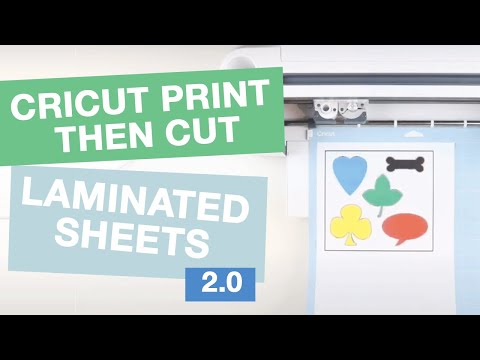
This is the updated Print and Cut Laminated Sheets 2.0.
You guys asked for a video to show you how I make my laminated cut file. In this video I show you how I took a random image on the internet and made all the cut files. I’ve also answered some FAQs regarding why you shouldn’t just use the same cut file for both the print and cut and the laminated cut. Let me know if this helps!
Head over to my blog for free SVG files if you are interested in other projects!
Pixlr E: pixlr.com/e/
▼ Video Resources ▼ (contains my affiliate links)
Cricut Maker or Explore: cricut.pxf.io/a1m3EQ
Cricut Tools: cricut.pxf.io/a1m3EQ
Light Grip Mat: amzn.to/3duT2g2
Fine Point Blade: amzn.to/39gyEgF
Laminator: amzn.to/2BBgLOo
Laminating sheets: amzn.to/2Bzntoa
▼ Join our Facebook Community ▼
Do you want more free SVG files? Check out our Facebook community where I share additional resources and freebies!
facebook.com/groups/cricutprojectswithpocketwon…
Thanks for watching! Please subscribe and like the video if you liked it! :)
▼ You can also follow me at ▼
Blog: pocketwonders.ca
Pinterest: pinterest.com/pocketwonders
Facebook: facebook.com/pocketwonders
Facebook Group (free SVG files!): facebook.com/groups/cricutprojectswithpocketwon…
Instagram: instagram.com/pocketwonders/
Etsy: etsy.com/ca/shop/PocketWondersDesigns
#cricut #cricutmaker #cricutexploreair #designspace
This is the updated Print and Cut Laminated Sheets 2.0.
You guys asked for a video to show you how I make my laminated cut file. In this video I show you how I took a random image on the internet and made all the cut files. I’ve also answered some FAQs regarding why you shouldn’t just use the same cut file for both the print and cut and the laminated cut. Let me know if this helps!
Head over to my blog for free SVG files if you are interested in other projects!
Pixlr E: pixlr.com/e/
▼ Video Resources ▼ (contains my affiliate links)
Cricut Maker or Explore: cricut.pxf.io/a1m3EQ
Cricut Tools: cricut.pxf.io/a1m3EQ
Light Grip Mat: amzn.to/3duT2g2
Fine Point Blade: amzn.to/39gyEgF
Laminator: amzn.to/2BBgLOo
Laminating sheets: amzn.to/2Bzntoa
▼ Join our Facebook Community ▼
Do you want more free SVG files? Check out our Facebook community where I share additional resources and freebies!
facebook.com/groups/cricutprojectswithpocketwon…
Thanks for watching! Please subscribe and like the video if you liked it! :)
▼ You can also follow me at ▼
Blog: pocketwonders.ca
Pinterest: pinterest.com/pocketwonders
Facebook: facebook.com/pocketwonders
Facebook Group (free SVG files!): facebook.com/groups/cricutprojectswithpocketwon…
Instagram: instagram.com/pocketwonders/
Etsy: etsy.com/ca/shop/PocketWondersDesigns
#cricut #cricutmaker #cricutexploreair #designspace
About this tutorial
Pocket Wonders published this 16:09 video tutorial on July 13, 2020. It has been watched 34,594 times on YouTube.
- Channel
- Pocket Wonders
- Category
- Howto & Style
- Duration
- 16:09
- Published
- July 13, 2020
- Views
- 34,594
- Likes
- 292
Tags
Share
This tutorial in other languages
- FRComment imprimer puis Sheets Cut laminés 2.0
- ESCómo imprimir hojas cortadas a continuación laminadas 2.0
- PTComo imprimir em seguida, Cut laminados Sheets 2,0
- ITCome stampare poi tagliare laminato Sheets 2.0
- DESo drucken Sie dann Blätter Cut laminiert 2.0
- NLHoe afdrukken vervolgens Cut gelamineerde vellen 2.0
- RUКак печатать затем вырезать ламинированные листы 2.0
- PLJak wydrukować następnie Arkusze laminowane 2.0
- JA[切り取り積層シート2.0を印刷する方法
- ARكيفية طباعة ثم قص أوراق مغلفة 2.0
- HIकैसे प्रिंट करने के लिए तो कट टुकड़े टुकड़े में शीट्स 2.0
- IDCara Cetak kemudian Cut Laminated Lembar 2.0