Playback starts YouTube’s embedded player (privacy-enhanced mode).
How To Put One Image On Top Of Another Image in Microsoft Paint
ChannelGauging GadgetsDescription from the creator
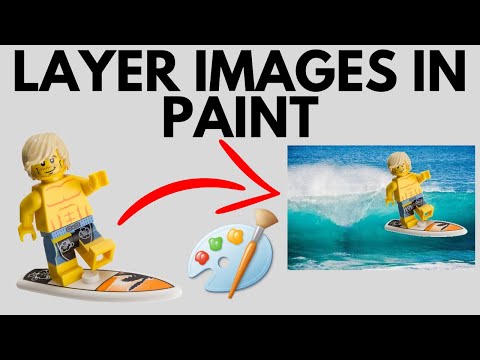
How to put one image on top of another image in Microsoft Paint? In this Windows tutorial, I show you how to layer images with Microsoft Paint. This means you can overlay one image on top of another with just Paint, no other apps or downloads needed, and for free. This can be done with any type of image but for best results a .png file is recommended over a .jpg image file.
Follow the steps below to put one picture on top of another image using Paint:
1. Open up 2 different instances of Microsoft Paint.
2. Open both images.
3. In both of the Paint instances, in the top toolbar, select the arrow under the selection box. This might be titled Image or Select.
4. In the drop down, make sure both Paint instances have a check mark next to Transparent Selection.
5. Now use the selection tool to select the image that you want to put on top of the other image.
6. Once selected, copy the image.
7. Now paste the image on the other image.
#Paint #MicrosoftPaint #Windows
Disclaimer: Some of the links in this description are Amazon affiliate links. As an Amazon Associate, Gauging Gadgets earns from qualifying purchases through affiliate links.
😀 HAPPY WITH THE VIDEO? 😀
SUBSCRIBE NOW! CLICK HERE - youtube.com/c/gauginggadgets?sub_confirmation=1
SEND ME A TIP! - paypal.me/GaugingGadgets
FOLLOW ME!
BLOG: GaugingGadgets.com
FACEBOOK - fb.me/GaugingGadgets
TWITTER - twitter.com/GaugingGadgets
REDDIT - reddit.com/r/GaugingGadgets/
INSTAGRAM - instagram.com/GaugingGadgets/
TWITCH - twitch.tv/GaugingGadgets
Learn How to Crochet: youtube.com/c/CrochetWithJulie
HOW DO I DO IT? (Paid Links)
TubeBuddy YouTube Toolkit: tubebuddy.com/gauginggadgets/yt
StreamYard Live Streaming Tool: geni.us/streamyardyt
Nerd or Die Twitch Overlays: nerdordie.com/shop/ref/GaugingGadgets/
My YouTube Setup: gauginggadgets.com/youtube-setup/
Dell G3 15-3579: geni.us/DellG3
Turtle Beach Elite Pro 2 + SuperAmp Pro: geni.us/TurtleBeachEP2
700W Lighting Kit - geni.us/LightingKit
Blue Yeti USB Microphone - geni.us/USBMic
Logitech C920 Webcam - geni.us/HDWebCam
Cell Phone - Pixel 2 XL - geni.us/FilmingPhone
Neewer Mini Table Tripod - geni.us/MiniTableTripod
Follow the steps below to put one picture on top of another image using Paint:
1. Open up 2 different instances of Microsoft Paint.
2. Open both images.
3. In both of the Paint instances, in the top toolbar, select the arrow under the selection box. This might be titled Image or Select.
4. In the drop down, make sure both Paint instances have a check mark next to Transparent Selection.
5. Now use the selection tool to select the image that you want to put on top of the other image.
6. Once selected, copy the image.
7. Now paste the image on the other image.
#Paint #MicrosoftPaint #Windows
Disclaimer: Some of the links in this description are Amazon affiliate links. As an Amazon Associate, Gauging Gadgets earns from qualifying purchases through affiliate links.
😀 HAPPY WITH THE VIDEO? 😀
SUBSCRIBE NOW! CLICK HERE - youtube.com/c/gauginggadgets?sub_confirmation=1
SEND ME A TIP! - paypal.me/GaugingGadgets
FOLLOW ME!
BLOG: GaugingGadgets.com
FACEBOOK - fb.me/GaugingGadgets
TWITTER - twitter.com/GaugingGadgets
REDDIT - reddit.com/r/GaugingGadgets/
INSTAGRAM - instagram.com/GaugingGadgets/
TWITCH - twitch.tv/GaugingGadgets
Learn How to Crochet: youtube.com/c/CrochetWithJulie
HOW DO I DO IT? (Paid Links)
TubeBuddy YouTube Toolkit: tubebuddy.com/gauginggadgets/yt
StreamYard Live Streaming Tool: geni.us/streamyardyt
Nerd or Die Twitch Overlays: nerdordie.com/shop/ref/GaugingGadgets/
My YouTube Setup: gauginggadgets.com/youtube-setup/
Dell G3 15-3579: geni.us/DellG3
Turtle Beach Elite Pro 2 + SuperAmp Pro: geni.us/TurtleBeachEP2
700W Lighting Kit - geni.us/LightingKit
Blue Yeti USB Microphone - geni.us/USBMic
Logitech C920 Webcam - geni.us/HDWebCam
Cell Phone - Pixel 2 XL - geni.us/FilmingPhone
Neewer Mini Table Tripod - geni.us/MiniTableTripod
About this tutorial
Gauging Gadgets published this 2:47 video tutorial on March 14, 2020. It has been watched 307,595 times on YouTube.
- Channel
- Gauging Gadgets
- Category
- Howto & Style
- Duration
- 2:47
- Published
- March 14, 2020
- Views
- 307,595
- Likes
- 2,939
Tags
Share
This tutorial in other languages
- FRComment mettre une image sur une autre image dans Microsoft Paint
- ESCómo poner una imagen encima de otra imagen en Microsoft Paint
- PTComo colocar uma imagem sobre outra imagem no Microsoft Paint
- ITCome inserire una sola immagine su un altro immagine in Microsoft Paint
- DEWie von einem anderen Bild in Microsoft Paint Ein Bild Aufeinander Put
- NLHow To One Afbeelding op elkaar Afbeelding in Microsoft Paint
- RUКак поставить одно изображение поверх другого изображения в Microsoft Paint
- PLJak umieścić jeden obraz na drugim obrazu w Microsoft Paint
- JAMicrosoftペイントで別の画像の上に1枚の画像を配置する方法
- ARكيفية وضع صورة واحدة على قمة صورة أخرى في الرسام
- HIकैसे माइक्रोसॉफ्ट पेंट में एक और छवि के शीर्ष पर एक छवि डाल करने के लिए
- IDCara Pasang Satu Gambar On Top Of Gambar lain di Microsoft Paint