Playback starts YouTube’s embedded player (privacy-enhanced mode).
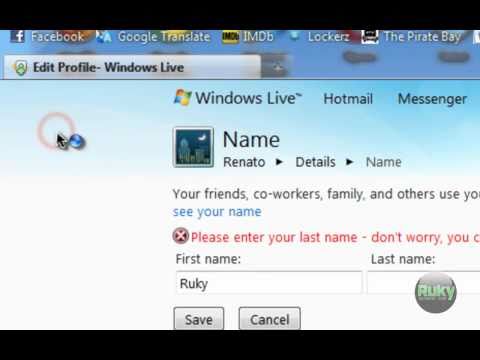
HOW TO...Remove Last Name from Windows Live Messenger 2011 Beta Username
Channelruky1024Description from the creator
The only thing that I don't like in new Windows Live Messenger 2011 Beta is that you can't edit your username directly from the program. You have to go online to Windows Live sites to change it. It even doesn't allow you to have only a nickname, it shows your full name and last name. BUT! I found a way how to leave the last name TextBox on Windows Live empty without getting errors or any weird characters.
WARNING!!! I'M NOT RESPONSIBLE FOR ANY MALICIOUS WORKING OR ANY DAMAGE CAUSED!!! YOU'RE DOING THIS AT YOUR OWN RISK!!!
WARNING!!! I'M NOT RESPONSIBLE FOR ANY MALICIOUS WORKING OR ANY DAMAGE CAUSED!!! YOU'RE DOING THIS AT YOUR OWN RISK!!!
About this tutorial
ruky1024 published this 3:32 video tutorial on October 31, 2010. It has been watched 37,845 times on YouTube.
- Channel
- ruky1024
- Category
- Howto & Style
- Duration
- 3:32
- Published
- October 31, 2010
- Views
- 37,845
- Likes
- 171
Share
This tutorial in other languages
- FRCOMMENT ... Supprimer Nom de Windows Live Messenger 2011 Beta Nom d'utilisateur
- ESCOMO ... Retire Apellido de Windows Live Messenger 2011 Beta Nombre de usuario
- PTComo ... Remover apelido a partir do Windows Live Messenger 2011 Beta Usuário
- ITCOME ... Rimuovere Cognome da Windows Live Messenger 2011 Beta Nome utente
- DEHOW TO ... entfernen Nachname von Windows Live Messenger 2011 Beta Benutzername
- NLHOE ... Verwijder Achternaam van Windows Live Messenger 2011 Beta Gebruikersnaam
- RUКАК ... Удалить Фамилия из Windows Live Messenger 2011 Beta Логин
- PLJAK TO ... Nazwisko Usuń z Windows Live Messenger 2011 Beta Hasło
- JAHOW TOは... Windows Liveメッセンジャー2011ベータ版ユーザー名から姓を削除します
- ARHOW TO ... إزالة اسم العائلة من ويندوز لايف ماسنجر 2011 بيتا اسم المستخدم
- HIकैसे के लिए ... निकालें अंतिम नाम विंडोज लाइव मैसेंजर 2011 बीटा प्रयोक्ता नाम से
- IDCARA ... Hapus Nama terakhir dari Windows Live Messenger 2011 Beta pengguna