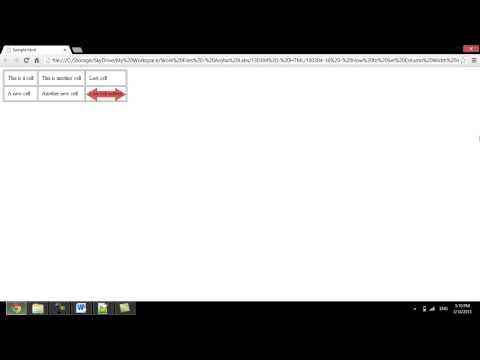
Playback starts YouTube’s embedded player (privacy-enhanced mode).
How to Set Column Width in HTML Table
ChannelInternet Services and Social Networks Tutorials from HowTechDescription from the creator
Follow this easy step by step tutorial to learn how to set column width in an HTML table on a webpage.
Don't forget to check out our site howtech.tv/ for more free how-to videos!
youtube.com/ithowtovids - our feed
facebook.com/howtechtv - join us on facebook
plus.google.com/103440382717658277879 - our group in Google+
It is a popular design practice to build a web page that uses a table to define its layout. But the main function of a table is to display data in a tabular form. The default settings allow a table to wrap column width according to its content. In this tutorial we will learn how to manually set HTML table column widths.
Step # 1 -- Widths based on content
Each of the rows in a table can contain cells. The first cell of each row makes the first column of the table. Likewise the second cell of each row makes the second column of the table. The column of the table sets its width based on the largest content from one of its cells. The cells above or below the cell with the large content expand to match the same width. This means that HTML column width needs only to be defined in any one cell of that column. As per ease and standards we will use the top row cells to define widths of all HTML table columns.
Step # 2 -- Setting width
HTML column widths are defined by the width attribute of the cell element (td). The width can be a value in pixels, to disallow any effect of the browser size on the table columns, or it can be a value in percentages, to allow adjusting to the browser size.
The value for each column can differ upon need. And if in form of percentages, the values can allow resizing to browser size according to the percent ratio.
That will be all for setting column widths in HTML tables.
Don't forget to check out our site howtech.tv/ for more free how-to videos!
youtube.com/ithowtovids - our feed
facebook.com/howtechtv - join us on facebook
plus.google.com/103440382717658277879 - our group in Google+
It is a popular design practice to build a web page that uses a table to define its layout. But the main function of a table is to display data in a tabular form. The default settings allow a table to wrap column width according to its content. In this tutorial we will learn how to manually set HTML table column widths.
Step # 1 -- Widths based on content
Each of the rows in a table can contain cells. The first cell of each row makes the first column of the table. Likewise the second cell of each row makes the second column of the table. The column of the table sets its width based on the largest content from one of its cells. The cells above or below the cell with the large content expand to match the same width. This means that HTML column width needs only to be defined in any one cell of that column. As per ease and standards we will use the top row cells to define widths of all HTML table columns.
Step # 2 -- Setting width
HTML column widths are defined by the width attribute of the cell element (td). The width can be a value in pixels, to disallow any effect of the browser size on the table columns, or it can be a value in percentages, to allow adjusting to the browser size.
The value for each column can differ upon need. And if in form of percentages, the values can allow resizing to browser size according to the percent ratio.
That will be all for setting column widths in HTML tables.
About this tutorial
Internet Services and Social Networks Tutorials from HowTech published this 1:07 video tutorial on November 12, 2013. It has been watched 59,293 times on YouTube.
- Category
- Howto & Style
- Duration
- 1:07
- Published
- November 12, 2013
- Views
- 59,293
- Likes
- 224
Share
This tutorial in other languages
- FRComment configurer la largeur de colonne en HTML Table
- ESCómo Establecer ancho de columna en la tabla HTML
- PTComo definir a largura da coluna na Tabela HTML
- ITCome impostare la larghezza delle colonne nella tabella HTML
- DESo stellen Sie Spaltenbreite in HTML Tabelle
- NLHoe stel Kolombreedte in HTML tabel
- RUКак установить ширину столбцов в таблице HTML
- PLJak ustawić kolumny Szerokość w tabeli HTML
- JAどのようにHTMLテーブルに設定列幅に
- ARكيفية تعيين عرض العمود في الجدول HTML
- HIकैसे HTML तालिका में सेट कॉलम की चौड़ाई के लिए
- IDCara Set Lebar Kolom di HTML Table