Playback starts YouTube’s embedded player (privacy-enhanced mode).
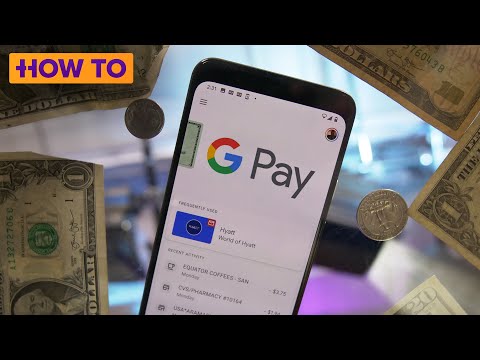
How to set up and use Google Pay
ChannelHow To Do It AllDescription from the creator
Google Pay is a digital wallet tied to your Google account. You can use it to send or request money with friends (kind of like Venmo), use it in apps like Caviar to pay for things and use it at a store or restaurant with an Android phone or on a watch running Wear OS. But perhaps the real reason to use Google Pay is that it's faster and more secure than using a physical debit or credit card.
Replacing Android Pay and Google Wallet in 2018, Google Pay works without sending stores and restaurants your actual card numbers. Essentially, your credit and debit card information is securely stored on Google's servers, and instead of transmitting your card's numbers, Google Pay uses a token called a virtual account number as a stand-in.
We walk you through how to set up Google Pay and use it.
Read more at CNET.com: Google Pay is fast, easy, secure: How to set up and use mobile payments on your phone cnet.co/37N8rXe
Patrick's Twitter: @trickholland
Products featured in the video:
Google Pixel 4 XL: bit.ly/3CP0TmN
15-inch MacBook Pro: bit.ly/3APgGA9
CNET may get a share of revenue from the sale of the products linked above.
Subscribe to CNET: youtube.com/user/cnethowto
Check out our playlists: youtube.com/user/cnethowto/playlists
Visit CNET's How To site: cnet.com/how-to/
Download the new CNET app: cnet.app.link/GWuXq8ExzG
Like us on Facebook: facebook.com/cnet
Follow us on Twitter: twitter.com/cnet
Follow us on Instagram: bit.ly/2icCYYm
#GooglePay #googlepay2020 #howto
Replacing Android Pay and Google Wallet in 2018, Google Pay works without sending stores and restaurants your actual card numbers. Essentially, your credit and debit card information is securely stored on Google's servers, and instead of transmitting your card's numbers, Google Pay uses a token called a virtual account number as a stand-in.
We walk you through how to set up Google Pay and use it.
Read more at CNET.com: Google Pay is fast, easy, secure: How to set up and use mobile payments on your phone cnet.co/37N8rXe
Patrick's Twitter: @trickholland
Products featured in the video:
Google Pixel 4 XL: bit.ly/3CP0TmN
15-inch MacBook Pro: bit.ly/3APgGA9
CNET may get a share of revenue from the sale of the products linked above.
Subscribe to CNET: youtube.com/user/cnethowto
Check out our playlists: youtube.com/user/cnethowto/playlists
Visit CNET's How To site: cnet.com/how-to/
Download the new CNET app: cnet.app.link/GWuXq8ExzG
Like us on Facebook: facebook.com/cnet
Follow us on Twitter: twitter.com/cnet
Follow us on Instagram: bit.ly/2icCYYm
#GooglePay #googlepay2020 #howto
About this tutorial
How To Do It All published this 9:35 video tutorial on January 30, 2020. It has been watched 2,002,280 times on YouTube.
- Channel
- How To Do It All
- Category
- Howto & Style
- Duration
- 9:35
- Published
- January 30, 2020
- Views
- 2,002,280
- Likes
- 16,691
Share
This tutorial in other languages
- FRComment configurer et utiliser Google Pay
- ESCómo configurar y utilizar Google de pago
- PTComo configurar e usar o Google Pay
- ITCome impostare e utilizzare Google Pay
- DEWie Einrichten und die Verwendung von Google Pay
- NLHoe te installeren en te gebruiken Google Pay
- RUКак настроить и использовать Google Pay
- PLJak skonfigurować i używać Google Pay
- JAGoogleの支払いをセットアップして使用する方法
- ARكيفية إعداد واستخدام الدفع جوجل
- HIकी स्थापना की और गूगल भुगतान का उपयोग कैसे करें
- IDCara mengatur dan menggunakan Google Bayar