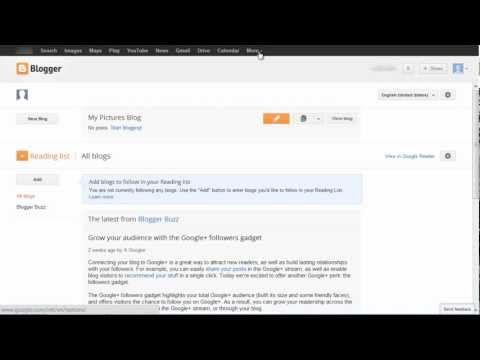
Playback starts YouTube’s embedded player (privacy-enhanced mode).
How to Setup Blogger Comments
ChannelInternet Services and Social Networks Tutorials from HowTechDescription from the creator
Follow this step by step guide to learn an easy way to setup and adjust settings for blogger comments.
Don't forget to check out our site howtech.tv/ for more free how-to videos!
youtube.com/ithowtovids - our feed
facebook.com/howtechtv - join us on facebook
plus.google.com/103440382717658277879 - our group in Google+
Blogger is one of the most popular websites which offer their users to publish their blogs online. It also has an option to provide its readers and visitors a facility to respond and post responses to blogger comments on your blogs. You can enable the "Posts and Comments" option from your blogger settings so that the audience can provide their feedback in the form of comments on your published blogs. Comments are displayed in a form of a thread which gives the reader more clarity on whether a user is commenting on the blog or replying back to another post. Here, we will guide you on how to setup a blogger comment box and adjust its settings according to your requirements.
Step # 1 -- Sign in to Blogger
In this tutorial, we will teach you how to setup blogger comments. First of all, open up the browser and log on to www.blogger.com. Now enter your Gmail user ID and password to sign in.
Step # 2 -- Open up the Settings option
Next, click on the "More Option" drop down button on the home page of Blogger. Now select the "Settings" option form the list to open Blogger settings window.
Step # 3 -- Adjust Posts and Comments option
Once you have clicked on the "Settings" option, you will be redirected to a new window. Here you will find various settings and options through which you can customize your Blogger according to your preferences and requirements. You can click on the "Posts and Comments" option available on the left corner of the window. Once it has opened, you can setup your post and comment settings according to your choice. Once it has been completed, click on the "Save Settings" button available on the top right corner of the window to save you settings. In this manner, you can adjust the settings for your blogger comment box.
Don't forget to check out our site howtech.tv/ for more free how-to videos!
youtube.com/ithowtovids - our feed
facebook.com/howtechtv - join us on facebook
plus.google.com/103440382717658277879 - our group in Google+
Blogger is one of the most popular websites which offer their users to publish their blogs online. It also has an option to provide its readers and visitors a facility to respond and post responses to blogger comments on your blogs. You can enable the "Posts and Comments" option from your blogger settings so that the audience can provide their feedback in the form of comments on your published blogs. Comments are displayed in a form of a thread which gives the reader more clarity on whether a user is commenting on the blog or replying back to another post. Here, we will guide you on how to setup a blogger comment box and adjust its settings according to your requirements.
Step # 1 -- Sign in to Blogger
In this tutorial, we will teach you how to setup blogger comments. First of all, open up the browser and log on to www.blogger.com. Now enter your Gmail user ID and password to sign in.
Step # 2 -- Open up the Settings option
Next, click on the "More Option" drop down button on the home page of Blogger. Now select the "Settings" option form the list to open Blogger settings window.
Step # 3 -- Adjust Posts and Comments option
Once you have clicked on the "Settings" option, you will be redirected to a new window. Here you will find various settings and options through which you can customize your Blogger according to your preferences and requirements. You can click on the "Posts and Comments" option available on the left corner of the window. Once it has opened, you can setup your post and comment settings according to your choice. Once it has been completed, click on the "Save Settings" button available on the top right corner of the window to save you settings. In this manner, you can adjust the settings for your blogger comment box.
About this tutorial
Internet Services and Social Networks Tutorials from HowTech published this 1:13 video tutorial on October 31, 2013. It has been watched 25,911 times on YouTube.
- Category
- Howto & Style
- Duration
- 1:13
- Published
- October 31, 2013
- Views
- 25,911
- Likes
- 101
Tags
Share
This tutorial in other languages
- FRComment installer Commentaires Blogger
- ES¿Cómo configurar comentarios en Blogger
- PTComo configurar Blogger Comentários
- ITCome impostare Blogger Commenti
- DEWie Setup Blogger Kommentare
- NLHoe je Blogger Comments
- RUКак настроить Blogger Комментарии
- PLJak skonfigurować Blogger Komentarze
- JAどのようにセットアップにBloggerのコメント
- ARكيفية إعداد مدون تعليقات
- HIकैसे करने के लिए सेटअप ब्लॉगर की टिप्पणियाँ
- IDCara Setup Blogger Komentar