Playback starts YouTube’s embedded player (privacy-enhanced mode).
How to split, cut and join video without re-encoding using freeware tools
ChannelAron AllistonDescription from the creator
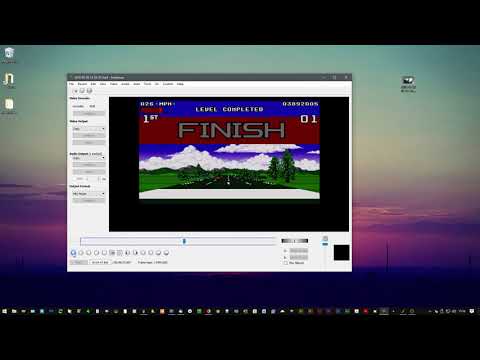
In this video I use two freeware tools to edit a video, I save the parts as separate files and then rejoin them as a new file.
As mentioned in the video, the split/cut point is not very accurate as this is not re-encoding. But it is very useful for removing large parts of video you don't want. This can also save a lot of disk space.
I forgot to mention in the video that some files can take a long time to add to avidemux, once added they are fine to then edit.
Also, as mentioned in the video, the files are re-saved into an MKV container.
This is unlikely to work if you are joining two different formats of video.
Software used:
avidemux avidemux.sourceforge.net/download.html
MKVToolNix mkvtoolnix.download/downloads.html
(open mkvtoolnix-gui.exe if you get the portable version)
SMPlayer (video playback) smplayer.info/en/downloads
Kodi (media player for accurate video playback) kodi.tv/download
Thanks for watching.
As mentioned in the video, the split/cut point is not very accurate as this is not re-encoding. But it is very useful for removing large parts of video you don't want. This can also save a lot of disk space.
I forgot to mention in the video that some files can take a long time to add to avidemux, once added they are fine to then edit.
Also, as mentioned in the video, the files are re-saved into an MKV container.
This is unlikely to work if you are joining two different formats of video.
Software used:
avidemux avidemux.sourceforge.net/download.html
MKVToolNix mkvtoolnix.download/downloads.html
(open mkvtoolnix-gui.exe if you get the portable version)
SMPlayer (video playback) smplayer.info/en/downloads
Kodi (media player for accurate video playback) kodi.tv/download
Thanks for watching.
About this tutorial
Aron Alliston published this 6:22 video tutorial on November 5, 2019. It has been watched 36,002 times on YouTube.
- Channel
- Aron Alliston
- Category
- Howto & Style
- Duration
- 6:22
- Published
- November 5, 2019
- Views
- 36,002
- Likes
- 419
Tags
Share
This tutorial in other languages
- FRComment diviser, couper et joindre la vidéo sans réencodage en utilisant des outils freeware
- ES¿Cómo dividir, cortar y unir vídeo sin volver a codificar utilizando herramientas de software libre
- PTComo dividir, cortar e unir vídeo sem re-codificação usando ferramentas freeware
- ITCome dividere, tagliare e unire video senza re-encoding utilizzando strumenti freeware
- DEWie aufzuspalten, schneiden und verbinden Video ohne Re-Encoding Freeware-Tools
- NLHoe te splitsen, knippen en video te sluiten zonder opnieuw te coderen met behulp van freeware programma's
- RUКак разбить, вырезать и присоединиться к видео без перекодирования с помощью бесплатных инструментов
- PLJak podzielić, cięte i dołącz wideo bez ponownego kodowania przy użyciu darmowe narzędzia
- JAどのように分割し、カットやフリーウェアのツールを使用して再エンコードせずにビデオに参加します
- ARكيفية تقسيم، قطع والانضمام الفيديو دون إعادة ترميز باستخدام أدوات مجانية
- HIकैसे विभाजित करने के लिए, कट और फ्रीवेयर उपकरण का उपयोग कर फिर से एन्कोडिंग के बिना वीडियो में शामिल होने के
- IDBagaimana untuk membagi, memotong dan bergabung video tanpa re-encoding menggunakan alat freeware