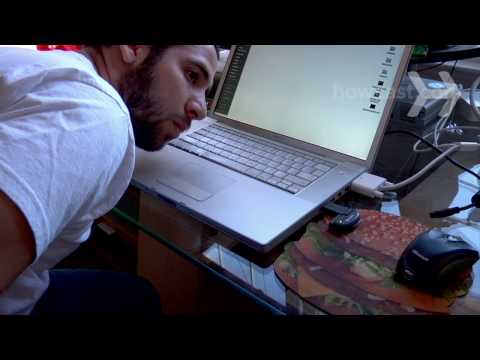
Playback starts YouTube’s embedded player (privacy-enhanced mode).
How to Troubleshoot a Computer
ChannelHowcastDescription from the creator
Full Playlist: youtube.com/playlist?list=PLLALQuK1NDrheOFip252…
-
-
Watch more How to Understand Computers videos: howcast.com/videos/268845-How-to-Troubleshoot-a…
Learn important steps to troubleshoot your computer issues before you head out to buy another one.
Step 1: Shut down your computer
If your computer freezes, turn off the power. Software and hardware problems can sometimes correct themselves automatically once you power down the computer.
Tip
Write down any error messages that pop up – this is important information to communicate to technical support, or to look up in the computer manual.
Step 2: Disconnect all external devices
Disconnect all external devices including printers, external memory, and zip disks before restarting.
Step 3: Listen for unusual sounds and lights
Listen for unusual sounds from the hard drive such as loud fans or monitor humming, and watch for blinking lights.
Step 4: Check the cables on the back of your computer
Check the cables on the back of your computer to be sure the keyboard and mouse are completely plugged in. Try unplugging and re-plugging each of them.
Tip
Run Scandisk on your PC and defragment regularly –Use a defragmenting, or optimization, utility for a Mac.
Step 5: Start Windows in safe mode
Start Windows in safe mode by hitting the F8 key at start-up. If using a Mac, hold down the shift key as soon as you hear the startup tone, and release when you see the Apple icon and progress indicator, or spinning gear.
Step 6: Start using the start-up disk
If restarting fails, start the computer from the start-up disk that it came with.
Step 7: Uninstall or remove any newly installed software or hardware
Uninstall or remove any newly installed software or hardware. Reboot, and try installing it again.
Did You Know?
Positions involving network and administrative technical support are growing faster than other jobs on average.
-
-
Watch more How to Understand Computers videos: howcast.com/videos/268845-How-to-Troubleshoot-a…
Learn important steps to troubleshoot your computer issues before you head out to buy another one.
Step 1: Shut down your computer
If your computer freezes, turn off the power. Software and hardware problems can sometimes correct themselves automatically once you power down the computer.
Tip
Write down any error messages that pop up – this is important information to communicate to technical support, or to look up in the computer manual.
Step 2: Disconnect all external devices
Disconnect all external devices including printers, external memory, and zip disks before restarting.
Step 3: Listen for unusual sounds and lights
Listen for unusual sounds from the hard drive such as loud fans or monitor humming, and watch for blinking lights.
Step 4: Check the cables on the back of your computer
Check the cables on the back of your computer to be sure the keyboard and mouse are completely plugged in. Try unplugging and re-plugging each of them.
Tip
Run Scandisk on your PC and defragment regularly –Use a defragmenting, or optimization, utility for a Mac.
Step 5: Start Windows in safe mode
Start Windows in safe mode by hitting the F8 key at start-up. If using a Mac, hold down the shift key as soon as you hear the startup tone, and release when you see the Apple icon and progress indicator, or spinning gear.
Step 6: Start using the start-up disk
If restarting fails, start the computer from the start-up disk that it came with.
Step 7: Uninstall or remove any newly installed software or hardware
Uninstall or remove any newly installed software or hardware. Reboot, and try installing it again.
Did You Know?
Positions involving network and administrative technical support are growing faster than other jobs on average.
About this tutorial
Howcast published this 1:43 video tutorial on November 2, 2010. It has been watched 71,412 times on YouTube.
- Channel
- Howcast
- Category
- Howto & Style
- Duration
- 1:43
- Published
- November 2, 2010
- Views
- 71,412
- Likes
- 265
Tags
Share
This tutorial in other languages
- FRComment faire pour dépanner un ordinateur
- ESCómo solucionar problemas de un ordenador
- PTComo solucionar problemas de um computador
- ITCome risolvere i problemi di un computer
- DEWie ein Computer-Problem behandeln
- NLHoe maak je een computer oplossen
- RUУстранение компьютера
- PLJak rozwiązywać problemy z komputerem
- JAコンピュータのトラブルシューティング方法
- ARكيفية استكشاف كمبيوتر
- HIकैसे एक कंप्यूटर समस्याओं का निवारण
- IDBagaimana Masalah Komputer