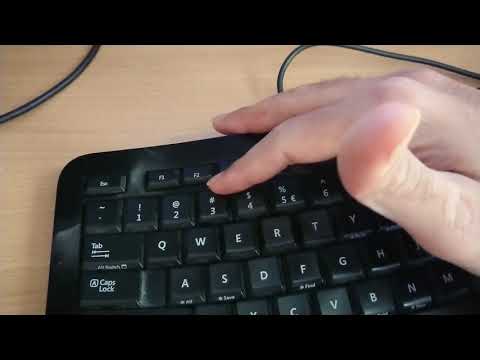
Playback starts YouTube’s embedded player (privacy-enhanced mode).
How to type the # (hash) sign with a UK keyboard
ChannelBhupinder TubeDescription from the creator
In this short and sweet video, I'll show you how to locate the # (hash) key on your keyboard. I did a lot of research online and couldn't find a solution. The most common answer online is shift + 3 or alt + shift + 3. But my keyboard layout was a bit different. The key is just above the enter button denoted by a backward slash. I brought the virtual keyboard up and then found the approximate location and worked around it. Again, this is to help locate the key on a British keyboard make by an American company (Microsoft).
👉More Videos👇
👉 Keyboard Problems Solved Playlist - youtube.com/playlist?list=PL6oDA8S3RmtHkLIAlKqe…
👉 How to find backward slash (\) or forward slash (/) or € on keyboard - youtu.be/Kx_eAKYnn-g
👉 How to access pound sign on US keyboard - youtu.be/CcioqL1KS0s
👉 how to reassign a key on your keyboard - youtu.be/wiR9wGOxVgo
👉 How to Remap Your Keyboard ⌨️ - youtu.be/qWyTjvKy6Sw
👉 How to add a new keyboard language windows 10 - youtu.be/57suEAhdC1c
👉 how to find | sign on the keyboard - youtu.be/hyeMTLVRaLY
👉 how to find £ sign on the keyboard - youtu.be/wLTWYJeQzsI
👉 How do I fix my keyboard @ key if it’s not working - youtu.be/4fxkGPlUMbc
👉 how to find @ sign on the keyboard - youtu.be/LttZMS5P1DE
👉 How to type forward slash (/) with no forward slash key (on-screen keyboard) - youtu.be/XUqoMkfFPmY
#BhupinderTube #keyboard #hash #microsoft #howto
👉More Videos👇
👉 Keyboard Problems Solved Playlist - youtube.com/playlist?list=PL6oDA8S3RmtHkLIAlKqe…
👉 How to find backward slash (\) or forward slash (/) or € on keyboard - youtu.be/Kx_eAKYnn-g
👉 How to access pound sign on US keyboard - youtu.be/CcioqL1KS0s
👉 how to reassign a key on your keyboard - youtu.be/wiR9wGOxVgo
👉 How to Remap Your Keyboard ⌨️ - youtu.be/qWyTjvKy6Sw
👉 How to add a new keyboard language windows 10 - youtu.be/57suEAhdC1c
👉 how to find | sign on the keyboard - youtu.be/hyeMTLVRaLY
👉 how to find £ sign on the keyboard - youtu.be/wLTWYJeQzsI
👉 How do I fix my keyboard @ key if it’s not working - youtu.be/4fxkGPlUMbc
👉 how to find @ sign on the keyboard - youtu.be/LttZMS5P1DE
👉 How to type forward slash (/) with no forward slash key (on-screen keyboard) - youtu.be/XUqoMkfFPmY
#BhupinderTube #keyboard #hash #microsoft #howto
About this tutorial
Bhupinder Tube published this 1:16 video tutorial on March 12, 2020. It has been watched 358,113 times on YouTube.
- Channel
- Bhupinder Tube
- Category
- Howto & Style
- Duration
- 1:16
- Published
- March 12, 2020
- Views
- 358,113
- Likes
- 2,591
Tags
Share
This tutorial in other languages
- FRComment taper le signe # (dièse) avec un clavier au Royaume-Uni
- ESCómo escribir el signo # (hash) con un teclado Reino Unido
- PTComo digitar o sinal # (cardinal) com um teclado UK
- ITCome digitare il simbolo # (cancelletto) con una tastiera UK
- DEWie die # (Raute) Zeichen mit einer britischen Tastatur eingeben
- NLHoe de # (hash) teken typen met een Britse toetsenbord
- RUКак набрать знак # (решётка) с клавиатурой Великобритании
- PLJak wpisać # (hash) podpisuje z klawiaturą Brytanii
- JA英国のキーボードと#(ハッシュ)記号を入力する方法
- ARكيفية كتابة علامة # (التجزئة) مع لوحة مفاتيح UK
- HIब्रिटेन के एक कीबोर्ड के साथ # (हैश) पर हस्ताक्षर टाइप करने के लिए कैसे
- IDCara ketik # (hash) tanda dengan keyboard UK