Playback starts YouTube’s embedded player (privacy-enhanced mode).
How to Type Without Looking at the Keyboard
ChannelBest Video Tutorials and Help from HowTechDescription from the creator
This tutorial is going to show you how to improve your typing skills.
Touch typing is a very useful skill as it will dramatically increase the rate at which you can enter information into the computer. This tutorial is going to show you how to type without looking at the keyboard.
Step # 1 -- Just Don't Look
It might be obvious, but the first step you need to take in learning to type without looking at the keyboard, is not to look at the keyboard! It's very tempting to look as you think it makes your typing faster, but keep your eyes on the screen, after a while your typing will be much faster.
Step # 2 -- Finger Position
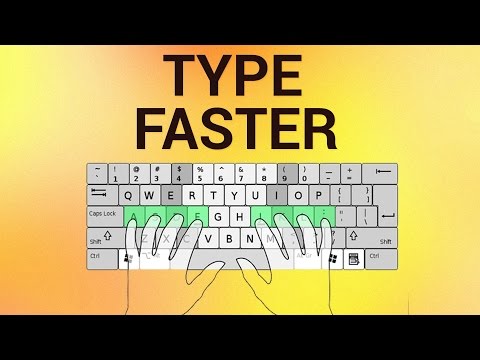
To make sure that you hit the right keys every time it is essential that you learn the right finger positions. This picture shows you where each finger should be, pause the video if you need to now so you can get familiar with these positions. There are even little bumps on the "F" and "J" keys so that you know where to place your index fingers without looking.
Step # 3 -- Practicing your Typing
Now that you are not looking at the keyboard and know where your fingers go, the best way to learn is simply to practice. A great website for this is keybr.com , here you will find a free typing practice system which allows you to enter words and have your speed and accuracy measured. Once the site has loaded click on the bubble and you will be prompted to begin typing, do this. Use this site regularly to practice your typing and you will find that soon you know how to type without looking at the keyboard.
Touch typing is a very useful skill as it will dramatically increase the rate at which you can enter information into the computer. This tutorial is going to show you how to type without looking at the keyboard.
Step # 1 -- Just Don't Look
It might be obvious, but the first step you need to take in learning to type without looking at the keyboard, is not to look at the keyboard! It's very tempting to look as you think it makes your typing faster, but keep your eyes on the screen, after a while your typing will be much faster.
Step # 2 -- Finger Position
To make sure that you hit the right keys every time it is essential that you learn the right finger positions. This picture shows you where each finger should be, pause the video if you need to now so you can get familiar with these positions. There are even little bumps on the "F" and "J" keys so that you know where to place your index fingers without looking.
Step # 3 -- Practicing your Typing
Now that you are not looking at the keyboard and know where your fingers go, the best way to learn is simply to practice. A great website for this is keybr.com , here you will find a free typing practice system which allows you to enter words and have your speed and accuracy measured. Once the site has loaded click on the bubble and you will be prompted to begin typing, do this. Use this site regularly to practice your typing and you will find that soon you know how to type without looking at the keyboard.
About this tutorial
Best Video Tutorials and Help from HowTech published this 1:35 video tutorial on October 28, 2013. It has been watched 2,023,667 times on YouTube.
- Category
- Howto & Style
- Duration
- 1:35
- Published
- October 28, 2013
- Views
- 2,023,667
- Likes
- 16,867
Share
This tutorial in other languages
- FRComment taper sans regarder le clavier
- ESCómo escribir sin mirar el teclado
- PTComo digitar sem olhar para o teclado
- ITCome tipo senza guardare la tastiera
- DEWie man tippt auf der Tastatur ohne hinzusehen
- NLHet intikken zonder te kijken naar het toetsenbord
- RUКак тип, не глядя на клавиатуру
- PLJak pisać bez patrzenia na klawiaturę
- JAキーボードを見ずに入力する方法
- ARكيفية اكتب من دون النظر إلى لوحة المفاتيح
- HIकीबोर्ड को देखे बिना टाइप कैसे
- IDCara Ketik Tanpa Melihat Keyboard