Playback starts YouTube’s embedded player (privacy-enhanced mode).
How to Book a Flight Online
ChannelBest Video Tutorials and Help from HowTechDescription from the creator
This tutorial is going to show you how to find and book a flight online.
Don't forget to check out our site howtech.tv/ for more free how-to videos!
youtube.com/ithowtovids - our feed
facebook.com/howtechtv - join us on facebook
plus.google.com/103440382717658277879 - our group in Google+
In this tutorial you are going to learn how to book a flight online as well as how to get a great price for your ticket.
Step # 1 -- Searching for the Best Value Flight
Before booking the flight it is a good idea to do some research on the best price available. Fortunately there are many websites available that provide this service, here we are going to be using Skyscanner which can be found at "www.skyscanner.com". You will need to choose where you want to fly from and to and a date for your departure and return. Enter any other details that might apply to you and click "Search".
Step # 2 -- Choosing a Flight
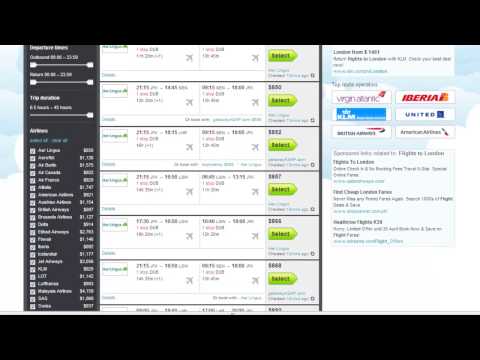
On the next page results will start to compile showing you the best prices available from several airlines. Check the times and price of the flight and when you are ready to book the ticket click "Select". The details of the journey will be checked by Skyscanner and in the window that opens you need to click "Book".
Step # 3 -- Continuing to the Airlines Site
You will then be redirected to the relevant airlines website and you should double check to make sure that the price is the same here as it was on Skyscanner -- as you can see here the amount is the same. Depending on which airline you are booking with the process might be different now.
Step # 4 -- Completing the Booking
In this example we will click "Continue". On the next page check the box to accept the terms and conditions and click "Continue" again. You will then need to enter your traveller information and then click "Continue". Now you will need to select whether you are carrying any baggage and click "Confirm". Select your seat for all the flights and click "Confirm" again. Decline the travel insurance then scroll down to the bottom and click "Continue" again. On the next page you will simply need to enter your credit card details to pay for the flight then click "Purchase" -- as this is just a tutorial we won't do this here, but that is how to book a flight online.
Don't forget to check out our site howtech.tv/ for more free how-to videos!
youtube.com/ithowtovids - our feed
facebook.com/howtechtv - join us on facebook
plus.google.com/103440382717658277879 - our group in Google+
In this tutorial you are going to learn how to book a flight online as well as how to get a great price for your ticket.
Step # 1 -- Searching for the Best Value Flight
Before booking the flight it is a good idea to do some research on the best price available. Fortunately there are many websites available that provide this service, here we are going to be using Skyscanner which can be found at "www.skyscanner.com". You will need to choose where you want to fly from and to and a date for your departure and return. Enter any other details that might apply to you and click "Search".
Step # 2 -- Choosing a Flight
On the next page results will start to compile showing you the best prices available from several airlines. Check the times and price of the flight and when you are ready to book the ticket click "Select". The details of the journey will be checked by Skyscanner and in the window that opens you need to click "Book".
Step # 3 -- Continuing to the Airlines Site
You will then be redirected to the relevant airlines website and you should double check to make sure that the price is the same here as it was on Skyscanner -- as you can see here the amount is the same. Depending on which airline you are booking with the process might be different now.
Step # 4 -- Completing the Booking
In this example we will click "Continue". On the next page check the box to accept the terms and conditions and click "Continue" again. You will then need to enter your traveller information and then click "Continue". Now you will need to select whether you are carrying any baggage and click "Confirm". Select your seat for all the flights and click "Confirm" again. Decline the travel insurance then scroll down to the bottom and click "Continue" again. On the next page you will simply need to enter your credit card details to pay for the flight then click "Purchase" -- as this is just a tutorial we won't do this here, but that is how to book a flight online.
About this tutorial
Best Video Tutorials and Help from HowTech published this 1:48 video tutorial on October 27, 2013. It has been watched 415,267 times on YouTube.
- Category
- Howto & Style
- Duration
- 1:48
- Published
- October 27, 2013
- Views
- 415,267
- Likes
- 1,491
Tags
Share
This tutorial in other languages
- FRComment réserver un vol en ligne
- ESCómo reservar un vuelo en línea
- PTComo Para reservar um voo on-line
- ITCome prenotare un volo online
- DEWie man einen Flug online buchen
- NLHoe kan Boek een vlucht Online
- RUКак заказать авиабилеты онлайн
- PLJak zarezerwować lot online
- JAフライトをオンラインで予約する方法
- ARكيفية حجز الطيران على الانترنت
- HIकैसे एक उड़ान ऑनलाइन बुक करने के लिए
- IDCara Buku Online Penerbangan