Playback starts YouTube’s embedded player (privacy-enhanced mode).
How to Unblock Websites with Proxy Server
ChannelInternet Services and Social Networks Tutorials from HowTechDescription from the creator
This tutorial will show you how to access websites that have been blocked.
Don't forget to check out our site howtech.tv/ for more free how-to videos!
youtube.com/ithowtovids - our feed
Facebook.com/howtechtv - join us on Facebook
plus.google.com/103440382717658277879 - our group in Google+
For a variety of reasons, websites may be blocked, and you may be unable to access them. Governments, schools and employers sometimes block access to certain websites on their networks. This tutorial will teach you how to unblock websites.
Step # 1 -- Find a Proxy Server
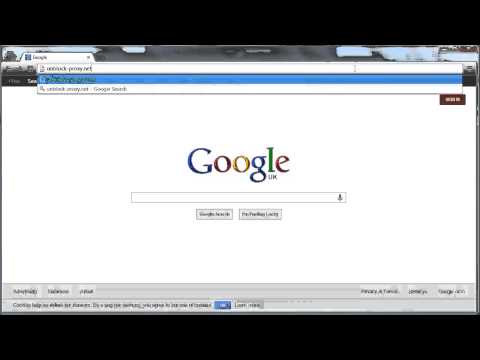
A proxy server is a tool which can allow you to access websites which have been blocked. For this tutorial, we will be using Unblock Proxy, so go to "unblock-proxy.net."
Step # 2 -- Using the Proxy Server
You should now be on a blue webpage. Look to the bottom of the page, and to the right of the "Quick browse links" drop down button, you should see a white search box. Type the URL of the blocked website you want to access, click "Go" and you should be able to access it.
Step # 3 -- Additional Uses for a Proxy Server
In addition to showing you how to unblock websites, proxy servers are also useful because they give you anonymity. Using them to search for information will make it difficult for unwanted parties to monitor your activities online.
Don't forget to check out our site howtech.tv/ for more free how-to videos!
youtube.com/ithowtovids - our feed
Facebook.com/howtechtv - join us on Facebook
plus.google.com/103440382717658277879 - our group in Google+
For a variety of reasons, websites may be blocked, and you may be unable to access them. Governments, schools and employers sometimes block access to certain websites on their networks. This tutorial will teach you how to unblock websites.
Step # 1 -- Find a Proxy Server
A proxy server is a tool which can allow you to access websites which have been blocked. For this tutorial, we will be using Unblock Proxy, so go to "unblock-proxy.net."
Step # 2 -- Using the Proxy Server
You should now be on a blue webpage. Look to the bottom of the page, and to the right of the "Quick browse links" drop down button, you should see a white search box. Type the URL of the blocked website you want to access, click "Go" and you should be able to access it.
Step # 3 -- Additional Uses for a Proxy Server
In addition to showing you how to unblock websites, proxy servers are also useful because they give you anonymity. Using them to search for information will make it difficult for unwanted parties to monitor your activities online.
About this tutorial
Internet Services and Social Networks Tutorials from HowTech published this 0:58 video tutorial on November 9, 2013. It has been watched 134,494 times on YouTube.
- Category
- Howto & Style
- Duration
- 0:58
- Published
- November 9, 2013
- Views
- 134,494
- Likes
- 188
Tags
Share
This tutorial in other languages
- FRComment sites avec Débloquer Proxy Server
- ESCómo Desbloquear sitios web con servidor proxy
- PTComo sites Desbloquear com Proxy Server
- ITCome siti web Sblocco con Proxy Server
- DEWie zu blocken Websites mit Proxy Server
- NLHoe te Deblokkeren websites met Proxy Server
- RUКак разблокировать сайты с прокси-сервером
- PLJak odblokować strony z serwera proxy
- JAどのようにプロキシサーバーを持つブロックを解除ウェブサイトに
- ARكيفية مواقع إلغاء الحظر مع الملقم الوكيل
- HIकैसे प्रॉक्सी सर्वर के साथ अनब्लॉक वेबसाइटों के लिए
- IDCara Website Blokir dengan Proxy Server