Playback starts YouTube’s embedded player (privacy-enhanced mode).
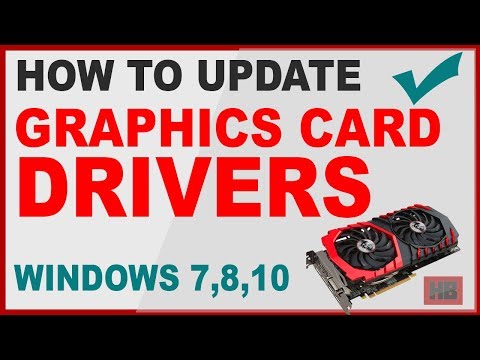
How to Update Graphics Card Driver in Windows 7 - Tutorial
ChannelHarish BhatheeDescription from the creator
Shows How to Update Graphics card Driver in Windows 7, How to Update Intel Graphics Driver in Windows 7 Explained both ways to update Graphics Card Driver in Windows 7 manually Or automatically.
Whats covered in this Update Graphics Card Driver Windows 7 Video Tutorial:-
1.How to know Your Graphics Card.
2.How to Update Graphics Card Driver Windows 7 - both Ways Automatically or Manually.
3.How to update Intel Graphics Card Driver Windows 7,8,10 - both Ways Automatically or using Free official Intel Software
4. Update Intel drivers for Windows 7,8,10
Follow the step by step instructions and Watch complete Video for How to Update my Graphics Card driver in Windows 7, Windows 8, Windows 10.
.........................................................
Tutorial on How To Update My Graphics Card Driver In Windows 7, Windows 8, Windows 10:-
1. Right-click anywhere on the blank screen and choose "Screen Resolution" for Windows 7 | Choose "Display Settings" for Windows 10.
Next Click on "Advanced Settings".
2. In the next Window under Adaptor Tab - Just below Adapter Type "Name of the Graphics Card Adapter" will be mentioned.
(From here You can Know what Graphics card You are using).
On the same Tab click on "Properties".
3. Click on Driver Tab - Next click on Update Driver - Choose "Automatically Update" to Automatically update the Graphics Card Driver or Choose to "Browse My Computer".
4. If you choose "Browse My Computer" then You have to find the location of the Downloaded Graphics Card Driver. Also, You know Which Graphics Card Driver You are Using. Simply Google for Driver of that Graphics Card, Download and Install/Update Graphics Card by using Method "Browse My Computer"
Download Driver For Nvidia Graphics cards:
nvidia.in/Download/index.aspx?lang=en-in
..............................................
If You have Intel Graphics card then either use Automatic Graphics Driver Update Method Mentioned Above or use the following method to update the Latest Graphics driver for Your Intel Graphics Card.
For How To Update Intel Graphics Card Driver in Windows 7, Windows 8, Windows 10:-
If You have Intel Graphics Card then it's much more easy to update latest Graphics card driver for Windows 7,8,10. I have used an official Intel application in this video to Update Graphics card driver in Windows 7 of my PC.
You can also update drivers for other Intel products installed on Your PC including Update Intel Graphics Card Driver in Windows 7, Update Intel Graphics Card Driver Windows 8, Update Intel Graphics Card Driver Windows 10.
Here is the link for official Intel application to update Intel Graphics Card Driver and other Intel products drivers.
intel.com/content/www/us/en/support/detect.html
........................................
Using Intel Official application to update Intel Graphics Card Driver and other Intel Products drivers is best & right way.
Simply Install and open it. It will open a new tab in your browser and scan Your PC/laptop Online. This Intel Official Application will list all Intel products including Intel Graphics card and provide you an option to download and install/update Intel Graphics Card Driver in Windows 7, Windows 8 and Windows 10.
After Scan find if an update is available for Intel Graphics Card Driver, if yes then click Download and then after download click Install. This will Update Intel Graphics Card Driver for Windows 7, Update Intel Graphics Card Driver for Windows 8, Update Intel Graphics Card Driver for Windows 10.
So these are the ways You can update Graphics card Driver In Windows 7,8,10.
Whats covered in this Update Graphics Card Driver Windows 7 Video Tutorial:-
1.How to know Your Graphics Card.
2.How to Update Graphics Card Driver Windows 7 - both Ways Automatically or Manually.
3.How to update Intel Graphics Card Driver Windows 7,8,10 - both Ways Automatically or using Free official Intel Software
4. Update Intel drivers for Windows 7,8,10
Follow the step by step instructions and Watch complete Video for How to Update my Graphics Card driver in Windows 7, Windows 8, Windows 10.
.........................................................
Tutorial on How To Update My Graphics Card Driver In Windows 7, Windows 8, Windows 10:-
1. Right-click anywhere on the blank screen and choose "Screen Resolution" for Windows 7 | Choose "Display Settings" for Windows 10.
Next Click on "Advanced Settings".
2. In the next Window under Adaptor Tab - Just below Adapter Type "Name of the Graphics Card Adapter" will be mentioned.
(From here You can Know what Graphics card You are using).
On the same Tab click on "Properties".
3. Click on Driver Tab - Next click on Update Driver - Choose "Automatically Update" to Automatically update the Graphics Card Driver or Choose to "Browse My Computer".
4. If you choose "Browse My Computer" then You have to find the location of the Downloaded Graphics Card Driver. Also, You know Which Graphics Card Driver You are Using. Simply Google for Driver of that Graphics Card, Download and Install/Update Graphics Card by using Method "Browse My Computer"
Download Driver For Nvidia Graphics cards:
nvidia.in/Download/index.aspx?lang=en-in
..............................................
If You have Intel Graphics card then either use Automatic Graphics Driver Update Method Mentioned Above or use the following method to update the Latest Graphics driver for Your Intel Graphics Card.
For How To Update Intel Graphics Card Driver in Windows 7, Windows 8, Windows 10:-
If You have Intel Graphics Card then it's much more easy to update latest Graphics card driver for Windows 7,8,10. I have used an official Intel application in this video to Update Graphics card driver in Windows 7 of my PC.
You can also update drivers for other Intel products installed on Your PC including Update Intel Graphics Card Driver in Windows 7, Update Intel Graphics Card Driver Windows 8, Update Intel Graphics Card Driver Windows 10.
Here is the link for official Intel application to update Intel Graphics Card Driver and other Intel products drivers.
intel.com/content/www/us/en/support/detect.html
........................................
Using Intel Official application to update Intel Graphics Card Driver and other Intel Products drivers is best & right way.
Simply Install and open it. It will open a new tab in your browser and scan Your PC/laptop Online. This Intel Official Application will list all Intel products including Intel Graphics card and provide you an option to download and install/update Intel Graphics Card Driver in Windows 7, Windows 8 and Windows 10.
After Scan find if an update is available for Intel Graphics Card Driver, if yes then click Download and then after download click Install. This will Update Intel Graphics Card Driver for Windows 7, Update Intel Graphics Card Driver for Windows 8, Update Intel Graphics Card Driver for Windows 10.
So these are the ways You can update Graphics card Driver In Windows 7,8,10.
About this tutorial
Harish Bhathee published this 8:36 video tutorial on November 8, 2018. It has been watched 392,457 times on YouTube.
- Channel
- Harish Bhathee
- Category
- Howto & Style
- Duration
- 8:36
- Published
- November 8, 2018
- Views
- 392,457
- Likes
- 4,376
Tags
Share
This tutorial in other languages
- FRComment mettre à jour la carte graphique pilote dans Windows 7 - Tutoriel
- ESCómo para actualizar el controlador de la tarjeta gráfica en Windows 7 - Tutorial
- PTComo driver da placa gráfica Update no Windows 7 - Tutorial
- ITCome Aggiorna driver della scheda grafica in Windows 7 - Tutorial
- DEWie zu aktualisieren Grafikkartentreiber in Windows 7 - Tutorial
- NLHoe Update grafische kaart driver in Windows 7 - Tutorial
- RUКак драйвер Обновление видеокарты в Windows 7 - Учебное пособие
- PLJak aktualizacji sterownika karty graficznej w systemie Windows 7 - Tutorial
- JAどのようにWindows 7のアップデートグラフィックスカードのドライバへ - チュートリアル
- ARكيفية تحديث برنامج التشغيل بطاقة الرسومات في ويندوز 7 - دروس
- HIकैसे विंडोज 7 में अद्यतन ग्राफ़िक्स कार्ड ड्राइवर के लिए - ट्यूटोरियल
- IDCara Update Driver Kartu Grafis pada Windows 7 - Tutorial