Playback starts YouTube’s embedded player (privacy-enhanced mode).
How to Use IRC Scripts
ChannelInternet Services and Social Networks Tutorials from HowTechDescription from the creator
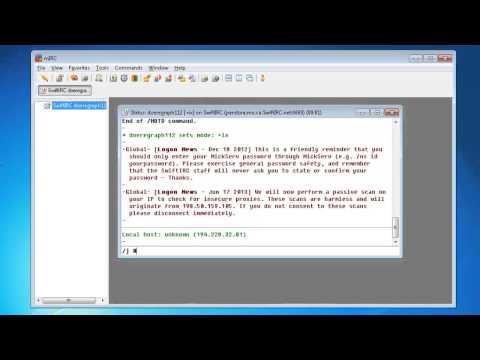
Scripts are very useful when chatting in IRC, but definitely not something that is common knowledge for beginners in IRC. In this tutorial, you'll learn how to use some basic IRC scripts in mIRC. This tutorial assumes that you already have the mIRC client installed.
Don't forget to check out our site howtech.tv/ for more free how-to videos!
youtube.com/ithowtovids - our feed
Facebook.com/howtechtv - join us on Facebook
plus.google.com/103440382717658277879 - our group in Google+
Step # 1 -- Opening the scripts menu
Go ahead and press "Alt+R" on your keyboard. This will open the scripts menu.
Step # 2 -- Creating a script in the Alias tab
Click on the "Aliases" tab and try typing "/j /join $$1". Saving this script will allow you to simply type "/j #channelname" into the IRC chat box to join that specific channel, as opposed to having to type "/join #channelname". This only save 3 character strokes, but it is an example of what else you are able to do with Aliases.
Step # 3 -- Other Commands
There are plenty of other commands that you can create, the site "ircbeginner.com/"; is a great place to start learning IRC scripts. There are plenty of examples and details here.
You now know some very basic steps to getting started with IRC scripts in mIRC.
Don't forget to check out our site howtech.tv/ for more free how-to videos!
youtube.com/ithowtovids - our feed
Facebook.com/howtechtv - join us on Facebook
plus.google.com/103440382717658277879 - our group in Google+
Step # 1 -- Opening the scripts menu
Go ahead and press "Alt+R" on your keyboard. This will open the scripts menu.
Step # 2 -- Creating a script in the Alias tab
Click on the "Aliases" tab and try typing "/j /join $$1". Saving this script will allow you to simply type "/j #channelname" into the IRC chat box to join that specific channel, as opposed to having to type "/join #channelname". This only save 3 character strokes, but it is an example of what else you are able to do with Aliases.
Step # 3 -- Other Commands
There are plenty of other commands that you can create, the site "ircbeginner.com/"; is a great place to start learning IRC scripts. There are plenty of examples and details here.
You now know some very basic steps to getting started with IRC scripts in mIRC.
About this tutorial
Internet Services and Social Networks Tutorials from HowTech published this 1:15 video tutorial on November 7, 2013. It has been watched 5,149 times on YouTube.
- Category
- Howto & Style
- Duration
- 1:15
- Published
- November 7, 2013
- Views
- 5,149
- Likes
- 16
Share
This tutorial in other languages
- FRComment utiliser des scripts IRC
- ESCómo utilizar secuencias de comandos de IRC
- PTComo usar Scripts de IRC
- ITCome utilizzare gli script IRC
- DEWie Verwenden von IRC Scripts
- NLHoe te gebruiken IRC Scripts
- RUКак использовать IRC Сценарии
- PLJak korzystać ze skryptów IRC
- JAIRCスクリプトを使用する方法
- ARكيفية استخدام البرامج النصية IRC
- HIकैसे आईआरसी स्क्रिप्ट का उपयोग करने
- IDCara Menggunakan Script IRC