Playback starts YouTube’s embedded player (privacy-enhanced mode).
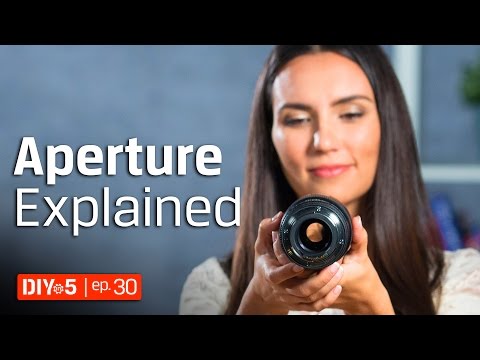
Photography for Beginners - How to get Background Blur - Aperture Tutorial ???? DIY in 5 Ep 30
ChannelKingston TechnologyDescription from the creator
How do you get the background blur effect with your DSLR camera? You adjust the aperture to a low f-stop. This is also known as a shallow depth of field effect. Aperture is like the camera’s pupil. The more open it is the more light is let in. Consequently this controls how in-focus the background looks compared to the foreground. A lower f-stop like f2.8 will give you a shallow depth of field or a blurry background and in-focus foreground or subject. A higher f-stop like f8 will bring the entire frame into focus. All lenses have maximum and minimum f-stops they can achieve. In general the consumer grade lenses have higher f-stop ratings than professional lenses. We suggest you use borrowlenses.com or lensrentals.com so you can find the lens that fits your need before spending down hundreds or thousands of dollars to own it. These are great photography for beginners tips.
Check out our previous videos on the Three Pillars of Photography:
Shutter Speed: youtube.com/watch?v=3aXMw7uMgX8&index=1&…
ISO: youtube.com/watch?v=BKGLE9JotCo&index=2&…
Subscribe to Kingston: youtube.com/subscription_center?add_user=Kingst…
Check out our previous videos on the Three Pillars of Photography:
Shutter Speed: youtube.com/watch?v=3aXMw7uMgX8&index=1&…
ISO: youtube.com/watch?v=BKGLE9JotCo&index=2&…
Subscribe to Kingston: youtube.com/subscription_center?add_user=Kingst…
About this tutorial
Kingston Technology published this 3:00 video tutorial on October 29, 2017. It has been watched 239,415 times on YouTube.
- Channel
- Kingston Technology
- Category
- Howto & Style
- Duration
- 3:00
- Published
- October 29, 2017
- Views
- 239,415
- Likes
- 2,907
Tags
Share
This tutorial in other languages
- FRPhotographie pour les débutants - Comment obtenir flou fond - Didacticiel Aperture ???? Bricolage dans 5 Ep 30
- ESFotografía para principiantes - ¿Cómo llegar desenfoque de fondo - Apertura Tutorial ???? Bricolaje en 5 Ep 30
- PTFotografia para Iniciantes - Como chegar Background Blur - Abertura Tutorial ???? DIY em 5 Ep 30
- ITFotografia per principianti - Come arrivare sfocatura dello sfondo - Aperture Tutorial ???? Fai da te in 5 Ep 30
- DEFotografie für Anfänger - Wie Hintergrund Blur bekommen - Aperture Tutorial ???? in 5 DIY 30 Ep
- NLFotografie voor beginners - Hoe Background Blur krijgen - Aperture-oefeningen ???? DIY in 5 Ep 30
- RUФотография для начинающих - Как получить размытия фона - Aperture Tutorial ???? DIY в 5 Ep 30
- PLFotografia dla początkujących - Jak uzyskać rozmycie tła - Aperture Tutorial ???? DIY w 5 odc 30
- JA初心者のための写真 - 背景のぼかしを取得する方法 - Apertureのチュートリアルを???? 5 Epの30でDIY
- ARالتصوير الفوتوغرافي للمبتدئين - كيفية الحصول على الخلفية الضبابية - فتحة دروس ؟؟؟؟ DIY في 5 الحلقة 30
- HIशुरुआती के लिए फोटोग्राफी - कैसे पृष्ठभूमि धुंधला पाने के लिए - एपर्चर ट्यूटोरियल ???? 5 एपि 30 में DIY
- IDFotografi untuk Pemula - Cara mendapatkan Background Blur - Aperture Tutorial ???? DIY di 5 Ep 30