Playback starts YouTube’s embedded player (privacy-enhanced mode).
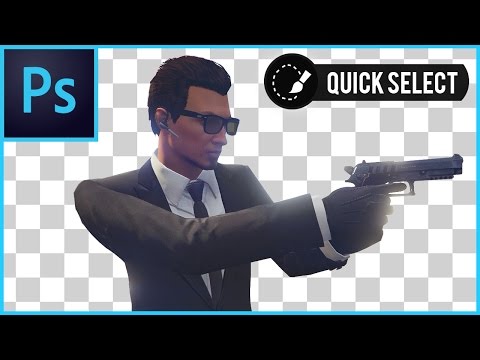
Photoshop CS6/CC How To Remove A Background (Quick Selection Tool Tutorial)
ChannelVerticDesignsDescription from the creator
Quick tutorial on how to remove and delete a background with the quick select tool in Adobe Photoshop. This voice tutorial will guide you through and show you how to use the quick select tool with some of the shortcut keys you should learn. Quick select tool is in Photoshop CS5, CS6 and CC. This video works with all of them.
〓 GET ADOBE APPS ▾
--- --- --- ---
✅ Photoshop ➧ prf.hn/l/20Bd3Lj
✅ After Effects ➧ prf.hn/l/OVxMyzj
✅ Premiere Pro ➧ prf.hn/l/DRPwkEZ
🔵 All Adobe Apps ➧ prf.hn/l/LbkejMN
--- --- --- ---
🔔 Subscribe For More Tutorials & Help ➤ bit.ly/1Lr3EXM
🖥️ My Setup 🖱️ ▸ amazon.co.uk/shop/verticdesigns
Uploads Playlist: bit.ly/1O7YbLQ
Photoshop: bit.ly/1Hd8CfQ
Sony Vegas: bit.ly/1OWjDoc
After Effects: bit.ly/1MZkLkq
Having problems with Editing, Photoshop or YouTube?
Join the community and talk to me an others:
▸ Google+ (Posts) 📩 goo.gl/Jmy4SG
▸ Discord (Voice Channels) 🎤 discord.gg/7yKAcsJ
_______________________________________________
Outro Music
[Future Bass] Ento - Moon Path
youtube.com/watch?v=vS7_L42jVVw
By heroboard – No Copyright Music
〓 GET ADOBE APPS ▾
--- --- --- ---
✅ Photoshop ➧ prf.hn/l/20Bd3Lj
✅ After Effects ➧ prf.hn/l/OVxMyzj
✅ Premiere Pro ➧ prf.hn/l/DRPwkEZ
🔵 All Adobe Apps ➧ prf.hn/l/LbkejMN
--- --- --- ---
🔔 Subscribe For More Tutorials & Help ➤ bit.ly/1Lr3EXM
🖥️ My Setup 🖱️ ▸ amazon.co.uk/shop/verticdesigns
Uploads Playlist: bit.ly/1O7YbLQ
Photoshop: bit.ly/1Hd8CfQ
Sony Vegas: bit.ly/1OWjDoc
After Effects: bit.ly/1MZkLkq
Having problems with Editing, Photoshop or YouTube?
Join the community and talk to me an others:
▸ Google+ (Posts) 📩 goo.gl/Jmy4SG
▸ Discord (Voice Channels) 🎤 discord.gg/7yKAcsJ
_______________________________________________
Outro Music
[Future Bass] Ento - Moon Path
youtube.com/watch?v=vS7_L42jVVw
By heroboard – No Copyright Music
About this tutorial
VerticDesigns published this 9:27 video tutorial on November 7, 2017. It has been watched 366,250 times on YouTube.
- Channel
- VerticDesigns
- Category
- Howto & Style
- Duration
- 9:27
- Published
- November 7, 2017
- Views
- 366,250
- Likes
- 2,270
Tags
Share
This tutorial in other languages
- FRPhotoshop CS6 / CC Comment faire pour supprimer un arrière-plan (rapide Outil de sélection Tutorial)
- ESPhotoshop CS6 / CC Cómo quitar Un Fondo (Tutorial rápido Herramienta de selección)
- PTPhotoshop CS6 / CC Como remover um fundo (ferramenta de seleção rápida Tutorial)
- ITPhotoshop CS6 / CC Come rimuovere un fondo (strumento di selezione rapida Tutorial)
- DEPhotoshop CS6 / CC Wie ein Hintergrund entfernen (Quick Selection Tool Tutorial)
- NLPhotoshop CS6 / CC Hoe te verwijderen Een Achtergrond (Quick Selection Tool Tutorial)
- RUPhotoshop CS6 / CC Как удалить фон (Quick Selection Tool Учебник)
- PLPhotoshop CS6 / CC Jak usunąć tło (Quick Selection Narzędzie Tutorial)
- JAどのようにバックグラウンド(クイック選択ツールチュートリアル)を除去するためのPhotoshop CS6 / CC
- ARفوتوشوب CS6 / CC كيفية إزالة الخلفية (خيارات أداة التحديد دروس)
- HIफ़ोटोशॉप CS6 / सीसी कैसे एक पृष्ठभूमि निकालें (त्वरित चयन उपकरण ट्यूटोरियल)
- IDPhotoshop CS6 / CC Cara Hapus A Latar Belakang (Quick Selection Tool Tutorial)