Playback starts YouTube’s embedded player (privacy-enhanced mode).
Time Machine Tutorial: Back Up Your Mac
ChannelTech Talk AmericaDescription from the creator
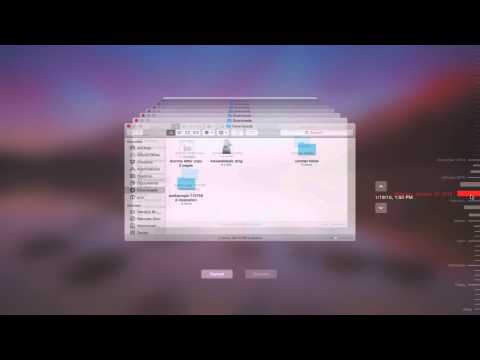
Every Mac owner needs to backup their computer and the best way is to use Time Machine which comes pre-installed into every Apple Computer. Time Machine can be configured to work with either the Airport Time Capsule (see link below to that class) or an external hard drive. In this tutorial video we'll show you how to format a brand new external hard drive so it will work with Time Machine, explain the symptoms of hard drive failure, and show you how to retrieve various types of files incase you accidentally delete something and need to get it back.
Links to Classes/Products Mentioned
Apple Time Capsule 2TB: amzn.to/1EhLiGa
Apple Time Capsule 3TB: amzn.to/1KRycUO
2TB Slim Portable Backup Drive: amzn.to/1IoydzU
Our Class on the Apple Time Capsule: bit.ly/1NSNNIR
All Our Recommended Backup Drives: bit.ly/1NSO0f8
Links to Classes/Products Mentioned
Apple Time Capsule 2TB: amzn.to/1EhLiGa
Apple Time Capsule 3TB: amzn.to/1KRycUO
2TB Slim Portable Backup Drive: amzn.to/1IoydzU
Our Class on the Apple Time Capsule: bit.ly/1NSNNIR
All Our Recommended Backup Drives: bit.ly/1NSO0f8
About this tutorial
Tech Talk America published this 14:03 video tutorial on November 8, 2015. It has been watched 936,446 times on YouTube.
- Channel
- Tech Talk America
- Category
- Howto & Style
- Duration
- 14:03
- Published
- November 8, 2015
- Views
- 936,446
- Likes
- 13,998
Tags
Share
This tutorial in other languages
- FRTime Machine Tutoriel: Sauvegarder votre Mac
- ESTime Machine Tutorial: Copia de seguridad de Mac
- PTTime Machine Tutorial: Back Up Your Mac
- ITTime Machine Esercitazione: Eseguire il backup del Mac
- DETime Machine Tutorial: Sichern Sie Ihre Mac
- NLTime Machine Tutorial: Back-up van uw Mac
- RUВремя Обучающая машина: Back Up Your Mac
- PLTime Machine Tutorial: Back Up Your Mac
- JAタイムマシンチュートリアル:バックアップあなたのマック
- ARآلة الزمن البرنامج التعليمي: عمل نسخة احتياطية من نظام التشغيل Mac
- HIटाइम मशीन ट्यूटोरियल: बैक अप आपका मैक
- IDTime Machine Tutorial: Back Up Mac Anda