Playback starts YouTube’s embedded player (privacy-enhanced mode).
How To Link Channel Parameters in Logic Pro X
ChannelSam Loose Audio EngineerDescription from the creator
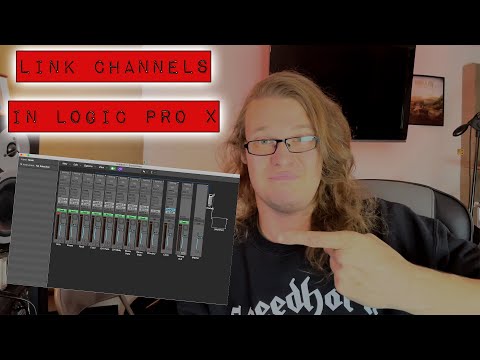
Have you ever been mixing in Logic and though "I wish I could link these two channels together somehow" only to remember that Logic doesn't have this functionality? In this video I demonstrate how you can do this easily using a simple connection in the Environment window.
I always wanted to be able to change the low cut on both my overhead channels at the same time, but found the idea of bussing them first a bit cumbersome. Surely there must be a better way? With one connection and a little bit of menu diving you can achieve this and save it in your template for the future.
Make sure to hit subscribe and check out the channel for more great mixing tips and tricks.
▶WEBSITE:
- nastudios.co.uk
▶SOCIAL:
- Instagram:instagram.com/n_a_studios
- Facebook facebook.com/NAStudiosUK
▶ALL THE GEAR I USE:
- kit.co/nastudios
#logic #link #parameters
I always wanted to be able to change the low cut on both my overhead channels at the same time, but found the idea of bussing them first a bit cumbersome. Surely there must be a better way? With one connection and a little bit of menu diving you can achieve this and save it in your template for the future.
Make sure to hit subscribe and check out the channel for more great mixing tips and tricks.
▶WEBSITE:
- nastudios.co.uk
▶SOCIAL:
- Instagram:instagram.com/n_a_studios
- Facebook facebook.com/NAStudiosUK
▶ALL THE GEAR I USE:
- kit.co/nastudios
#logic #link #parameters
About this tutorial
Sam Loose Audio Engineer published this 5:58 video tutorial on November 8, 2020. It has been watched 7,260 times on YouTube.
- Channel
- Sam Loose Audio Engineer
- Category
- Music
- Duration
- 5:58
- Published
- November 8, 2020
- Views
- 7,260
- Likes
- 109
Tags
Share
This tutorial in other languages
- FRComment lier des paramètres des canaux dans Logic Pro X
- ESCómo Parámetros de canal de enlace en el Logic Pro X
- PTComo vincular parâmetros do canal em Logic Pro X
- ITCome collegare Parametri dei canali in Logic Pro X
- DEHow To Link-Kanalparameter in Logic Pro X
- NLHow To Link Channel Parameters in Logic Pro X
- RUКак связать параметры канала в Logic Pro X
- PLJak połączyć kanału parametrów w Logic Pro X
- JAどのようにロジックPro Xの中へのリンクのチャネルのパラメータ
- ARكيفية ربط معلمات القناة في المنطق برو X
- HIकैसे करने के लिए लिंक चैनल पैरामीटर में तर्क प्रो एक्स
- IDCara Tautan Parameter Saluran di Logic Pro X