Playback starts YouTube’s embedded player (privacy-enhanced mode).
Advanced Autoruns Tutorial - How to disable programs that start with Windows
ChannelOS Attack - Attack of the Operating SystemsDescription from the creator
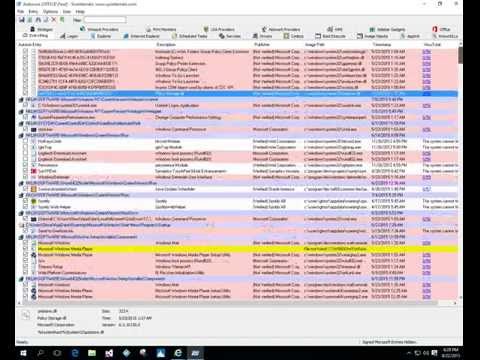
This is an advanced tutorial for using the Microsoft Systinternals Autoruns application. During this tutorial you will be shown how to use Autoruns standard and advanced features. This can be used for both Computer Technicians as well as the DIY'er that wants to fix their own PC. After viewing this program you should feel comfortable enough to perform a PC Tuneup to optimize any Windows computers startup programs.
Download Autoruns: technet.microsoft.com/en-us/sysinternals/bb9639…
Download Autoruns: technet.microsoft.com/en-us/sysinternals/bb9639…
About this tutorial
OS Attack - Attack of the Operating Systems published this 28:48 video tutorial on November 15, 2015. It has been watched 36,760 times on YouTube.
- Category
- People & Blogs
- Duration
- 28:48
- Published
- November 15, 2015
- Views
- 36,760
- Likes
- 367
Tags
Share
This tutorial in other languages
- FRAvancée Autoruns Tutorial - Comment désactiver les programmes qui démarrent avec Windows
- ESAutoruns Avanzada Tutorial - Cómo desactivar los programas que se inician con Windows
- PTAvançada Autoruns Tutorial - Como desativar programas que iniciam com o Windows
- ITAvanzate Autoruns Tutorial - Come disattivare i programmi che si avviano con Windows
- DEErweiterte Autoruns Tutorial - Wie deaktivieren Programme, die mit Windows starten
- NLGeavanceerde Autoruns Tutorial - Hoe schakel ik programma's die beginnen met Windows
- RUAdvanced Autoruns Учебник - Как отключить программы, которые начинаются с Windows,
- PLZaawansowane Autoruns Tutorial - Jak wyłączyć programy, które są uruchamiane w systemie Windows
- JA高度なAutorunsをチュートリアル - どのようにWindowsに起動するプログラムを無効に
- ARالمتقدم اوتورونس دروس - كيفية تعطيل البرامج التي تبدأ مع ويندوز
- HIउन्नत Autoruns ट्यूटोरियल - कैसे अक्षम प्रोग्राम हैं जो विंडोज के साथ शुरू करने के लिए
- IDCanggih Autoruns Tutorial - Cara program menonaktifkan yang dimulai dengan Windows