Playback starts YouTube’s embedded player (privacy-enhanced mode).
How to Change Object Size in Adobe Illustrator (Transform)
ChannelDigital Design TipsDescription from the creator
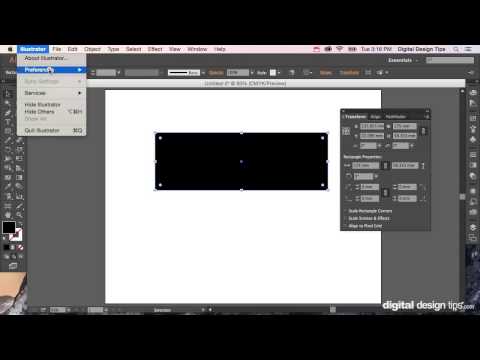
Learn how to resize objects, shapes, and text in Adobe Illustrator with exact measurements. Use the Transform Panel to adjust size precisely in pixels, inches, millimeters, and more.
Need to resize shapes, text, or artwork to exact dimensions in Illustrator? In this quick tutorial, I’ll show you how to use the Transform Panel to accurately change object sizes — whether you’re working in pixels, inches, millimeters, or any other unit.
✅ Resize shapes, logos, icons, and text to precise sizes
✅ Use the Transform Panel for controlled, non-distorted scaling
✅ Set measurements in pixels, inches, millimeters, or points
✅ Perfect for logos, web graphics, UI assets, packaging, and print design
Understanding how to resize objects accurately is a must-know skill for clean, professional Illustrator projects.
🎬 More Illustrator tips: youtube.com/playlist?list=PLNScVLSQC9JpCPZmWsIw…
#adobeillustrator #illustratortutorial #learnillustrator
Need to resize shapes, text, or artwork to exact dimensions in Illustrator? In this quick tutorial, I’ll show you how to use the Transform Panel to accurately change object sizes — whether you’re working in pixels, inches, millimeters, or any other unit.
✅ Resize shapes, logos, icons, and text to precise sizes
✅ Use the Transform Panel for controlled, non-distorted scaling
✅ Set measurements in pixels, inches, millimeters, or points
✅ Perfect for logos, web graphics, UI assets, packaging, and print design
Understanding how to resize objects accurately is a must-know skill for clean, professional Illustrator projects.
🎬 More Illustrator tips: youtube.com/playlist?list=PLNScVLSQC9JpCPZmWsIw…
#adobeillustrator #illustratortutorial #learnillustrator
About this tutorial
Digital Design Tips published this 2:40 video tutorial on October 29, 2015. It has been watched 217,284 times on YouTube.
- Channel
- Digital Design Tips
- Category
- People & Blogs
- Duration
- 2:40
- Published
- October 29, 2015
- Views
- 217,284
- Likes
- 940
Tags
Share
This tutorial in other languages
- FRComment faire pour changer Taille objet dans Adobe Illustrator (Transform)
- ESCómo cambiar el tamaño del objeto en Adobe Illustrator (Transform)
- PTComo alterar o tamanho de objetos no Adobe Illustrator (Transform)
- ITCome cambiare la dimensione degli oggetti in Adobe Illustrator (Transform)
- DEWie Ändern von Objektgröße in Adobe Illustrator (Transformation)
- NLHoe te veranderen Object Grootte in Adobe Illustrator (Transform)
- RUКак изменить размер объекта в Adobe Illustrator (Transform)
- PLJak zmienić rozmiar obiektu w Adobe Illustrator (Transform)
- JAどのようにAdobe Illustratorの変更へのオブジェクトのサイズ(変換)
- ARكيفية تغيير حجم كائن في Adobe Illustrator (تحويل)
- HIकैसे करने के लिए एडोब इलस्ट्रेटर में बदलें वस्तु का आकार (रूपांतरण)
- IDCara Mengubah Ukuran Objek di Adobe Illustrator (Transform)