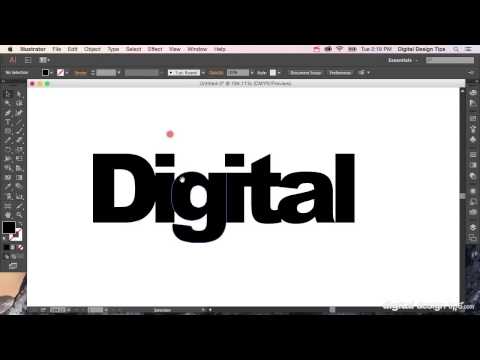
Playback starts YouTube’s embedded player (privacy-enhanced mode).
How to Create Outlines in Adobe Illustrator (convert text to shapes)
ChannelDigital Design TipsDescription from the creator
Learn how to convert text into editable vector outlines in Adobe Illustrator. This essential technique lets you turn fonts into scalable shapes — perfect for logos, print files, and client handoffs.
Need to convert your text into scalable, editable vector shapes? In this tutorial, I’ll show you how to create outlines in Adobe Illustrator — turning live text into curves that don't rely on installed fonts.
✅ Turn fonts into vector shapes
✅ Convert text to outlines for print and production files
✅ Works for logos, packaging, T-shirt designs, and more
✅ Also called “convert text to curves” or “text to shapes”
Creating outlines ensures your designs stay consistent across different devices, printers, and file formats.
🎬 More Illustrator vector editing tips: youtube.com/playlist?list=PLNScVLSQC9JpCPZmWsIw…
#adobeillustrator #illustratortutorial #learnillustrator
Need to convert your text into scalable, editable vector shapes? In this tutorial, I’ll show you how to create outlines in Adobe Illustrator — turning live text into curves that don't rely on installed fonts.
✅ Turn fonts into vector shapes
✅ Convert text to outlines for print and production files
✅ Works for logos, packaging, T-shirt designs, and more
✅ Also called “convert text to curves” or “text to shapes”
Creating outlines ensures your designs stay consistent across different devices, printers, and file formats.
🎬 More Illustrator vector editing tips: youtube.com/playlist?list=PLNScVLSQC9JpCPZmWsIw…
#adobeillustrator #illustratortutorial #learnillustrator
About this tutorial
Digital Design Tips published this 2:40 video tutorial on November 2, 2015. It has been watched 157,263 times on YouTube.
- Channel
- Digital Design Tips
- Category
- People & Blogs
- Duration
- 2:40
- Published
- November 2, 2015
- Views
- 157,263
- Likes
- 639
Tags
Share
This tutorial in other languages
- FRComment créer Outlines dans Adobe Illustrator (texte de conversion aux formes)
- ESCómo Crear contornos en Adobe Illustrator (convertir texto a formas)
- PTComo criar esboços no Adobe Illustrator (texto convertido para formas)
- ITCome Crea contorno in Adobe Illustrator (testo convertito alle forme)
- DESo erstellen Sie Outlines in Adobe Illustrator (convert Text zu Formen)
- NLHoe te Overzichten in Adobe Illustrator (Tekst omzetten naar vormen) maken
- RUКак создать Контуры в Adobe Illustrator (преобразование текста в формы)
- PLJak tworzyć konspekty w programie Adobe Illustrator (Konwersja tekstu na kształty)
- JAAdobe Illustratorの(形状への変換テキスト)でアウトラインを作成する方法
- ARكيفية إنشاء الخطوط العريضة في Adobe Illustrator (النص اعتنق الأشكال)
- HIकैसे एडोब इलस्ट्रेटर में रूपरेखा (आकार को परिवर्तित पाठ) बनाने के लिए
- IDCara Membuat Garis di Adobe Illustrator (convert teks ke bentuk)