Playback starts YouTube’s embedded player (privacy-enhanced mode).
How to create a rainbow effect in photoshop - Photoshop Tutorial
ChannelAnthony LamDescription from the creator
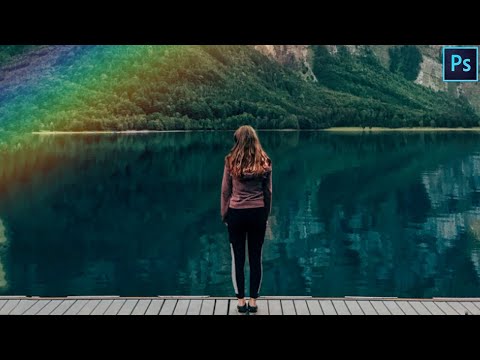
Today's tutorial will demonstrate how to create a rainbow effect using photoshop adobe cc 2019 in just under 2 minutes. This tutorial includes the following layers, gradient tool, blend mode screen, opacity settings, Gaussian blur, Free Transform, and the Warp transform option.
Donations Are Greatly Appreciated - paypal.me/lovemyfans
Social Media
IG: instagram.com/photoshoping_tutorials/
FB: facebook.com/AnthonyLamPhotography
Twitter: twitter.com/PhotoshopEdit_
Tumblr: photoshop-edits.tumblr.com/
Pinterest: pinterest.com.au/PhotoshopEdits_/
—————————————————————-
Check Out My Lightroom Youtube Channel - (Lightroom Is basically Photoshop Camera Raw)
Lightroom Channel ➡️ bit.ly/2QItuX7
Lightroom Fb Group ➡️ facebook.com/groups/123263719767242
—————————————————————-
My Equipment / Setup ➡️
Graphics Tablet (Standard) - amzn.to/3AIPrIB
Graphics Tablet (Pro) - amzn.to/3g64jXU
Keyboard - amzn.to/3AIPXGx
Mouse - amzn.to/3AI36jc
Headset - amzn.to/3r70yrI
MacBook Pro - amzn.to/34gaG8w
Ergonomic Chair - amzn.to/3AFiiNY
—————————————————————-
Thanks for watching please leave a like and subscribe and also comment below if you have any questions thank you
Photoshop Tips, Tricks and Shortcuts
Step 1, Select your gradient tool click the bar and choose the rainbow filter change the scale to 15% and press ok, next change the blend mode to screen and reduce the opacity to around 50% navigate to filter - blur - Gaussian Blur and change it to 90px.
Step 2, Go to Image and click Free transform or simply press Cmd or Ctrl + T depending on your operating system next resize the length make sure to hold down shift so you do not lose dimensions. The corners of the box are for rotating once you get your angle right, right click and choose "warp" bend the rainbow into an angle and place the rainbow to your desired position.
Donations Are Greatly Appreciated - paypal.me/lovemyfans
Social Media
IG: instagram.com/photoshoping_tutorials/
FB: facebook.com/AnthonyLamPhotography
Twitter: twitter.com/PhotoshopEdit_
Tumblr: photoshop-edits.tumblr.com/
Pinterest: pinterest.com.au/PhotoshopEdits_/
—————————————————————-
Check Out My Lightroom Youtube Channel - (Lightroom Is basically Photoshop Camera Raw)
Lightroom Channel ➡️ bit.ly/2QItuX7
Lightroom Fb Group ➡️ facebook.com/groups/123263719767242
—————————————————————-
My Equipment / Setup ➡️
Graphics Tablet (Standard) - amzn.to/3AIPrIB
Graphics Tablet (Pro) - amzn.to/3g64jXU
Keyboard - amzn.to/3AIPXGx
Mouse - amzn.to/3AI36jc
Headset - amzn.to/3r70yrI
MacBook Pro - amzn.to/34gaG8w
Ergonomic Chair - amzn.to/3AFiiNY
—————————————————————-
Thanks for watching please leave a like and subscribe and also comment below if you have any questions thank you
Photoshop Tips, Tricks and Shortcuts
Step 1, Select your gradient tool click the bar and choose the rainbow filter change the scale to 15% and press ok, next change the blend mode to screen and reduce the opacity to around 50% navigate to filter - blur - Gaussian Blur and change it to 90px.
Step 2, Go to Image and click Free transform or simply press Cmd or Ctrl + T depending on your operating system next resize the length make sure to hold down shift so you do not lose dimensions. The corners of the box are for rotating once you get your angle right, right click and choose "warp" bend the rainbow into an angle and place the rainbow to your desired position.
About this tutorial
Anthony Lam published this 2:02 video tutorial on November 11, 2019. It has been watched 513 times on YouTube.
- Channel
- Anthony Lam
- Category
- People & Blogs
- Duration
- 2:02
- Published
- November 11, 2019
- Views
- 513
- Likes
- 7
Tags
Share
This tutorial in other languages
- FRComment créer un effet arc-en-dans Photoshop - Photoshop Tutorial
- ESCómo crear un efecto de arco iris en Photoshop - Tutorial de Photoshop
- PTComo criar um efeito de arco-íris no photoshop - Photoshop Tutorial
- ITCome creare un effetto arcobaleno in Photoshop - Photoshop Tutorial
- DEPhotoshop Tutorial - Wie man einen Regenbogen-Effekt in Photoshop erstellen
- NLHoe maak je een regenboog effect in photoshop - Photoshop Tutorial
- RUКак создать эффект радуги в фотошопе - Photoshop Tutorial
- PLJak stworzyć efekt tęczy w programie Photoshop - Photoshop Tutorial
- JAPhotoshopのチュートリアル - Photoshopのレインボーエフェクトを作成する方法
- ARكيفية إنشاء تأثير قوس قزح في الفوتوشوب - دروس فوتوشوب
- HIकैसे में फ़ोटोशॉप एक इंद्रधनुष प्रभाव बनाने के लिए - फ़ोटोशॉप ट्यूटोरियल
- IDCara membuat efek pelangi di photoshop - Photoshop Tutorial