Playback starts YouTube’s embedded player (privacy-enhanced mode).
How to decide on the Squarespace page layouts
ChannelWandering AimfullyDescription from the creator
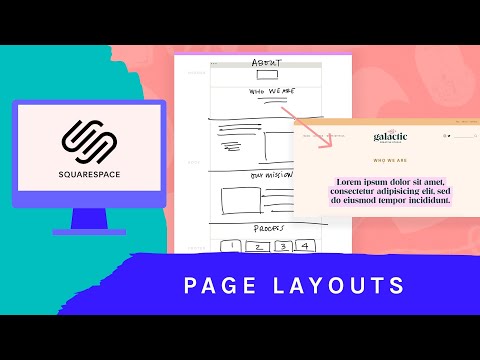
Now, it's easy to want to venture into each page and chip away at setting them all up but Caroline actually likes to start with the homepage and creatively explore there first. Then, once she feels good about the layout and design decisions, she'll hop into the other pages (About, Work With Us, Course, etc).
Branding the Squarespace pages is definitely one of the more fun parts of the project as you get to make them stand out from one another but still keep the same look and feel (thank you, Brand Styles page from the previous setup video!)
😍 If you want to check out the full BASSSF post and read all about this 3-week project, head on over to: wanderingaimfully.com/squarespace
🖥 COMMENT: Did you enjoy watching the page layouts come together for the site? Anything surprise you in this part of the Squarespace setup process?
👉 Don't want to miss a BASSSF project update? Be sure to subscribe to our channel but also hop on our email list to get weekly updates on BASSSF: wanderingaimfully.com/newsletter
***
Our gear setup...
Canon 80D DSLR - amzn.to/2GjgmC2
Canon 40mm 2.8 lens - amzn.to/2GK509g
Manfrotto compact tripod - amzn.to/2Ixx1ym
Sennheiser MKE600 boom mic - amzn.to/2DooeOV
LyxPro SMT-1 mic stand - amzn.to/2UPVlG7
Tascam DR-40 audio recorder - amzn.to/2VfYzCj
About this tutorial
Wandering Aimfully published this 11:47 video tutorial on October 25, 2019. It has been watched 6,893 times on YouTube.
- Channel
- Wandering Aimfully
- Category
- People & Blogs
- Duration
- 11:47
- Published
- October 25, 2019
- Views
- 6,893
- Likes
- 132
Tags
Share
Further reading
-
Layout Pages – Squarespace Help
support.squarespace.com
Add a page with a pre-built layout. Page layouts can be made up of one or multiple page sections with different combinations of blocks, depending on the type. You can always add more sections and blocks to any layout. T…
-
Choosing the right template – Squarespace Help
support.squarespace.com
Add new pages with different pre-built page layouts. Add new sections to change a page’s layout. For example, you can create a page banner by adding a section with a background image to the top of a page. Use section st…
-
New Squarespace Cover Page designs and how to use them ...
usingmyhead.com
NOTE: Updated 2 January 2016 to include the latest 16 new layouts. The designers at Squarespace have just updated their set of Cover Page templates*, so I thought I'd showcase the latest designs and explain how you can…
This tutorial in other languages
- FRComment décider de la mise en page Squarespace
- ESCómo decidir sobre los diseños de página Squarespace
- PTComo decidir sobre os layouts de páginas Squarespace
- ITCome decidere i layout di pagina Squarespace
- DEWie zu entscheiden, auf die Squareseitenlayouts
- NLHoe om te beslissen over de Squarespace pagina-indelingen
- RUКак решить макеты страниц Squarespace
- PLJak podjąć decyzję w sprawie układów stron Squarespace
- JASquarespaceページレイアウトを決定する方法
- ARكيفية اتخاذ قرار بشأن تخطيطات الصفحة Squarespace
- HIकैसे Squarespace पृष्ठ लेआउट पर फैसला करने के लिए
- IDBagaimana untuk memutuskan halaman layout Squarespace