Playback starts YouTube’s embedded player (privacy-enhanced mode).
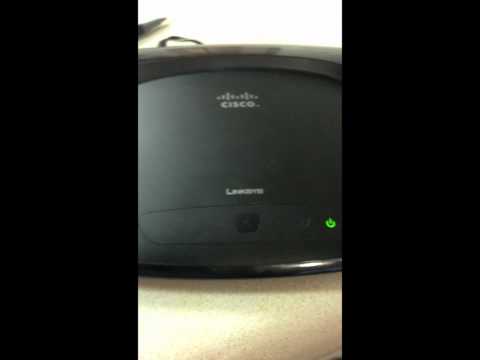
How To Factory Reset a Linksys Router
Channelsm09hDescription from the creator
Step 1: Reset the router.
To reset the router located the "Reset" button on the back of the router. Use a pen to hold down the reset button for 10 seconds. You will see the power light start to blink (approximately 30 seconds) and then the wireless light will turn on indicated that it was successfully reset.
Note: If you have an older router, you may have to hold down the reset button for 30 seconds.
Step 2: Login to router's web configurations.
After resetting the router, you will need to login to the web configurations. Make sure you are connected your internet. Open a web brower and in the address bar type the router's IP address. The IP address is "192.168.1.1″. You will be prompted for a username and password. The default username is "admin" and the default password is "admin".
Step 2: Change the router password.
To change the router password go to "Administration" and change the local router password. Make sure to write the new password down (otherwise you'll have to complete these steps again!). You will then be prompted to login to your router again.
Step 3: Change the wireless password.
To change the wireless password go to "Wireless" and then "Wireless security". Select your security type, and then enter you're preferred wireless password. If you're using wireless you will need to disconnect from the previous connection and reconnect to the new secure connection.
Step 4: Change the SSID
To change the SSID go to "Wireless" and select "Manual" for "Wireless configuration". This will give you the option to change your "Wireless network name" or SSID. Save your settings and reconnect to your new SSID.
To reset the router located the "Reset" button on the back of the router. Use a pen to hold down the reset button for 10 seconds. You will see the power light start to blink (approximately 30 seconds) and then the wireless light will turn on indicated that it was successfully reset.
Note: If you have an older router, you may have to hold down the reset button for 30 seconds.
Step 2: Login to router's web configurations.
After resetting the router, you will need to login to the web configurations. Make sure you are connected your internet. Open a web brower and in the address bar type the router's IP address. The IP address is "192.168.1.1″. You will be prompted for a username and password. The default username is "admin" and the default password is "admin".
Step 2: Change the router password.
To change the router password go to "Administration" and change the local router password. Make sure to write the new password down (otherwise you'll have to complete these steps again!). You will then be prompted to login to your router again.
Step 3: Change the wireless password.
To change the wireless password go to "Wireless" and then "Wireless security". Select your security type, and then enter you're preferred wireless password. If you're using wireless you will need to disconnect from the previous connection and reconnect to the new secure connection.
Step 4: Change the SSID
To change the SSID go to "Wireless" and select "Manual" for "Wireless configuration". This will give you the option to change your "Wireless network name" or SSID. Save your settings and reconnect to your new SSID.
About this tutorial
sm09h published this 5:53 video tutorial on October 29, 2012. It has been watched 428,640 times on YouTube.
- Channel
- sm09h
- Category
- People & Blogs
- Duration
- 5:53
- Published
- October 29, 2012
- Views
- 428,640
- Likes
- 960
Tags
Share
This tutorial in other languages
- FRComment Réinit.d'usine un routeur Linksys
- ESCómo Restablecer la configuración original de un Router Linksys
- PTComo Factory Reset um roteador Linksys
- ITCome Factory Reset un router Linksys
- DEHow To Factory Reset einen Linksys Router
- NLHow To Factory Reset een Linksys Router
- RUКак Factory Reset на Linksys маршрутизатор
- PLJak Reset Router Linksys
- JAどのようにするには工場出荷時には、Linksysのルータをリセット
- ARكيفية مصنع إعادة تعيين جهاز التوجيه لينكسيس
- HIकैसे करने के लिए फैक्टरी रीसेट एक Linksys रूटर
- IDCara Factory Reset Linksys Router