Playback starts YouTube’s embedded player (privacy-enhanced mode).
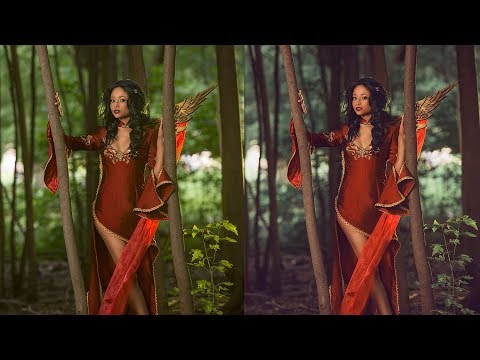
How to Install and Adjust our Photoshop Actions
ChannelElite CosplayDescription from the creator
We're releasing actions on our Patreon and store, so I thought I would go over how to install and adjust the actions to make them work for your photos!
Check out our Patreon: patreon.com/elitecosplay
Store: elitecosplay.com/shop
Cosplayer in video: facebook.com/MeltingMirror/
Check out our Patreon: patreon.com/elitecosplay
Store: elitecosplay.com/shop
Cosplayer in video: facebook.com/MeltingMirror/
About this tutorial
Elite Cosplay published this 7:00 video tutorial on November 2, 2017. It has been watched 591 times on YouTube.
- Channel
- Elite Cosplay
- Category
- People & Blogs
- Duration
- 7:00
- Published
- November 2, 2017
- Views
- 591
Tags
Share
This tutorial in other languages
- FRComment faire pour installer et ajuster nos actions Photoshop
- ESCómo instalar y ajustar nuestras acciones de Photoshop
- PTComo instalar e ajustar nossas ações Photoshop
- ITCome installare e regolare le nostre azioni di Photoshop
- DEWie Installieren und unsere Photoshop Aktionen einstellen
- NLHoe te installeren en aanpassen onze Photoshop Actions
- RUКак установить и корректировать наши действия Photoshop
- PLJak zainstalować i dostosować nasze Photoshop Actions
- JA当社のPhotoshopのアクションをインストールし、調整する方法
- ARكيفية تثبيت وضبط لدينا تطبيقات فوتوشوب
- HIस्थापित करें और हमारे फ़ोटोशॉप कार्यवाहियों को एडजस्ट करने के लिए कैसे
- IDCara Menginstal dan Menyesuaikan Photoshop Actions kami